

Close Menu

    Subscribe to Updates

    Get the latest creative news from FooBar about art, design and business.

    What's Hot

    Samsung Unveils Galaxy Z TriFold, Introducing a New Era of Multi-Fold Smartphones

    December 2, 2025

    Vivo X300 Pro Review: Claiming the Camera Crown!

    December 2, 2025

    WhatsApp Web to Auto Logout Every Six Hours Under New Indian Rules

    December 2, 2025
    Facebook X (Twitter) Instagram YouTube
    • Subscribe to the Magazine
    • Join our Newsletter
    • BBC TopGear India
    • Influencer News
    Wednesday, December 3
    Facebook X (Twitter) Instagram Pinterest YouTube Tumblr LinkedIn
    Exhibit TechExhibit Tech
    • Home
    • Tech & AI
      • Tech News
      • Tech Launches
      • Tech Features
      • Gaming
      • AI & Robotics
      • Social Media
      • Cybersecurity
      • FinTech
      • Crypto
      • Space
      • Software & Apps
    • Reviews
      • Smartphone Reviews
      • Smartwatch Reviews
      • Headphone Reviews
      • Laptop Reviews
      • Tablet Reviews
      • Earbud Reviews
      • Camera
      • Speakers
      • PC components
      • Accessories
      • Best TV Reviews in India – Find Your Next Screen with Exhibit.tech
      • Compare the Best Gadgets in India – Smartphones, Laptops, Wearables & More
      • Best Gadget to use
    • Auto
      • Auto News
      • Auto Reviews
      • Auto Tech
      • Vehicles
        • Cars
        • Bikes
    • Lifestyle
      • Travel
      • Entertainment
        • Fashion
        • Sports
        • OTT
        • Music
        • Movies
      • Watches
      • Health
      • Sneakerhead
      • Lifestyle Features
    • Guides
      • Explained
      • How To’s
      • How Big Is
      • Tips and Tricks
      • Screw Ups
    • Interviews
      • Creators
      • Tech Talks
      • Celebrities
      • Top 100 Leaders
        • Tech & Auto 2025
      • Founder’s club
      • Petrol Head
      • Marketing Minds
      • Editor’s note
    • Events
      • Influencex Awards
        • InfluencEX Awards Winners 2025
        • InfluencEX Awards Winners 2024
        • InfluencEX Awards Winners 2023
      • Exhibit Tech Awards
        • Tech Awards Winners 2025
        • Tech Awards Winners 2024
        • Tech Awards Winners 2023
      • Tech Fashion Tour
      • TopGear India Awards
    • Deals and Offer
    Exhibit TechExhibit Tech
    Home >> AI & Robotics >> Google’s Gemini Live May Soon Get Gesture-Based Activation on Android
    AI & Robotics

    Google’s Gemini Live May Soon Get Gesture-Based Activation on Android

    By Sandesh BhosleJanuary 22, 20252 Mins Read
    Facebook Twitter Pinterest LinkedIn Tumblr Email
    Google Gemini
    Share
    Facebook Twitter LinkedIn Pinterest Email

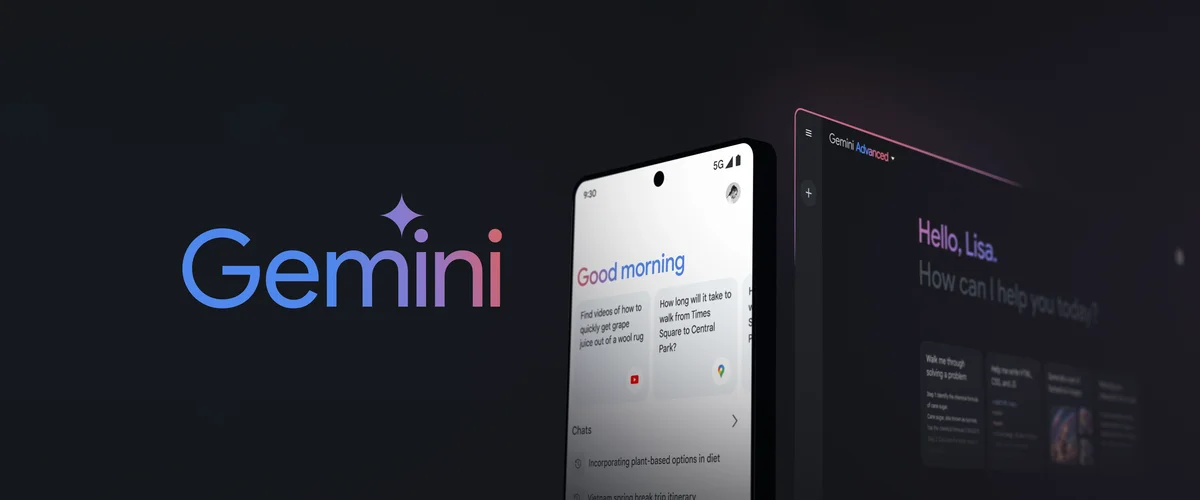
    Google is reportedly gearing up to make interacting with its AI-powered Gemini Live more seamless than ever. Currently, this advanced two-way voice conversation feature is accessible only through the Gemini app. However, a recent report hints at a groundbreaking shift: the tech giant is developing a gesture-based shortcut to activate Gemini Live directly, signalling a move to make AI-driven voice interactions more intuitive and accessible.

    According to Android Authority, traces of this upcoming feature were uncovered in version 16.2.39 of the Google app during an Android APK teardown. Although the feature isn’t yet active, its inclusion in the app’s code strongly suggests that Google is preparing to roll it out soon. If implemented, this change could mark a significant step toward making Gemini Live a more integrated and user-friendly tool for Android users.

    Android currently offers various ways to summon its virtual assistant. Familiar methods include saying activation phrases like “Hey Google” or “OK Google,” long-pressing the power button, tapping the microphone icon in the Google Search widget, using a dedicated shortcut on the home screen, or performing a diagonal swipe from the screen’s corners. Reports indicate that Google is planning to revamp the diagonal swipe gesture, repurposing it to activate Gemini Live instead of the traditional virtual assistant.

    Crucially, this gesture will only work if Gemini is set as the device’s default assistant. A video shared by Android Authority shows how the gesture activates a sleek, full-screen Gemini Live interface, allowing users to dive straight into a real-time conversation with the AI. Once activated, users can communicate seamlessly, and exiting the interface is just as effortless. Pressing the disconnect button redirects to the Gemini app, while the back button or gesture returns users to the home screen.

    It’s worth noting that Google hasn’t officially announced this update yet. As such, there’s no clear timeline for its release. There’s also the possibility that this feature is experimental and may not make it to public versions of the app. Nevertheless, the addition of a gesture-based activation method underscores Google’s ongoing efforts to enhance accessibility and drive the adoption of its cutting-edge AI tools. Stay tuned for official updates, as this innovation could redefine how we engage with AI on Android devices.

    Google Gemini
    Share. Facebook Twitter Pinterest LinkedIn Tumblr Email

    Related Posts

    Apple’s AI Chief John Giannandrea to Exit After Tumultuous Generative AI Struggles

    December 2, 2025

    Did Perplexity Just Lose Its Domain to a ₹499 Gemini Trick?

    November 28, 2025

    ChatGPT Voice Now Works Inside the Main Chat Window: Here’s What’s New

    November 27, 2025

    Comments are closed.

    Top Posts

    Apple’s AI Chief John Giannandrea to Exit After Tumultuous Generative AI Struggles
    December 2, 2025
    Did Perplexity Just Lose Its Domain to a ₹499 Gemini Trick?
    November 28, 2025
    ChatGPT Voice Now Works Inside the Main Chat Window: Here’s What’s New
    November 27, 2025
    The AI Video Call Revolution: New Possibilities Unlocked
    November 26, 2025
    I Fell in Love with AI Music, And Now I’m Scared for Human Artists
    November 20, 2025
    Exhibit Magazine | November 2025
    Stay In Touch
    • Facebook
    • YouTube
    • TikTok
    • Twitter
    • Instagram
    • Pinterest
    • LinkedIn
    • Reddit

    Subscribe to Updates

    Latest Posts
    Tech News

    Samsung Unveils Galaxy Z TriFold, Introducing a New Era of Multi-Fold Smartphones

    Tech News By adminDecember 2, 2025
    Smart phones Reviews

    Vivo X300 Pro Review: Claiming the Camera Crown!

    Smart phones Reviews By Shintu DhangDecember 2, 2025
    Tech News

    WhatsApp Web to Auto Logout Every Six Hours Under New Indian Rules

    Tech News By Aadithya HarishDecember 2, 2025

    Exhibit.Tech, we’re your one-stop destination for everything tech! Whether it’s breaking news about the latest launches from giants like Sony, Vivo, Apple, Huawei, OnePlus, Sennheiser, Poco, and more, or in-depth reviews of mobiles, smartwatches, headphones, TVs, and earbuds – we’ve got you covered.

    Our reviews go beyond the surface, highlighting the pros and cons to help you make informed buying decisions. We’re here to simplify your tech journey with practical tips, tricks, and comprehensive “how-to” guides across a wide range of topics.

    Think of us as your friendly tech companion, helping you stay updated and make sense of the ever-evolving tech world with clarity and ease. At Exhibit.Tech, we make tech work for you!

    Most Popular

    Apple’s AI Chief John Giannandrea to Exit After Tumultuous Generative AI Struggles

    December 2, 2025

    Firewall Explained

    November 29, 2025

    ChatGPT Voice Now Works Inside the Main Chat Window: Here’s What’s New

    November 27, 2025
    Our Pick

    Why engaging with followers often leads to more post likes

    October 16, 2025

    Instagram Brings Diwali Festivity to Stories and Videos with AI-Powered Effects

    October 16, 2025

    My Instagram Feed Knows Me Better Than My Close Ones

    October 16, 2025
    Facebook X (Twitter) Instagram Pinterest YouTube
    • About Us
    • Careers
    • Contact Us
    © 2025 Exhibit Technologies | All Rights Reserved

    Type above and press Enter to search. Press Esc to cancel.