

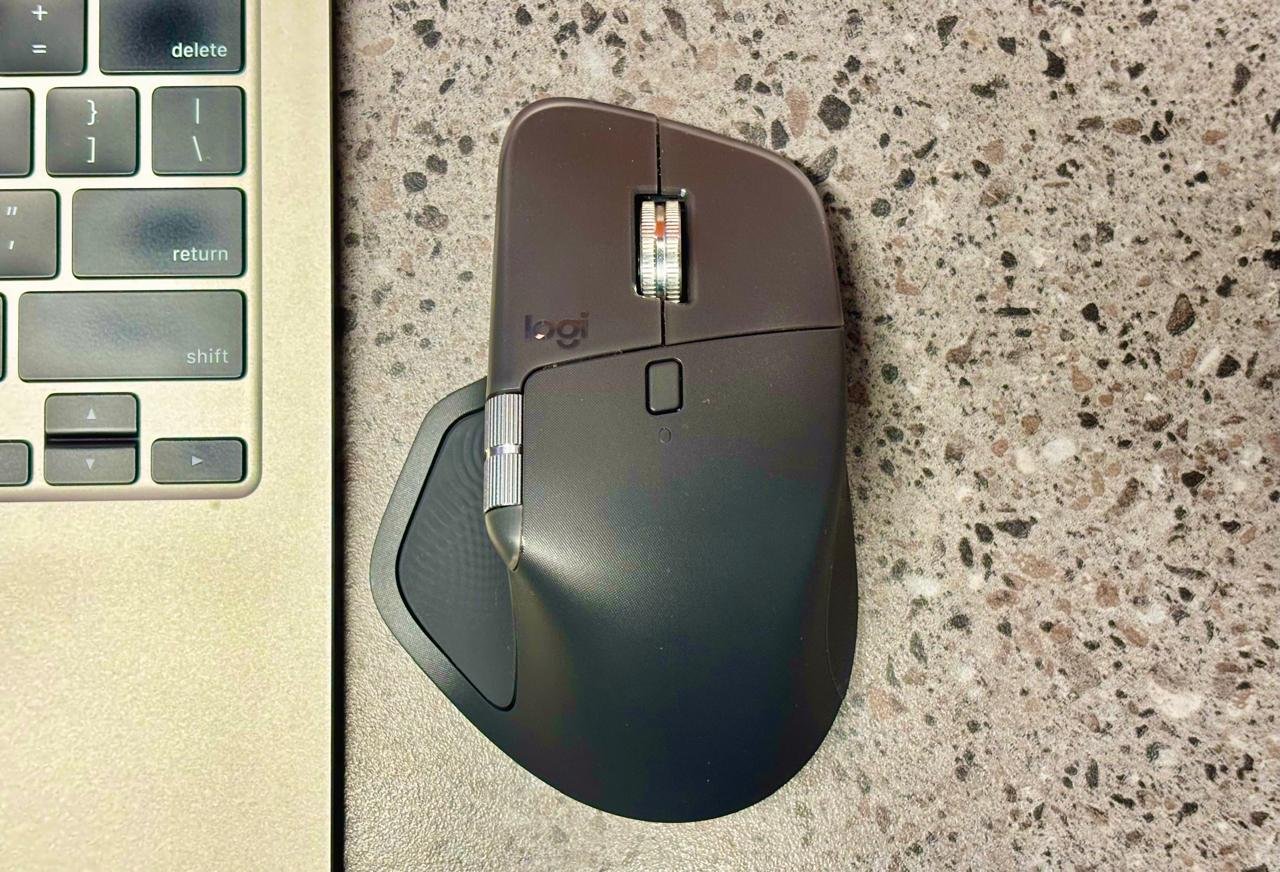
The Logitech MX Master 4 stands out as one of the finest productivity mice available, building impressively on the already excellent MX Master series. My original MX Master still performs reliably with strong battery life. Still, after two weeks with the MX Master 4, it has fundamentally transformed my daily workflow, making browsing and content engagement feel more intuitive, comfortable, and efficient. But is this mouse any better for professional use? Let’s find out.
Features & Build
The MX Master 4 retains the iconic ergonomic shape of its predecessors while introducing meaningful upgrades over the MX Master 3S. Key additions include customizable haptic feedback and the innovative Actions Ring, both of which significantly boost productivity. Connectivity is twice as strong for more reliable performance in crowded wireless setups, and battery life reaches up to 70 days on a full charge.
At 150 grams, the weight difference is negligible in the hand. The design remains substantial and premium, available in sleek colour options like Black, Pale Grey, and Graphite. It looks sharp on any desk and incorporates sustainable materials, up to 54% Next Life Plastics on the Graphite model (48% on Pale Grey), a low-carbon aluminium thumb wheel powered by renewable energy, and 100% recycled cobalt.

The haptic feedback shines brightest on the Actions Ring and gesture controls, providing tactile confirmation for custom actions. However, its potential feels underutilized beyond these (e.g., I’d love haptic cues during browser scrolling or precise adjustments in creative apps). Setup requires Logi Options+ software (free, with an account for advanced features), which lets you unlock Smart Actions, such as prebuilt or custom macros that launch apps, open tabs, or automate workflows with one click. Examples include firing up Chrome + email + Office suite for work, quick access to social media (YouTube/Instagram), or prepping Zoom with a notepad for meetings. The flexibility, including template imports, is a genuine time-saver.
On the AI front, Logitech integrates access to Perplexity, Copilot, Gemini, and ChatGPT via the Actions Ring. While AI integration is increasingly standard (and optional), it proves handy for quick tasks, saving time without dominating the experience. Many default Ring actions map to common keyboard shortcuts; reassigning them to lesser-used functions maximizes utility.
Performance remains top-tier with an 8,000 DPI Darkfield sensor that tracks flawlessly on virtually any surface (including glass), ideal for couch or table use. Connectivity is rock-solid, with no dropouts or interference during intensive work. It also includes the Logi Bolt USB-C receiver.
Experience
The MX Master series shape has evolved subtly but effectively, remaining near-perfect for extended sessions. With large hands, I find it exceptionally comfortable. The contoured grip supports natural posture without fatigue. Clicks are satisfying, yet whisper-quiet (Quiet Click tech reduces noise by ~90%), and the MagSpeed scroll wheel glides buttery-smooth in free-spin mode or ratchets precisely for document navigation.
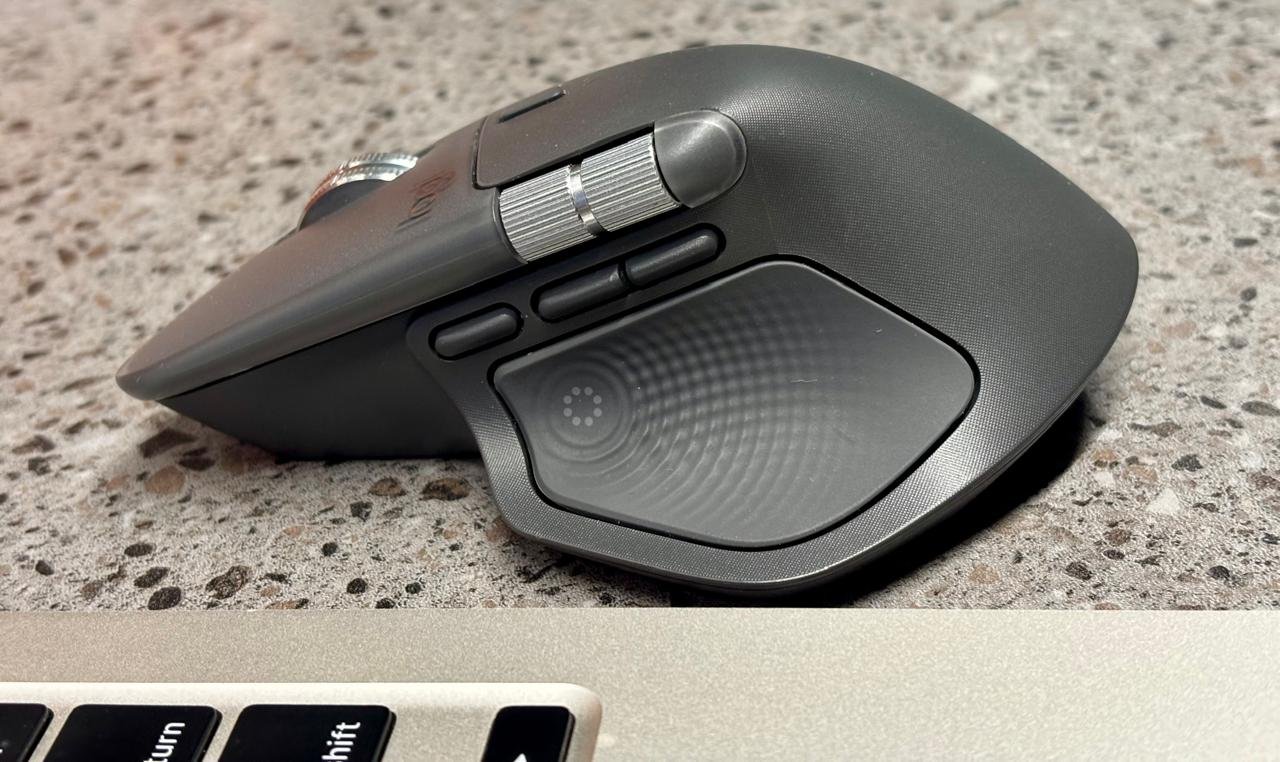
The thumb wheel enables effortless horizontal scrolling (great for spreadsheets or timelines), while dedicated back/forward buttons and the new gesture button add layers of control. Hold the gesture button and swipe to switch to desktop mode, adjust volume, zoom, or run app-specific commands, all customizable via Logi Options+.
Battery life impresses most, starting at around 40% out of the box, it dropped only ~5% over three weeks of heavy daily use. I charge it preemptively rather than out of necessity.
The 125 Hz polling rate suits productivity perfectly (far from the 1,000+ Hz of gaming mice), delivering responsive, lag-free input without excessive power draw.
Verdict
The Logitech MX Master 4 is hands-down the best mouse I’ve ever used, making it nearly impossible to go back to anything less. For non-gaming needs, it delivers unmatched productivity through customizable actions, all-day comfort, exceptional battery life, and reliable performance. Whether at a desk, on the go, or juggling multiple devices, it enhances every task without compromise.
If you’re seeking the ultimate productivity companion, the MX Master 4 isn’t just an upgrade, it’s the new benchmark. Highly recommended.
1 Comment
Pingback: Stuffcool Launches ChargeCube 65W Powerstrip for Modern Spaces