

Verdict
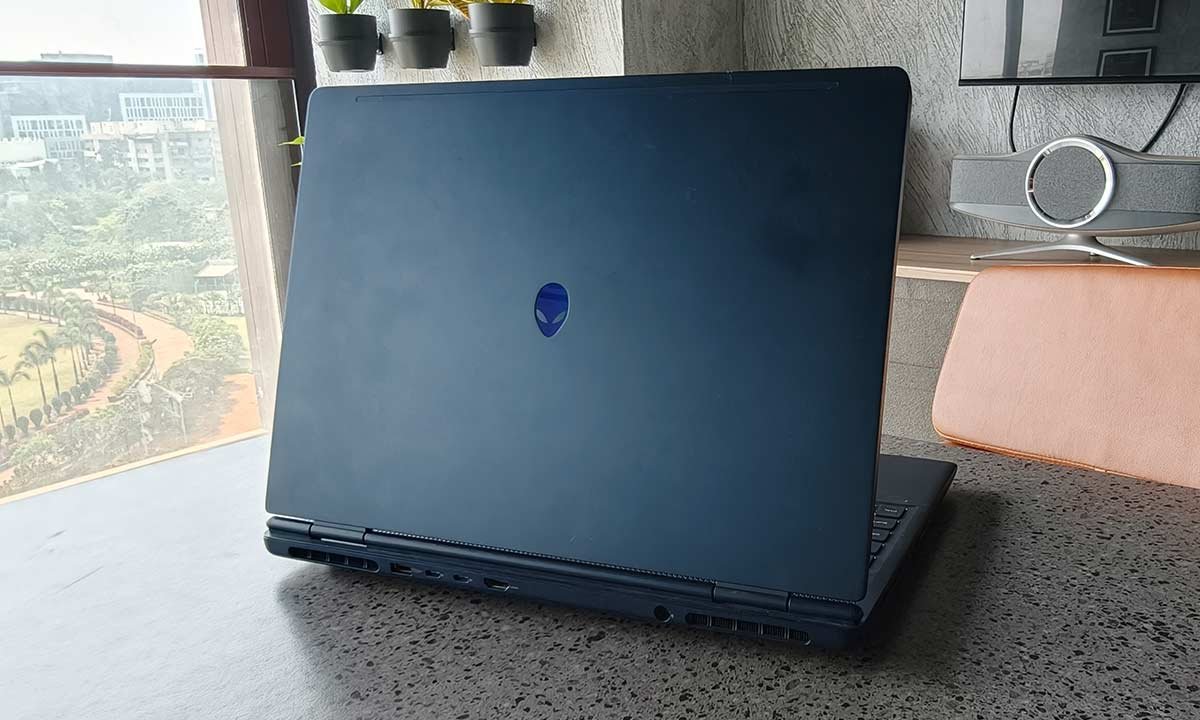
Ultimately, the Alienware Aurora 16 is a performance-first machine wrapped in bold, unmistakable design. It excels in gaming, handles creative workloads with confidence, maintains strong thermals under pressure, and offers a sharp, colour-accurate 16:10 display. However, it is heavy, the fans are audible under load, and the absence of an OLED panel at this price feels like a missed opportunity. If your priority is consistent, high-performance computing and you are willing to accept the physical heft that comes with it, the Aurora 16 delivers where it matters most. For users seeking lighter portability or premium display technology, alternatives may be worth exploring. As it stands, it is a powerful, capable machine that earns its 3.5 out of 5 rating by doing the fundamentals exceptionally well while leaving just enough room for improvement in refinement.
The Good
- Excellent performance
- Great thermals
- Powerful speakers
The Bad
- Very heavy
- No OLED
-
Design
-
Display
-
Sound
-
Performance
-
Functionality
-
Battery Life
The Alienware Aurora 16 is not a laptop designed to be subtle. It makes a statement the moment you lift the lid, and more importantly, the moment you push its hardware. At ₹1,54,990, this is not an entry-level gaming machine or a casual upgrade from a mainstream laptop. It is positioned as a serious performance device aimed at gamers, creators and power users who want desktop-class capability in a portable, albeit substantial, form factor. The unit I tested was powered by Intel’s Core 7 240H processor, a 10-core chip with 24MB cache and boost speeds up to 5.2GHz. It was paired with 16GB of DDR5 RAM, a 1TB SSD, and Nvidia’s RTX 5060 GPU with 8GB of GDDR7 memory. On paper, this is a formidable configuration. In real-world use, it comes impressively close to delivering desktop-like performance, though not without a few compromises.
Design
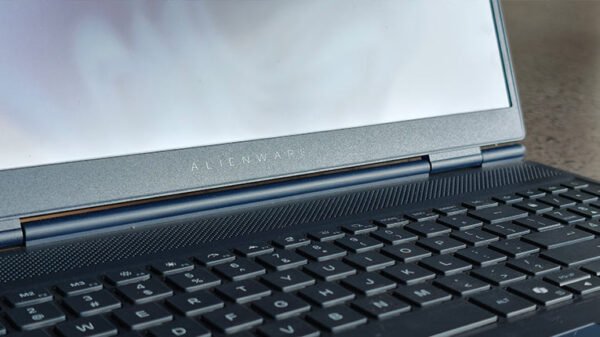
From a design standpoint, Alienware continues to lean into its futuristic, almost sci-fi industrial language. The chassis feels dense and robust, with minimal flex on the lid and a hinge that inspires confidence. This is a machine engineered to feel premium. However, it weighs 2.5kg, and that weight defines the ownership experience more than anything else. Carrying it daily in a backpack is possible, but you will feel it. Over a few days of commuting with it, I experienced noticeable strain. This is not the laptop you casually slip into a tote for cafe hopping. It is better thought of as a transportable desktop rather than a highly portable notebook.
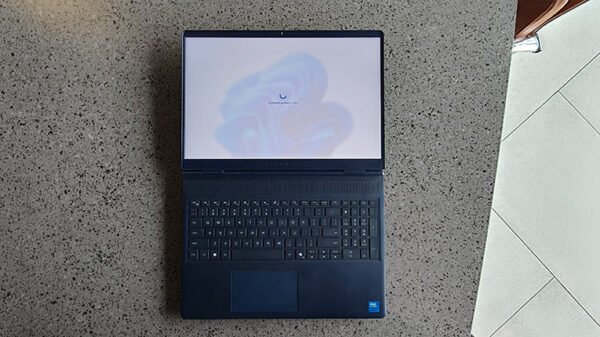
The keyboard uses a standard 101-key US layout with backlighting, and the typing experience is genuinely good. Key travel is satisfying, feedback is tactile without being harsh, and it performs equally well in gaming sessions and long writing stretches. The trackpad is responsive and sufficiently large for productivity tasks, though most gamers will naturally default to an external mouse.
Display and Sound
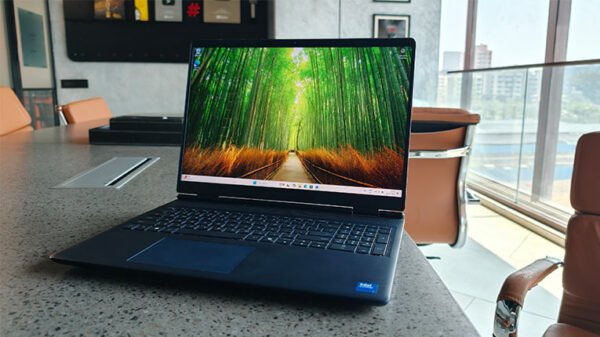
The 16-inch WQXGA display is one of the laptop’s strengths, though it is not flawless. With a resolution of 2560×1600 and a 16:10 aspect ratio, it provides noticeably more vertical workspace compared to traditional 16:9 panels. That extra screen real estate is particularly useful for editing timelines, browsing long documents, or managing spreadsheets.
Also Read: HP OmniBook X Flip Review
The panel supports a 120Hz refresh rate, which makes gaming fluid and even everyday scrolling in Windows feel smoother. Colour reproduction is rated at 100% sRGB, which makes it suitable for content creators working in web colour spaces. Photo editing, social media content creation and general design work feel accurate and consistent. Brightness peaks at 300 nits, which is perfectly acceptable indoors but starts to feel limited in brighter environments. Reflections become noticeable in direct light.
The biggest omission at this price point is OLED. While the IPS panel offers decent contrast and good colour fidelity, it lacks the deep blacks and dramatic contrast that OLED panels now bring to competing machines in this segment. For cinematic gaming and film consumption, OLED would have elevated the visual experience significantly.
Audio performance deserves special mention. Gaming laptops often compromise on speaker quality, but the Aurora 16 delivers surprisingly full and balanced sound. Dialogue is clear, volume levels are high without distortion, and there is a reasonable amount of low-end presence for a laptop chassis. Watching films or consuming YouTube content without external speakers feels genuinely satisfying. For competitive gaming, headphones remain superior for positional accuracy, but the built-in speakers are more than serviceable.
Performance
This is where the Aurora 16 truly justifies its positioning. The Intel Core 7 240H handles multitasking effortlessly. Application launches are instantaneous, background processes do not slow the system down, and demanding productivity workflows feel smooth. During testing, I alternated between long gaming sessions and 4K video editing workloads. The system remained stable and responsive throughout. Rendering times were competitive for this class, and the processor rarely became a bottleneck. The 16GB of DDR5 RAM offers solid bandwidth for both gaming and creative applications. For most users, this capacity is adequate, though professionals working with extremely heavy projects may eventually consider upgrading to 32GB. The 1TB SSD ensures fast boot times and minimal game loading delays, and transferring large 4K files feels quick and efficient.
The Nvidia RTX 5060 with 8GB of GDDR7 memory is the true centrepiece of this machine. At the native 2560 x 1600 pixel resolution, it handles modern AAA titles at high settings with confidence. Competitive shooters easily cross triple-digit frame rates, while heavier open-world titles maintain stable performance, especially with DLSS enabled. Ray tracing is usable in supported titles, provided you leverage DLSS for performance balancing. The GPU’s architecture also benefits creators, as GPU acceleration improves timeline scrubbing and export performance in supported editing software. This is not an entry-level graphics solution; it comfortably sits in the upper mid-range and delivers consistent results.
Functionality
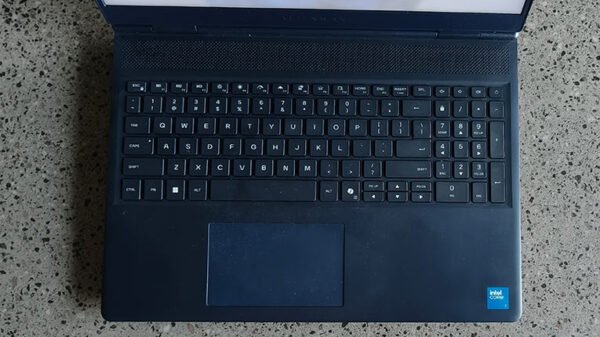
Thermal management is handled well. Even during extended gaming sessions, the keyboard deck remained reasonably cool, and the palm rests never became uncomfortable. Performance remained stable under sustained load, with minimal signs of thermal throttling. However, when the system is pushed aggressively, the fans ramp up noticeably. They are not painfully loud, but in a quiet room without headphones, they are clearly audible. With headphones on, the noise fades into the background. The cooling system prioritises performance retention over silence, which aligns with the laptop’s intended audience.
Port selection is comprehensive and practical. On the left side, you get an Ethernet port, a USB 3.2 Gen 1 Type-A port, and a global headset jack. The rear houses the power input, another USB 3.2 Gen 1 Type-A port, two USB 3.2 Gen 2 Type-C ports with DisplayPort 1.4 support routed through the iGPU, and an HDMI 2.1 port connected directly to the dGPU. HDMI 2.1 is particularly important, as it allows high refresh rate output to external monitors or TVs, effectively turning the Aurora 16 into a capable home gaming station. The rear port layout keeps cables neatly organised and out of sight, which is ideal for desk setups, but it can be inconvenient if the laptop is placed against a wall and you frequently plug and unplug accessories.
Battery Life

Battery life, while not extraordinary, is respectable for a performance-focused machine. Expect around six to seven hours during productivity tasks such as browsing, document editing and streaming. Light gaming yields roughly four hours, while heavy AAA titles will drain the battery faster. This remains a laptop that performs best when plugged in, but compared to similarly powerful machines, its endurance is competitive.