

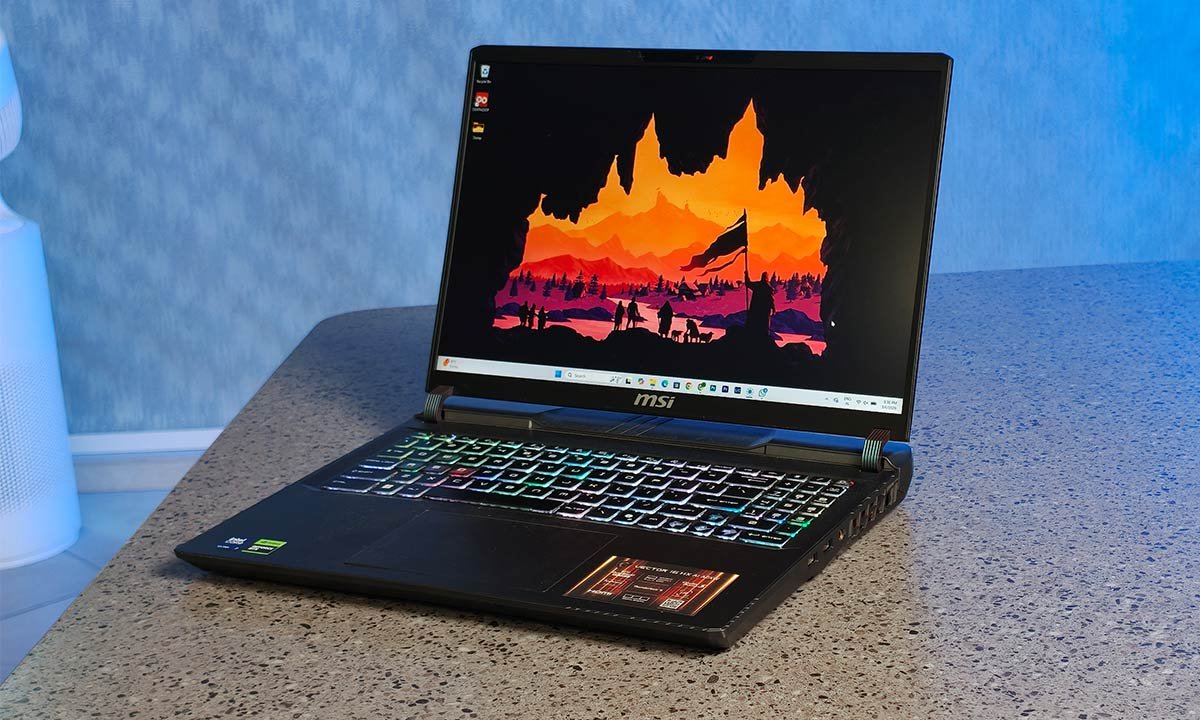
Verdict
The MSI Vector 16 HX AI is a performance-first machine that makes very few compromises in the areas that matter most to its target audience. It delivers sustained power for gaming and productivity, pairs that with a sharp 240Hz QHD+ display, and wraps it in a solid, purpose-built chassis with a well-executed RGB keyboard. The trade-offs are consistent with what this hardware class typically brings. At ₹2,26,990, it is undeniably a premium investment, but for users who will actually leverage the GPU horsepower, high refresh rate panel, and workstation-level capability, the value lies in what it can consistently deliver under load. It is not for casual users; it is for those who need performance on demand and are willing to carry the weight that comes with it.
The Good
- Powerful Performance
- 240Hz Display
- Solid Keyboard
The Bad
- Heavy Build
- Average Speakers
-
Design
-
Display
-
Sound
-
Performance
-
Functionality
-
Battery Life
On my trusty old desk now sits the MSI Vector 16 HX AI laptop, an eye-grabbing piece of technology that promises premium performance. What makes it special is that it’s built around the high-end HX-series Intel processor and paired with an NVIDIA GeForce RTX GPU. This combination positions it as a machine designed for demanding workloads that obviously include AAA gaming at QHD resolutions. With 32GB of DDR5 RAM, fast NVMe storage, and a 16-inch 240Hz display, the hardware configuration clearly targets users who require sustained performance. At ₹2,26,990, its base A2XWHG-227IN model competes in a space where raw capability, thermal headroom, and display quality are central to the buying decision. Let me tell you more about it.
Design
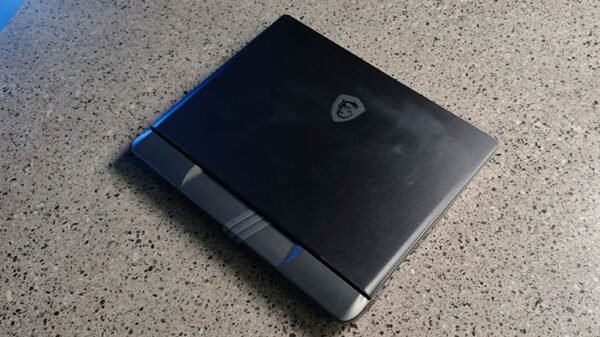
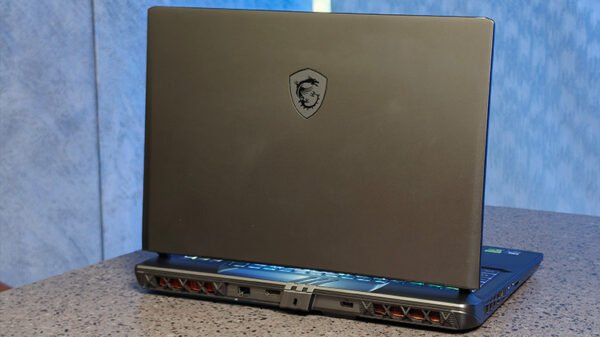
The Vector 16 HX AI doesn’t try to be subtle. It looks purposeful and industrial. The chassis feels solid and confidence-inspiring, with minimal flex on the keyboard deck. It’s clearly built to handle high thermal loads, and you can tell from the venting and rear exhaust layout that cooling was prioritised over sleek minimalism. At around 2.7 kg, it is heavy. But that shouldn’t surprise you. This is a desktop-replacement gaming laptop with HX-series silicon and a high-end GPU. If portability is your top priority, this is not your machine. If performance is, the weight becomes a logical trade-off.
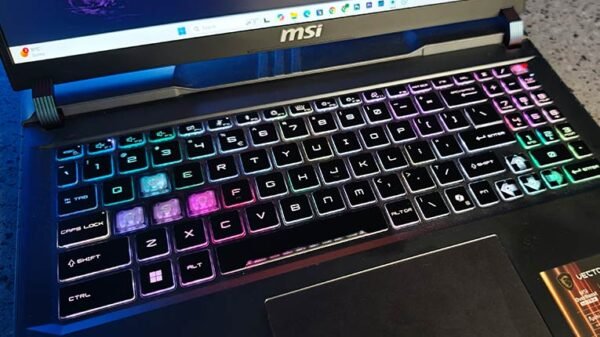
The RGB keyboard deserves special mention. The lighting is vibrant, evenly diffused, and customisable without looking tacky. For long work sessions at night, the illumination is practical, not just aesthetic. Key travel is comfortable, feedback is tactile enough for both typing and gaming, and I found myself enjoying writing on it, which isn’t something I say about most gaming laptops. Port selection is generous and thoughtfully placed, especially rear I/O for cleaner desk setups.
Display & Sound
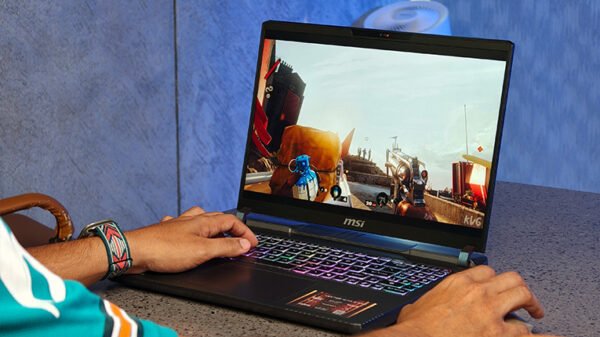
The 16-inch QHD+ panel with a 240Hz refresh rate is one of this laptop’s biggest strengths. For indoor use, brightness is absolutely sufficient. I never felt the need to max it out in normal working conditions. Colour reproduction is punchy without being oversaturated, making it suitable for content consumption and even semi-professional creative tasks. The 240Hz refresh rate makes a tangible difference. Competitive shooters feel fluid, camera pans are smooth, and latency perception drops noticeably. If you game regularly, this panel elevates the experience beyond standard 144Hz displays. The 16:10 aspect ratio is underrated for productivity. You get more vertical space, which translates to better document editing, timelines in video software, and spreadsheet visibility.
Now, the speakers. They are average. Not bad, but not premium. There’s enough volume for casual YouTube watching or meetings, but bass is limited, and the soundstage is narrow. If you’re gaming or watching films seriously, you’ll want headphones or external speakers.
Performance
This is where the Vector 16 HX AI justifies its price. The HX-class processor combined with a high-end RTX GPU delivers serious horsepower. Whether I was multitasking with dozens of Chrome tabs, editing large image files, rendering videos, or running demanding games at high settings, the system rarely felt stressed. Thermals are well managed under sustained loads. Yes, fans get audible during gaming, but that’s expected at this performance tier. More importantly, performance doesn’t throttle aggressively. For productivity, it’s a beast. Export times are quick. Heavy workloads don’t stutter. AI-assisted workflows benefit from the dedicated GPU acceleration. For gaming, QHD at high settings is very achievable in most modern AAA titles. The 240Hz panel ensures that competitive games feel responsive and smooth.
Functionality
Daily usability matters more than raw specs. Boot times are fast thanks to the NVMe storage. Multitasking feels effortless with ample RAM. The weight makes it less of a café laptop and more of a “carry between home and office” machine. Think of it as a portable workstation rather than an ultraportable. Connectivity is strong, port selection is practical, and the keyboard + large trackpad combination makes it viable for serious work without immediately reaching for an external keyboard.
Battery Life
The MSI Vector 16 HX AI is equipped with a 90Wh battery, which delivers roughly 5 to 7 hours of usage depending on workload and brightness levels. For general productivity tasks like browsing, writing, streaming, and office applications, it comfortably sits within that window. However, once you begin pushing demanding applications or gaming titles, battery drain accelerates noticeably. This is not a machine designed for unplugged gaming sessions; performance modes are clearly optimised for when it’s connected to the 330W charger. Given the laptop’s size and weight, it is unlikely to be your everyday cafe companion anyway. But if you do plan to work away from a power outlet, carrying the charger isn’t optional, especially if there’s any possibility of running GPU-intensive tasks.
3 Comments
Pingback: sildenafil for pulmonary hypertension
Pingback: tadalafil online
Pingback: metoprolol er