

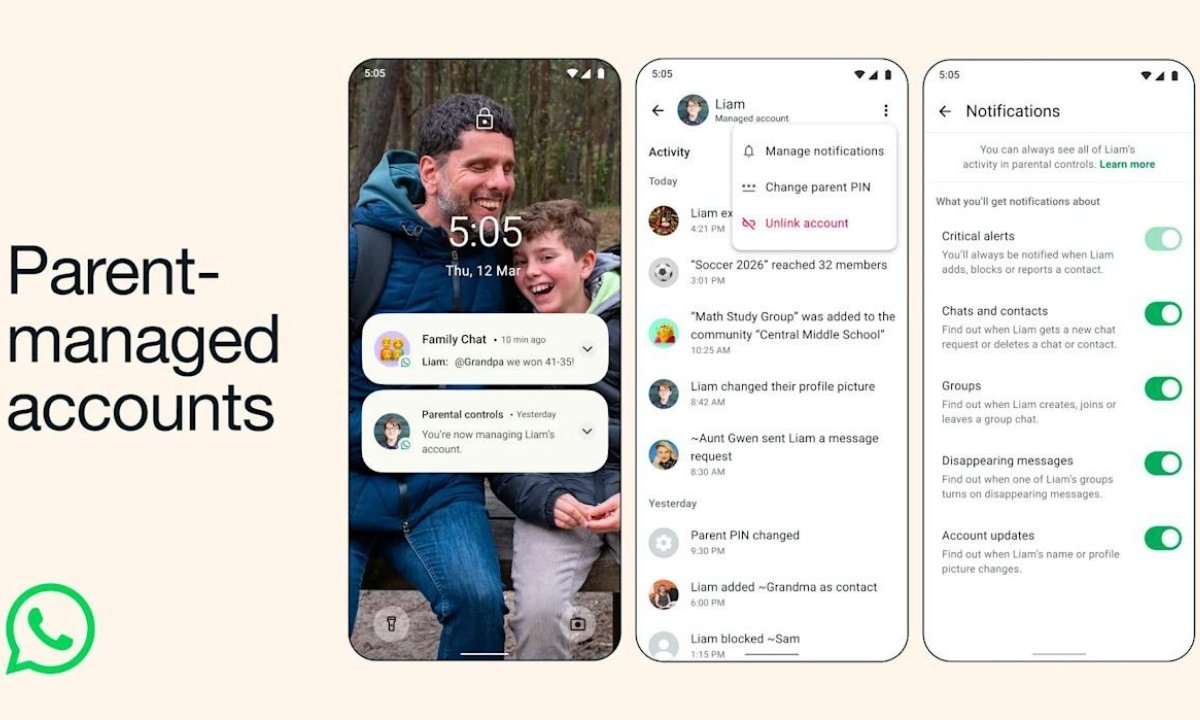
In a major step toward improving online safety for younger users, WhatsApp has introduced parent-managed accounts for children under the age of 13. The new feature gives parents and guardians the ability to control how their children use the messaging platform while ensuring stronger privacy protections.
The announcement was made by the company on Wednesday through a blog post, where it explained how the new system allows parents to set up and manage accounts for their children directly from their own devices.
How the Parent-Managed Accounts Work
To create a parent-managed account, parents will need to keep their phone and their child’s phone side by side during the setup process. The accounts are then linked, allowing the parent or guardian to manage the child’s privacy and communication settings.
Once the setup is complete, parents gain full control over key features. They can decide who is allowed to contact the child, which groups the child can join, and whether unknown users can send message requests.
Parents will also be able to review requests from unknown contacts, ensuring that children do not interact with strangers without approval.
Stronger Privacy Controls for Families
WhatsApp has designed the system with strict privacy safeguards. The parental control settings will be protected by a personal identification number (PIN) on the managed device.
This means that only the parent or guardian can access or change the privacy settings. Children will not be able to alter these restrictions on their own.
According to the company, this approach ensures that parents remain in charge of how their children interact on the platform.
“Only parents can access and change privacy settings, ensuring they are empowered to tailor their family’s experience,” the company said.
Through these controls, parents can manage:
- Who can message or call their child
- Which groups the child is allowed to join
- Requests from unknown contacts
- Privacy settings related to communication
Why WhatsApp Introduced the Feature
The company said the new system was developed after feedback from parents and guardians who wanted a safe way for pre-teens to stay connected with friends and family through WhatsApp.
Many families already use messaging apps to communicate daily, and parents had requested a way for children to participate without exposing them to the risks often associated with social media platforms.
By adding parental supervision tools, WhatsApp aims to provide a more controlled and safer digital environment for younger users.
Global Debate on Social Media for Kids
The feature arrives at a time when governments around the world are debating how to regulate social media access for minors.
For example, Australia recently became the first country to ban social media access for children under the age of 16. Several other nations are now considering similar policies.
In India, discussions around regulating social media usage among minors are also gaining momentum. The governments of Karnataka and Andhra Pradesh have already proposed guidelines to limit how children access online platforms.
Karnataka has suggested regulating access to social media for users under 16, while Andhra Pradesh has proposed completely banning social media usage for children below 13.
A Step Toward Safer Digital Spaces
With the launch of parent-managed accounts, WhatsApp is attempting to address growing concerns about children’s safety online. By putting parents in control of communication and privacy settings, the company hopes to create a safer environment for younger users while still allowing them to stay connected with friends and family.
As governments continue to explore stricter regulations around children and social media, features like these could become an important part of how technology platforms balance connectivity with digital safety.