

Close Menu

    Subscribe to Updates

    Get the latest creative news from FooBar about art, design and business.

    What's Hot

    YouTube’s New 30-Second Non-Skippable TV Ads Could Change How You Watch Videos

    March 14, 2026

    Just In Time Opens Delhi Flagship, Signs Ayushmann Khurrana as Brand Ambassador

    March 13, 2026

    iQOO Z11x 5G Launches in India With Massive 7,200mAh Battery and Dimensity 7400 Turbo

    March 13, 2026
    Facebook X (Twitter) Instagram YouTube
    • Subscribe to the Magazine
    • Join our Newsletter
    • BBC TopGear India
    • Influencer News
    Saturday, March 14
    Facebook X (Twitter) Instagram Pinterest YouTube Tumblr LinkedIn
    Exhibit TechExhibit Tech
    • Home
    • Tech & AI
      • Tech News
      • Tech Launches
      • Tech Features
      • Gaming
      • AI & Robotics
      • Social Media
      • Cybersecurity
      • FinTech
      • Crypto
      • Space
      • Software & Apps
    • Reviews
      • Smartphone Reviews
      • Smartwatch Reviews
      • Headphone Reviews
      • Laptop Reviews
      • Tablet Reviews
      • Earbud Reviews
      • Camera
      • Speakers
      • PC components
      • Accessories
      • Best TV Reviews in India – Find Your Next Screen with Exhibit.tech
      • Compare the Best Gadgets in India – Smartphones, Laptops, Wearables & More
      • Best Gadget to use
    • Auto
      • Auto News
      • Auto Reviews
      • Auto Tech
      • Vehicles
        • Cars
        • Bikes
    • Lifestyle
      • Travel
      • Entertainment
        • Fashion
        • Sports
        • OTT
        • Music
        • Movies
      • Watches
      • Health
      • Sneakerhead
      • Lifestyle Features
    • Guides
      • Explained
      • How To’s
      • How Big Is
      • Tips and Tricks
      • Screw Ups
    • Interviews
      • Creators
      • Tech Talks
      • Celebrities
      • Top 100 Leaders
        • Tech & Auto 2025
      • Founder’s club
      • Petrol Head
      • Marketing Minds
      • Editor’s note
    • Events
      • Influencex Awards
        • InfluencEX Awards Winners 2025
        • InfluencEX Awards Winners 2024
        • InfluencEX Awards Winners 2023
      • Exhibit Tech Awards
        • Tech Awards Winners 2025
        • Tech Awards Winners 2024
        • Tech Awards Winners 2023
      • Tech Fashion Tour
      • TopGear India Awards
    • Deals and Offer
    Exhibit TechExhibit Tech
    Home >> How To's >> AirPods as Microphone in iPhone Camera: How to Use, Supported Models, and More
    How To's

    AirPods as Microphone in iPhone Camera: How to Use, Supported Models, and More

    By Aadithya HarishOctober 8, 20253 Mins Read
    Facebook Twitter Pinterest LinkedIn Tumblr Email
    AirPods
    Share
    Facebook Twitter LinkedIn Pinterest Email

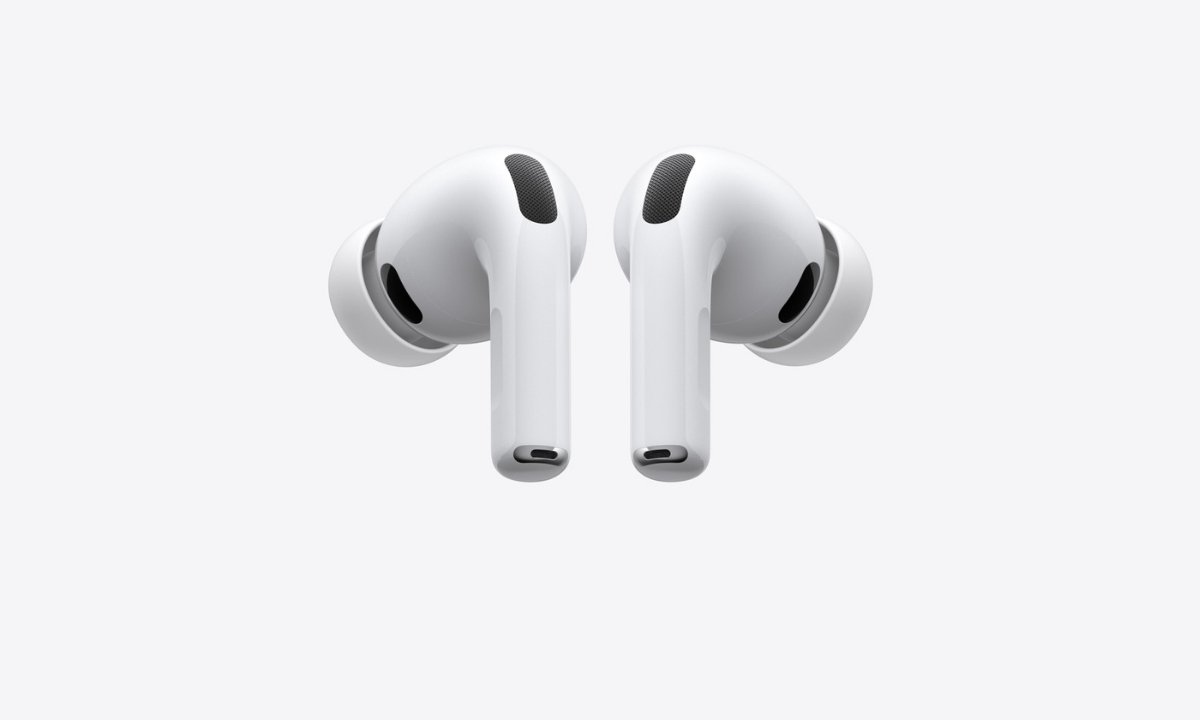
    Apple has introduced a new feature that allows AirPods to function as a wireless microphone while recording videos through the iPhone’s Camera app and select third-party apps such as Blackmagic Cam. This feature lets users capture high-quality audio even from a distance, transmitting sound directly to the iPhone and replacing the built-in mic.

    Although the option is not prominently visible in the Camera interface, it can be enabled through the Control Center or the Settings app. Here’s a complete guide on how to use it and which iPhone and AirPods models are compatible.

    iOS 26 Compatibility: Supported iPhone Models

    The AirPods microphone feature works only on iPhones running iOS 26 or later. Below is the list of eligible models:

    • iPhone 17 series: iPhone 17, iPhone 17 Pro, iPhone 17 Pro Max, iPhone 17 Air
    • iPhone 16 series: iPhone 16, iPhone 16 Plus, iPhone 16 Pro, iPhone 16 Pro Max, iPhone 16e
    • iPhone 15 series: iPhone 15, iPhone 15 Plus, iPhone 15 Pro, iPhone 15 Pro Max
    • iPhone 14 series: iPhone 14, iPhone 14 Plus, iPhone 14 Pro, iPhone 14 Pro Max
    • iPhone 13 series: iPhone 13, iPhone 13 mini, iPhone 13 Pro, iPhone 13 Pro Max
    • iPhone 12 series: iPhone 12, iPhone 12 mini, iPhone 12 Pro, iPhone 12 Pro Max
    • iPhone 11 series: iPhone 11, iPhone 11 Pro, iPhone 11 Pro Max
    • iPhone SE (2nd generation and later) 

    How to Use AirPods as a Microphone in the iPhone Camera App

    Follow these steps to use your AirPods as a microphone while recording videos:

    1. Wear your AirPods and make sure they are connected to your iPhone.
    2. Open the Camera app or another supported camera app.
    3. Select Video mode.
    4. Swipe down from the top-right corner to open the Control Center.
    5. Tap Camera Controls, then do the following: 
      • Input: Select your AirPods.
      • Mic Mode: Choose from Automatic, Standard, Voice Isolation, or Wide Spectrum. 

    Alternatively, you can set AirPods as your microphone in the Settings app. Go to Settings → Sounds and Haptics → Input → AirPods.

    Using AirPods as a Camera Remote

    Apple also allows users to take photos or start recording videos using AirPods. However, not all AirPods support this feature.

    Supported AirPods models for Camera Remote:

    • AirPods 4
    • AirPods Pro 2
    • AirPods Pro 3 

    Also Read: Meta Expands Asia-Pacific Connectivity with New Candle Subsea Cable and Major Regional Upgrades

    How to Set Up AirPods as a Camera Remote

    1. Wear your AirPods and make sure they are connected to your iPhone or iPad.
    2. Go to Settings on your device.
    3. Tap the name of your AirPods near the top of the screen.
    4. Tap Camera Remote, then choose either Press Once or Press and Hold. 

    If you select Press Once, media control gestures are temporarily unavailable while using the camera. If you select Press and Hold, listening modes and Siri gestures are temporarily unavailable while using a supported camera app.

    How to Take Photos and Record Videos Using AirPods

    Once the Camera Remote is set up, you can use your AirPods to capture photos or videos hands-free.

    • To take a photo: Press the stem on your AirPods once.
    • To record a video: Switch to Video mode and press the stem to start recording. Press again to stop. 

    Final Thoughts

    With iOS 26, Apple continues to improve the iPhone and AirPods integration, making content creation more convenient. The ability to use AirPods as a wireless microphone and camera remote offers creators a hands-free, high-quality audio and video experience. For vloggers, filmmakers, and everyday users, this feature is a valuable addition to Apple’s ecosystem.

    Apple Airpods
    Share. Facebook Twitter Pinterest LinkedIn Tumblr Email

    Related Posts

    WhatsApp Now Lets Parents Control Pre-Teen Accounts: Here’s How the New Feature Works

    March 12, 2026

    How to Change Your Username on Gmail

    February 23, 2026

    Google Docs Adds Gemini-Powered Audio Summaries: How It Works

    February 16, 2026

    Comments are closed.

    Top Posts

    WhatsApp Now Lets Parents Control Pre-Teen Accounts: Here’s How the New Feature Works
    March 12, 202617 Views
    How to Change Your Username on Gmail
    February 23, 202619 Views
    Google Docs Adds Gemini-Powered Audio Summaries: How It Works
    February 16, 20265 Views
    Google Rolls Out Power Saving Mode for Maps on Pixel 10 Series: Here’s How It Works
    November 29, 20251 Views
    How to Navigate Your iPhone with Your Eyes
    November 17, 20254 Views
    Exhibit Magazine | February – March 2026
    Stay In Touch
    • Facebook
    • YouTube
    • TikTok
    • Twitter
    • Instagram
    • Pinterest
    • LinkedIn
    • Reddit

    Subscribe to Updates

    Latest Posts
    Social Media

    YouTube’s New 30-Second Non-Skippable TV Ads Could Change How You Watch Videos

    Social Media By Aadithya HarishMarch 14, 2026
    Watches

    Just In Time Opens Delhi Flagship, Signs Ayushmann Khurrana as Brand Ambassador

    Watches By Sohil NikamMarch 13, 2026
    Tech Launches

    iQOO Z11x 5G Launches in India With Massive 7,200mAh Battery and Dimensity 7400 Turbo

    Tech Launches By Aadithya HarishMarch 13, 2026

    Exhibit.Tech, we’re your one-stop destination for everything tech! Whether it’s breaking news about the latest launches from giants like Sony, Vivo, Apple, Huawei, OnePlus, Sennheiser, Poco, and more, or in-depth reviews of mobiles, smartwatches, headphones, TVs, and earbuds – we’ve got you covered.

    Our reviews go beyond the surface, highlighting the pros and cons to help you make informed buying decisions. We’re here to simplify your tech journey with practical tips, tricks, and comprehensive “how-to” guides across a wide range of topics.

    Think of us as your friendly tech companion, helping you stay updated and make sense of the ever-evolving tech world with clarity and ease. At Exhibit.Tech, we make tech work for you!

    Most Popular

    Canva’s New Magic Layers Feature Turns AI Images Into Fully Editable Designs

    March 13, 202611 Views

    ChatGPT Just Got a Major Learning Upgrade: Math and Science Now Come Alive With Interactive Visuals

    March 11, 20269 Views

    Microsoft 365 Introduces Copilot Cowork: AI That Can Plan and Execute Work Tasks

    March 11, 202615 Views
    Our Pick

    Women’s Day Special: Laure Daynié Connecting India to the World

    March 8, 2026

    Women’s Day Special: Anshuka Parwani and the Rise of Therapeutic, Modern Yoga

    March 8, 2026

    Women’s Day Special: Inside Neha Gupta Mahatme’s Leadership at Amazon Pay

    March 8, 2026
    Facebook X (Twitter) Instagram Pinterest YouTube
    • About Us
    • Careers
    • Contact Us
    © 2026 Exhibit Technologies | All Rights Reserved

    Type above and press Enter to search. Press Esc to cancel.