


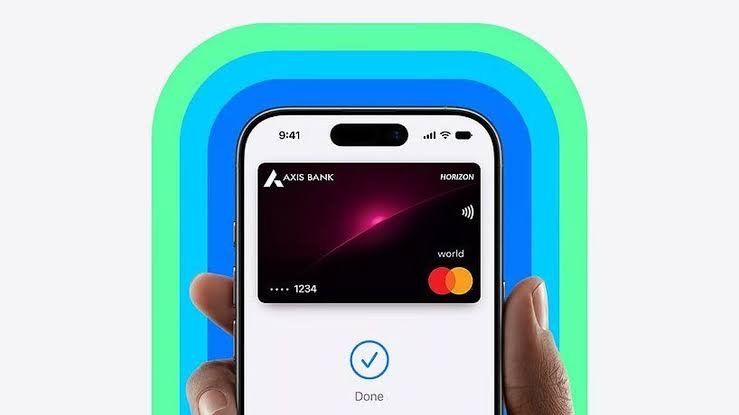
After a 12-year wait since its original US debut, Apple has officially launched its contactless digital payment service, Apple Pay, in India. In partnership with Axis Bank, the service allows Indian users to leave their physical wallets behind and make seamless, secure payments directly from their Apple devices.
Using Near Field Communication (NFC) technology, Apple Pay lets you tap your iPhone or Apple Watch on compatible point-of-sale (PoS) terminals. Beyond physical retail stores, the service also streamlines in-app purchases and online checkouts on various e-commerce platforms.
If you are ready to transition to digital tap-to-pay, here is how to get Apple Pay up and running on your iPhone in India.
What You Need Before Starting
Apple Pay’s initial rollout in India comes with a few specific hardware and banking requirements. Before attempting to set up the service, ensure you meet the following criteria:
To use Apple Pay in India, you need:
- Compatible Device: An iPhone XR or newer with iOS 18 or later. If using an Apple Watch, it must be a Series 6 or newer with watchOS 11 or later.
- Eligible Credit Card: Visa or Mastercard credit cards issued by Axis Bank. Debit cards are not supported.
- NFC-Enabled PoS: The retail store must have a card machine that supports NFC contactless payments.
(Note: Apple plans to add support for other banks like ICICI and HDFC soon.)
Step-by-Step Setup Guide
Setting up Apple Pay takes just a couple of minutes. Make sure your Axis Bank credit card is handy and follow these steps:
1.Open the Wallet App:
Unlock your compatible iPhone and launch the built-in Wallet app.
2.Add a New Card:
Tap the “+” (Plus) sign located at the top right corner of the screen to initiate the setup process.
3.Select Card Type:
On the new screen that appears, tap on the Debit or Credit Card option.
4.Input Card Details:
Place your iPhone over your Axis Bank credit card so that it fits within the camera frame to scan the numbers automatically. Alternatively, you can tap Enter Card Details Manually and type in your full name, 16-digit card number, expiry date, and security code (CVV).
5.Verify and Save:
Tap the Continue button to register the card to your Apple Wallet. Follow any final on-screen instructions or OTP verification prompts from Axis Bank to finalize the activation.
1 Comment
Pingback: Apple Unveils HomeView And More Expanding Its Smart Home Ecosystem