

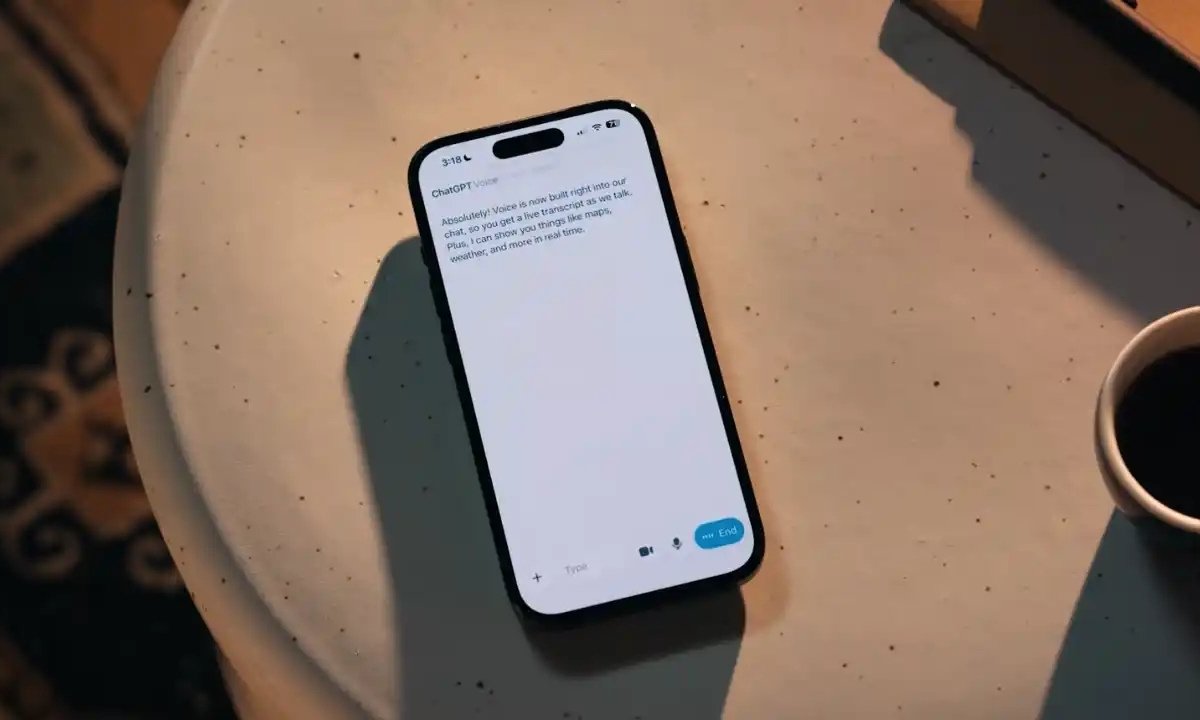
OpenAI has rolled out a major update that brings its powerful voice mode directly into the default ChatGPT chat window. This integration removes the need for a separate full-screen interface and makes it easier for users to speak to ChatGPT while still viewing messages, images, maps and other visual responses.
The update is now available for all users on the ChatGPT mobile app and the web.
ChatGPT Voice Mode: What Has Changed?
Previously, turning on Voice Mode launched a dedicated full-screen interface. While this mode allowed natural, human-like conversations, it isolated users from the rest of the chat, making it impossible to view earlier messages or follow along with visual content.
With the new unified voice experience, tapping the microphone icon simply activates voice input inside the existing chat window. This means users can:
- Continue reviewing previous messages
- Follow visual responses like charts, images & maps
- Switch seamlessly between typing and speaking
According to early reports, ChatGPT also now displays a live transcript of the conversation inside the chat feed, helping users track queries and responses more easily.
For those who prefer the older experience, OpenAI has added a toggle in Settings that switches back to the classic full-screen voice interface.
More AI Improvements from OpenAI
Shopping Research Mode
OpenAI recently introduced a smarter Shopping Research tool designed to assist with complex buying decisions. Instead of jumping straight to recommendations, ChatGPT first asks targeted follow-up questions to understand your priorities such as features, performance, budget or durability.
It then prepares a personalised buying guide with:
- Tailored product suggestions
- Pros and cons
- Updated details sourced from retailers
- Clear trade-offs to help compare options
This approach makes product research significantly faster and more accurate.
Also Read: iQOO 15 Review: Flagship Power Without the Premium Price Tag
Group Chats Now Available for All Users
OpenAI has also expanded access to ChatGPT Group Chats, allowing multiple users to collaborate with the AI in real time. This feature is ideal for:
- Trip planning
- Brainstorming
- Meal organisation
- Co-editing ideas or documents
Group chats support link-based invites, basic profiles, multimodal uploads (images, files, voice), image generation and GPT-5.1 responses making them a powerful tool for collaborative use cases.
Conclusion
The latest ChatGPT update transforms how users interact with voice mode by merging it directly into the main chat interface. Combined with new tools such as Shopping Research and expanded group chats, OpenAI continues to push ChatGPT toward a more seamless, interactive and personalized AI experience whether you’re researching a big purchase, collaborating with friends or simply chatting hands-free.
1 Comment
Pingback: iOS 26.2 Update: New Features and Eligible iPhones