


Verdict
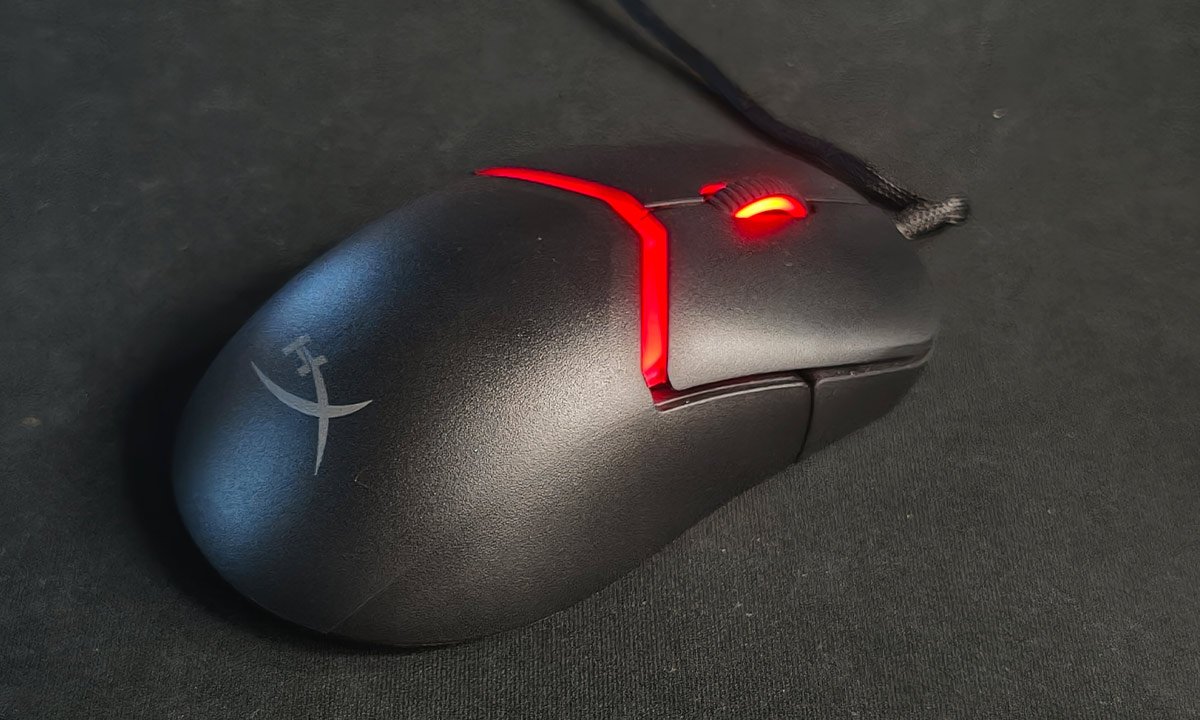
The HyperX Pulsefire Saga Wired Gaming Mouse manages to do something quite rare in the budget gaming segment by introducing a genuinely unique feature without compromising the fundamentals. The modular shell design is simple, clever, and incredibly easy to use. While the differences between the shell options could have been more dramatic, the ability to create 16 different configurations still adds a meaningful level of personalisation. Combine that with its lightweight 69-gram design and strong sensor performance, and you end up with a mouse that feels far more capable than its ₹3,990 price suggests.
The Good
- Modular shell design
- Lightweight build quality
- Precise sensor performance
- Responsive clicks
The Bad
- Subtle shell differences
- Small scroll wheel
-
Design
-
Functionality
Budget gaming peripherals often come with compromises. Either they cut corners on build quality, performance, or meaningful features. That’s why the HyperX Pulsefire Saga Wired Gaming Mouse, priced at ₹3,990, immediately excites you. HyperX isn’t pitching it as just another affordable gaming mouse, but rather, introducing something genuinely interesting at this price point. After spending some time with it on my desk for work, gaming, and general browsing, but mostly work, it became clear that the Pulsefire Saga isn’t just about specs on paper. It’s about adaptability and ease of use. And surprisingly, it manages to deliver both without feeling like a gimmick.
Design
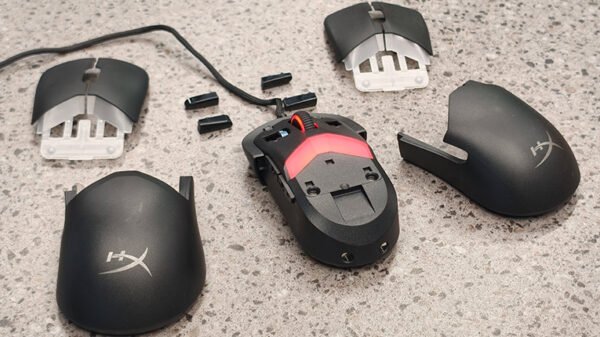
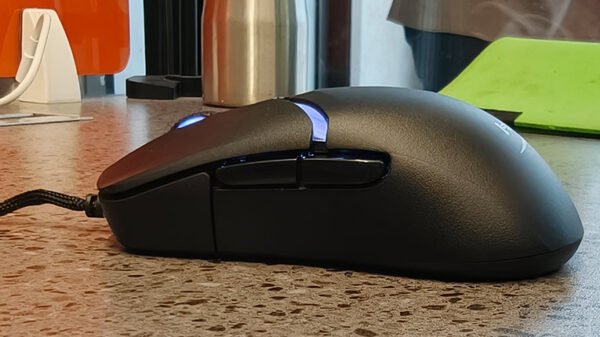
The headline feature of the Pulsefire Saga is its modular shell system, and it’s honestly one of the easiest customisation mechanisms I’ve used on a gaming mouse. HyperX includes interchangeable magnetic components that let you swap out the top shell and buttons to suit your grip style. What impressed me immediately was just how simple the process is. You literally give the components a slight pull, and they detach. Snapping them back in place is just as effortless. Despite the magnets, once everything is fitted, nothing feels loose or unstable. The fit is reassuringly tight, and after a few days of use, I never once worried about pieces shifting during intense gameplay.
HyperX includes two different button shapes: convex and concave, which create different fingertip placements. You also get two shell options that are almost identical in shape, except one features a slightly larger hump for a different palm feel. And this is where I have a minor gripe. While I genuinely appreciate getting this level of customisation at this price point, the differences between the shells are fairly subtle. I found myself wishing HyperX had gone a bit further by perhaps offering a more dramatic ergonomic variation.
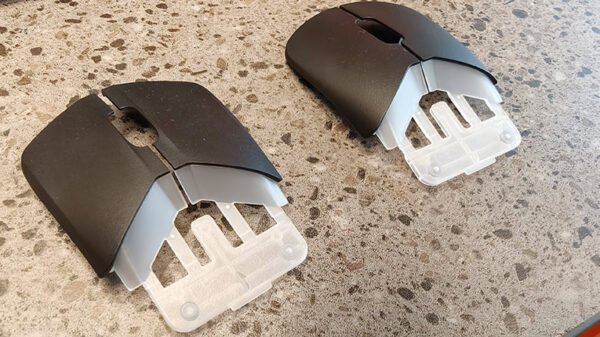
Still, the fact that customisation exists at all in this price bracket is impressive. You can even swap out the mouse’s side buttons, and when you factor in all the interchangeable components, the mouse offers 16 different combinations. That’s quite a lot of flexibility for something positioned as a budget gaming mouse. The mouse itself weighs 69 grams, making it comfortably lightweight. It glides easily across the mousepad and never feels fatiguing during long sessions. The 1.8-metre braided cable is another practical touch. It stays mostly out of the way and feels durable enough for long-term use.
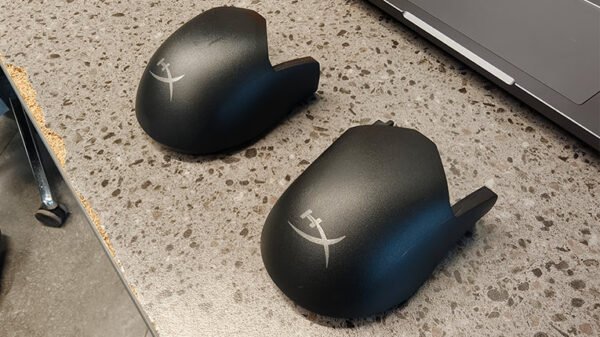
Aesthetically, the mouse also carries RGB lighting on its body and within the scroll wheel. Personally, I found the scroll wheel a bit smaller than I would prefer, but the lighting implementation is clean rather than over-the-top. All of this can be customised through HyperX’s HyperX NGenuity software, allowing you to tweak colours and effects. Overall, I found no real flaws in the design. What stands out most is how seamless the magnet-based modular system is. It’s quick, intuitive, and genuinely useful rather than feeling like a novelty.
Functionality
Where the Pulsefire Saga really surprised me was in its performance capabilities, which punch comfortably above its price bracket. The mouse uses optical actuation with a mechanical feel, which essentially combines the responsiveness of optical switches with the tactile feedback gamers expect from mechanical ones. In practice, this means clicks feel crisp and satisfying while also registering extremely quickly. Optical switches are typically valued because they eliminate debounce delay. Here, that translates into fast, reliable click registration, which is especially helpful in competitive gaming scenarios.
The mouse also supports precision tracking up to an 8kHz polling rate, meaning it can report its position to the computer up to 8,000 times per second. That level of responsiveness ensures cursor movements feel extremely immediate and fluid. At the heart of the mouse is a 26K sensor, offering customizable DPI settings up to 26,000 DPI and a maximum tracking speed of 650 inches per second (IPS). While very few people will ever need DPI levels that high, it’s reassuring to know the sensor has plenty of headroom.
In everyday use, this translates to effortless precision. Whether I was browsing the web, editing videos, or jumping into a quick gaming session, the mouse never felt like it was struggling to keep up. Movements were smooth, tracking was accurate, and the experience remained fuss-free. Gamers, in particular, will appreciate the combination of high polling rate, responsive switches, and a capable sensor, which together make the Pulsefire Saga feel far more premium than its price tag suggests.