


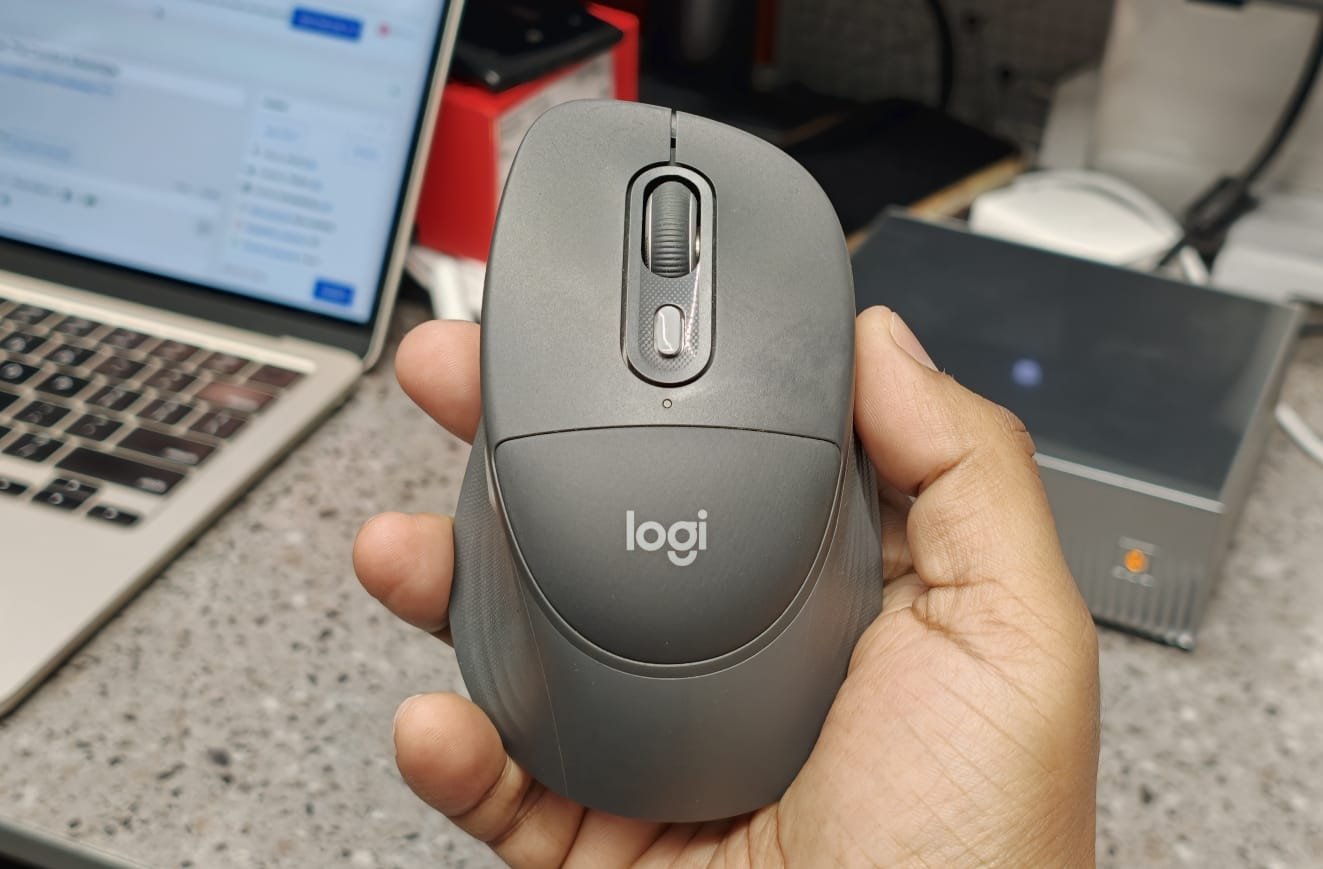
A mouse is a common tool used in workplaces for PC handling; when the trackpad is finicky, the mouse offers comfort. A computer mouse is one of those essential peripherals that easily goes unnoticed until you spend several uninterrupted hours using one. For professionals juggling documents, spreadsheets, browsers, and creative software across multiple devices, a mouse’s shape, size, and ergonomics can make a massive difference in your daily workflow. Recognizing the need for extended ergonomic support, Logitech has introduced the Signature Comfort Plus M850 L. Aiming to bridge the gap between standard budget office mice and the premium MX series, this mouse brings a unique proposition to the table: a built-in palm cushion explicitly designed for marathon work sessions. But does it truly revolutionize desktop comfort, or is it merely a standard wireless mouse hiding behind a soft gimmick? Let’s find out.
DESIGN & BUILD
When it comes to the design, the Logitech Signature Comfort Plus M850 L immediately distinguishes itself from the sea of standard peripherals. The “L” in the moniker stands for Large, and it is noticeably larger and more substantial than the slim, travel-friendly wireless mice you might effortlessly toss into a laptop sleeve. It is designed for the desktop, specifically crafted for right-handed users.
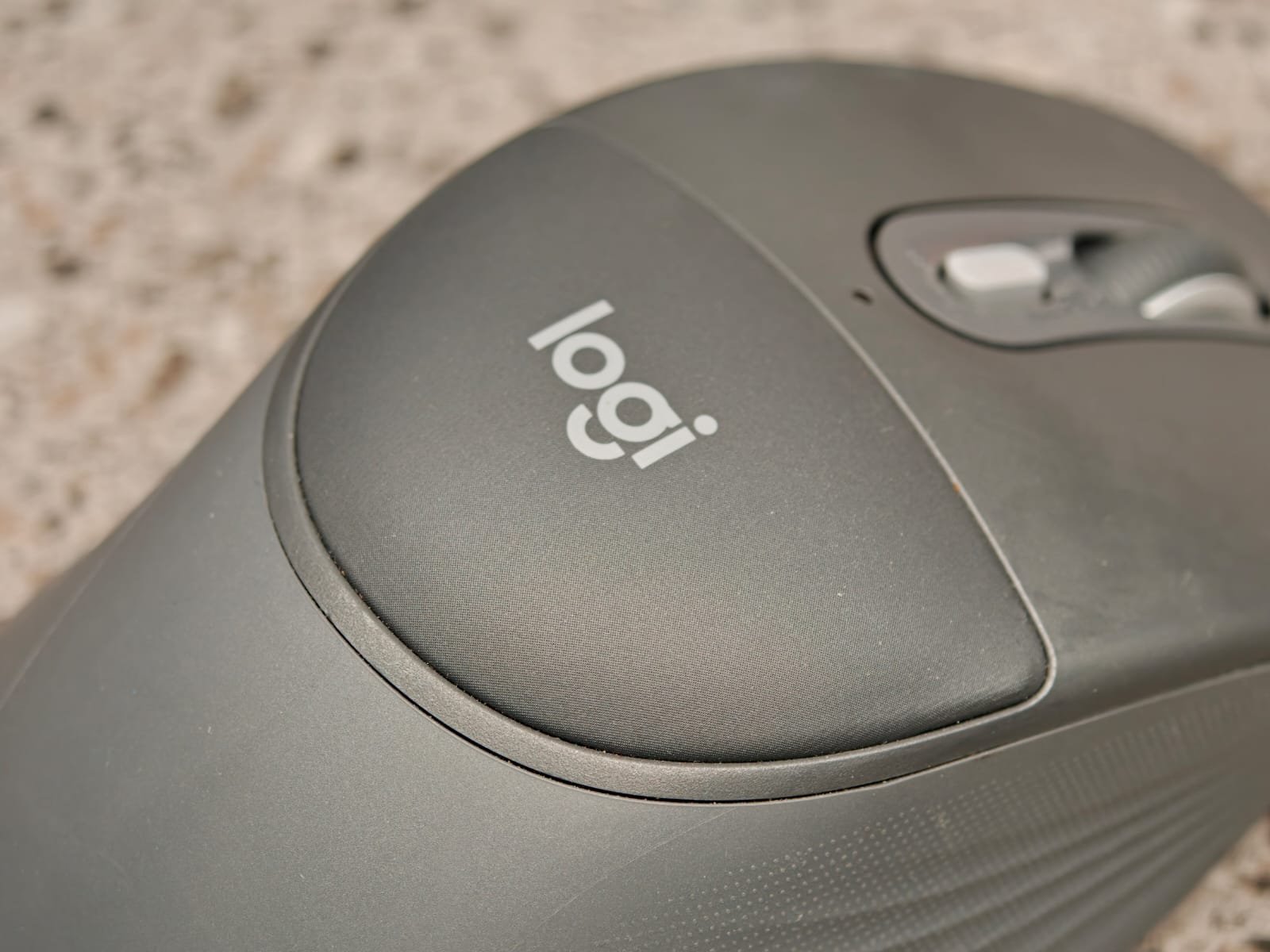
The defining characteristic and the biggest selling point is its built-in palm cushion. Instead of resting the base of your palm on a hard plastic surface or dragging it along the mousepad, the rear section of the M850 L features a soft, squishy cushion. This provides a highly comfortable resting spot that significantly relieves pressure on your wrist during extended use. However, the cushion’s effectiveness depends heavily on your grip style. If you use a relaxed palm grip, it feels incredibly supportive and natural. If you prefer a tighter claw grip or tend to hold the mouse closer to the front buttons, much of this cushioning becomes irrelevant.
Also Read: BenQ MOBIUZ EX271QZ OLED Monitor Review
The palm cushion features a deeply sculpted ergonomic shape with inward-curving sides and textured rubber grips, providing a secure hold for your thumb and pinky. The build quality is typical of Logitech, combining soft elements with a rigid chassis made from premium materials, including post-consumer recycled plastic, with no creaking or flex. While its bulk may not suit frequent travellers, it looks professional in any setup.
PERFORMANCE & BATTERY
The M850 L prioritizes productivity over flashy gaming features. With Logitech’s Advanced Optical tracking, it has a DPI range from 400 to 4000 for smooth cursor control.
Its quiet click technology makes the left and right buttons nearly silent, which is ideal for shared workspaces or video calls. The SmartWheel allows for both precise scrolling and fast free-spin scrolling, making it easy to navigate through lengthy documents.
Connectivity shines with Easy-Switch technology, enabling pairing with up to three devices via Bluetooth Low Energy or Logi Bolt USB receiver. The Logi Options+ app allows customization of the four programmable buttons for app-specific shortcuts and automations.
For battery life, the M850 L uses a single replaceable AA alkaline battery, which can last up to 24 months. This “replace it and forget it” design ensures hassle-free usage without the need for frequent recharging.
The Logitech Signature Comfort Plus M850 L excels at delivering superior comfort for those spending long hours at a desk. While it falls in a higher price range and lacks the premium features of the MX Master series, it’s a worthwhile investment for professionals like data analysts, writers, and coders. Its ergonomic design, innovative palm cushion, silent clicks, and multi-device Easy-Switch capability make it an excellent productivity tool, especially for those with medium to large hands who prefer a relaxed grip and want to minimize wrist strain.
-
Build & Design
-
Performance
-
Value for money