

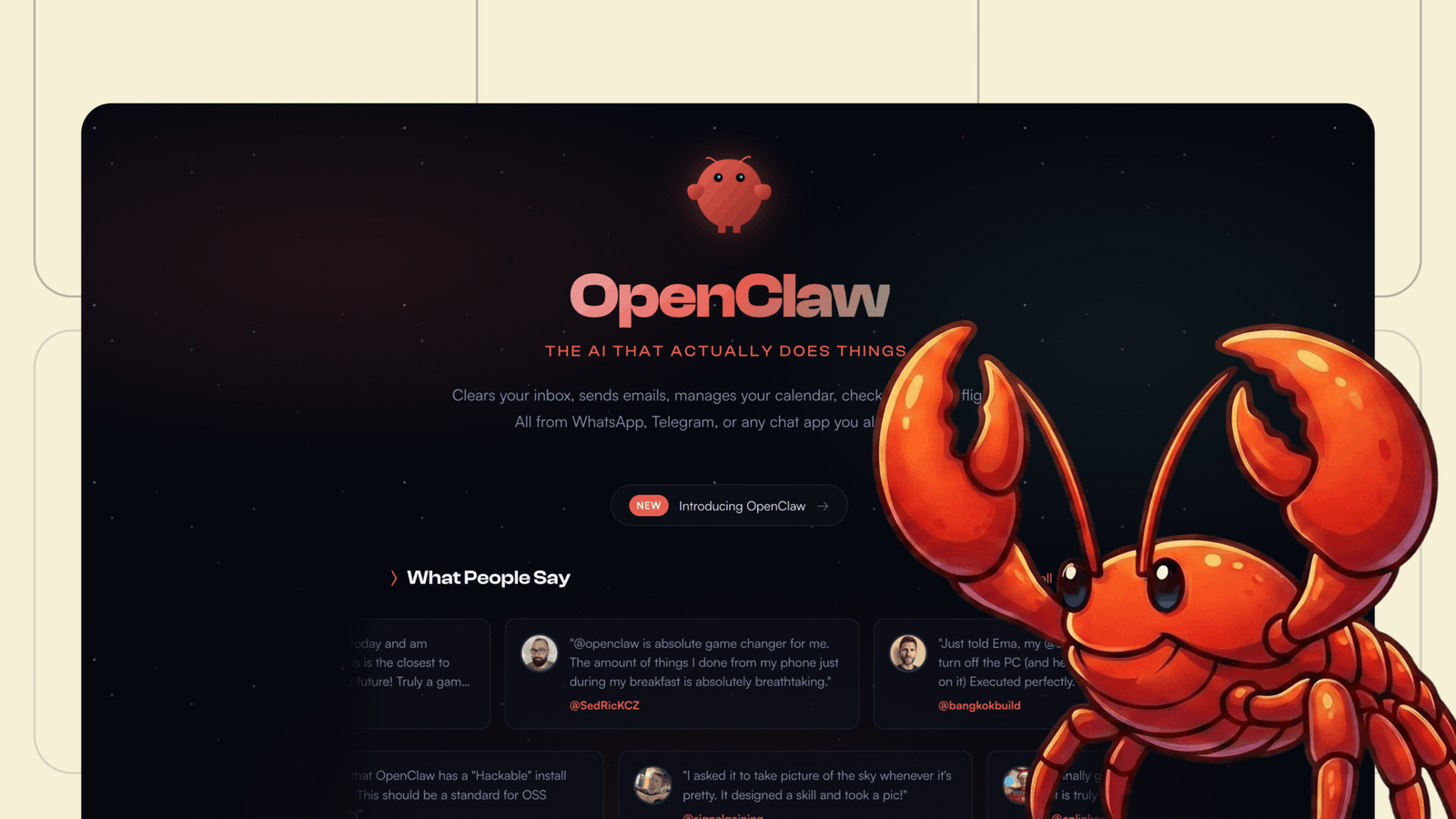
In the AI world, few tools have captured the collective imagination quite like OpenClaw. This open-source AI agent, often dubbed “the AI that actually does things,” has exploded in popularity since its inception, collecting over 68,000 GitHub stars and sparking heated discussions across tech forums, social media, and even security briefings. Formerly known as Clawdbot and briefly as Moltbot (renamed, likely due to trademark pressure from Anthropic’s Claude), OpenClaw represents a paradigm shift in personal AI assistants. It’s not just a chatbot, it’s an autonomous agent that integrates with your daily tools, remembers your preferences, and proactively handles tasks, all while running on your own hardware. But what exactly is OpenClaw, why is the tech world is talking about it, how can you get it running on your machine, and what does the future hold? Let’s dive in.
What is OpenClaw?
At its core, OpenClaw is a free, open-source autonomous AI agent developed by Peter Steinberger, the founder of PSPDFKit. It serves as a personal assistant that goes beyond passive responses, executing real-world actions like clearing your inbox, sending emails, managing calendars, checking in for flights, browsing the web, and even controlling smart home devices. Unlike cloud-based AIs that might compromise privacy, OpenClaw runs locally on your device, connecting to large language models (LLMs) such as Anthropic’s Claude, OpenAI’s GPT, or even local models via Ollama.
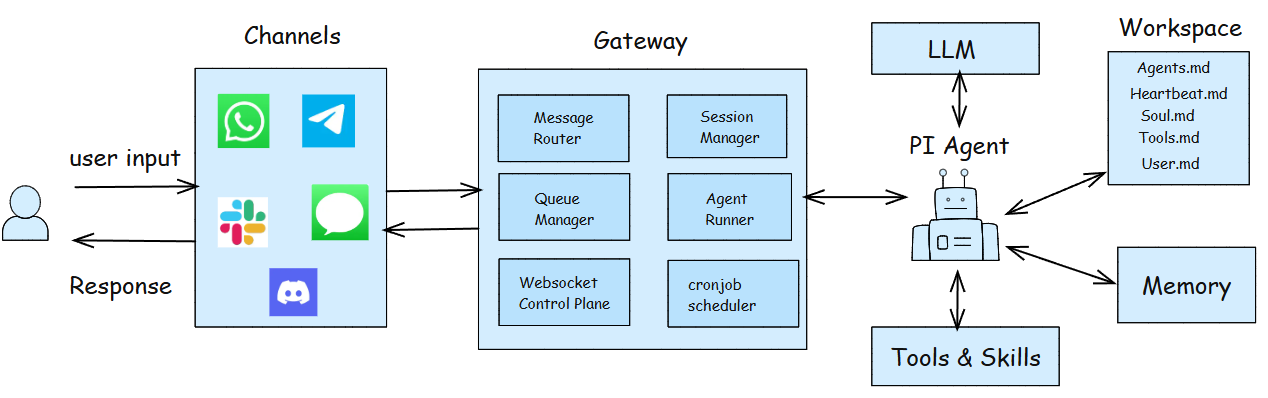
Key features include persistent memory, which allows it to recall past interactions and adapt to your habits over time, creating hyper-personalized experiences. It integrates seamlessly with messaging platforms such as WhatsApp, Telegram, Discord, Slack, Signal, and iMessage, enabling interactions in direct messages and group chats. Browser automation lets it navigate websites, fill forms, and extract data, while full system access (with optional sandboxing) permits file management, shell commands, and script execution. OpenClaw supports extendable “skills” and plugins built by the community or generated by the AI itself, enhancing its capabilities with features like voice mode, live canvases for visual workflows, and automation triggers such as cron jobs.
What sets OpenClaw apart is its “conversation-first” approach: you interact via natural language rather than complex configs, making it accessible for non-developers while remaining hackable for pros. It’s designed as a local-first gateway, routing messages across multiple channels and agents, with built-in security features like DM pairing approvals and tool allowlists.
Why Is Everyone Talking About It?
OpenClaw’s virality originates from its transformative potential. Launched in early 2026, it quickly evolved through name changes amid controversy, but its core promise, turning AI into a proactive “teammate” hasss resonated deeply. Users rave about feeling like they’re “living in the future,” with testimonials highlighting how it automates workflows, builds custom extensions, and handles tasks like code reviews or content creation while they sleep. High-profile adopters, like investor Jason Calacanis, have deployed multiple instances on dedicated hardware, offloading 20-30% of human workloads and aiming for more each month.
The buzz isn’t all positive, though. Security experts warn of risks: granting an AI full system access could lead to disasters if prompt injections or bugs occur, turning it into a “security nightmare.” CrowdStrike and Cisco have issued advisories, noting its potential for misuse in cyber threats. Yet, this hasn’t dulled confidence; on platforms like Reddit and X, discussions range from creative hacks (like running it on a $25 phone) to philosophical debates on AI as “24/7 employees.” Its open-source nature fosters a vibrant community, with integrations like Google Workspace, Spotify, and GitHub fueling innovation. In a world where AI hype often falls short, OpenClaw delivers tangible productivity, making it a hot topic in 2026.
How Can We Install It on Our Machine?
Getting OpenClaw up and running is straightforward, thanks to its user-friendly onboarding. First, ensure you have Node.js version 22 or higher installed. The quickest way is via the one-liner script: open your terminal and run `curl -fsSL https://openclaw.ai/install.sh | bash`. This installs Node.js if needed and sets up OpenClaw on macOS, Windows, or Linux.
For a global install, use `npm install -g openclaw@latest` or equivalent with pnpm/bun. Then, launch the onboarding wizard with `openclaw onboard –install-daemon`, which configures the gateway daemon to run in the background (using launchd on macOS, systemd on Linux). The wizard guides you through setting up workspaces, channels (e.g., linking WhatsApp or Telegram with bot tokens), and skills. You’ll need API keys for LLMs like Claude or GPT.
Start the gateway with `openclaw gateway –port 18789 –verbose`, and test by sending a message: `openclaw message send –to +1234567890(Your spare phone number) –message “Hello from OpenClaw”`. For development, clone the GitHub repo, install dependencies, and build from source. Add guardrails early, like restricting email sends, and use `openclaw doctor` for troubleshooting. API costs can add up, so monitor usage.
What Machine Is Required?
OpenClaw is remarkably flexible, running on any machine with macOS, Linux, or Windows (via WSL2 for best results). No high-end hardware is mandatory, users have successfully installed it on budget devices like a $25 phone, Raspberry Pi, or a basic VPS. For 24/7 operation, a dedicated setup like a Mac Mini is ideal, as it handles persistent tasks without draining your main device’s battery. Minimum requirements include Node.js 22+, internet for API calls (though local models reduce this), and storage for persistent memory. For advanced features like voice or browser control, ensure compatible peripherals. It’s self-hosted, so scale as needed, run multiple instances for multi-agent setups.
What Is the Future Possibility?
Looking ahead, OpenClaw could redefine personal computing. As it develops, expect deeper integrations, multi-agent collaborations, and self-improving capabilities edging toward AGI-like behavior. Community-driven skills might collapse traditional apps into a unified “personal OS,” disrupting SaaS giants. Users expect fleets of agents handling everything from trading bots to educational tools, with innovations like voice models and LinkedIn APIs already emerging. However, security challenges must be addressed to prevent misuse. In 2026 and beyond, OpenClaw envisions a world where AI is not just assistive, but also integral, autonomous, and deeply personal.