


Verdict
The OnePlus Pad Go 2 succeeds in delivering a well-rounded tablet experience at a competitive price. For ₹26,999, you get a large, sharp display, excellent battery life, capable performance, strong speakers, and thoughtful design choices geared toward productivity and media consumption. It is not a tablet for power users or hardcore gamers, nor does it redefine Android multitasking. But as an affordable yet powerful everyday tablet for work, entertainment, and light creativity, the Pad Go 2 makes a strong case for itself, and for most users, it will be money well spent.
The Good
- Excellent battery life
- Strong value pricing
- Large immersive display
The Bad
- Average cameras
- Basic performance
-
Design
-
Display
-
Sound
-
Camera
-
Performance
-
Battery Life
-
Software
The OnePlus Pad Go 2 has entered the market with a clear objective: to offer a capable, do-it-all tablet at an accessible price point. The company’s plan is to strike this balance using the MediaTek Dimensity 7300-Ultra chipset, a mid-range processor that promises efficiency and dependable performance without pushing costs too high. Priced at ₹26,999, the Pad Go 2 positions itself as an attractive option for students, professionals, and casual users who want a large-screen Android tablet without stretching their budget too far. On paper, it ticks many of the right boxes. The real question, though, is simple. Does it justify your cash?
Design
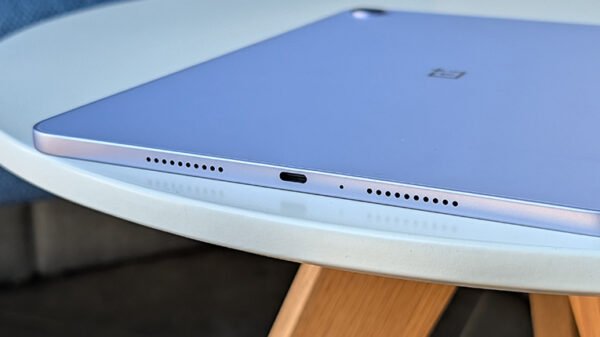
The OnePlus Pad Go 2 follows a very familiar design language. Its boxy, flat-edged profile immediately brings the iPad to mind, and while this lack of originality may disappoint some, it is not something I personally dislike. In fact, the design feels premium, sturdy, and well-proportioned in the hand. That said, it is hard to ignore how most OEMs are converging on the same aesthetic, largely avoiding bold or experimental design choices.
The tablet features a single rear camera, which will be largely inconsequential for most users. What matters more here is the front camera, especially if you intend to use the Pad Go 2 as a work or productivity device. OnePlus has smartly aligned the front camera in landscape orientation, which makes a noticeable difference during video calls and Zoom meetings.
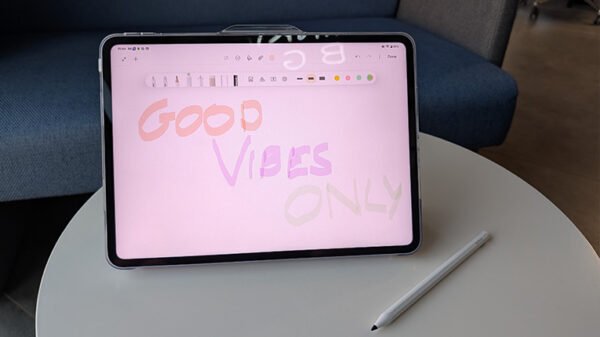
This is also where the OnePlus Go Folio case becomes relevant. Beyond offering decent protection, it complements the tablet’s landscape-first approach and makes it far more practical for desk use. The Pad Go 2 Stylo is another optional accessory worth mentioning. The stylus adds a creative dimension to the tablet, allowing note-taking, sketching, and light design work. It is a welcome addition, especially at this price point.
The bezels around the display are relatively large by modern standards, but at least they are uniform on all four sides, which gives the tablet a balanced and intentional look.
Display and Sound
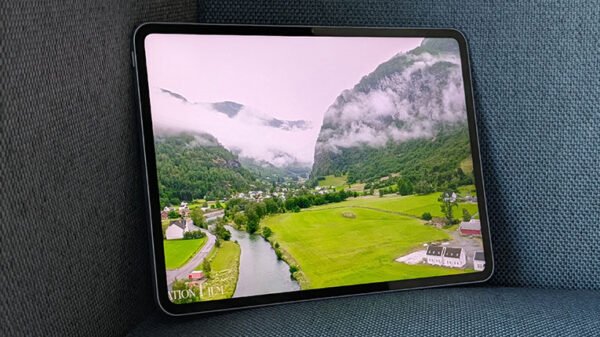
The Pad Go 2 sports a 12.1-inch LCD panel with a 2.8K resolution, Dolby Vision support, and a peak brightness of up to 900 nits. There is no OLED magic here, but frankly, at this price point, expecting OLED would be unrealistic.
What you do get is a display that holds up very well in everyday use. It is well-suited for in-flight movie watching, light creative tasks, browsing, and even gaming. Colours are vibrant enough, text is sharp, and brightness levels are sufficient for most indoor and moderately bright environments.
Audio is another strong point. The quad-speaker setup delivers rich, loud, and immersive sound, making headphones optional for casual viewing. OnePlus’ Omnibearing Sound Field technology further enhances the experience by intelligently detecting screen orientation and adjusting stereo channels accordingly.
Camera
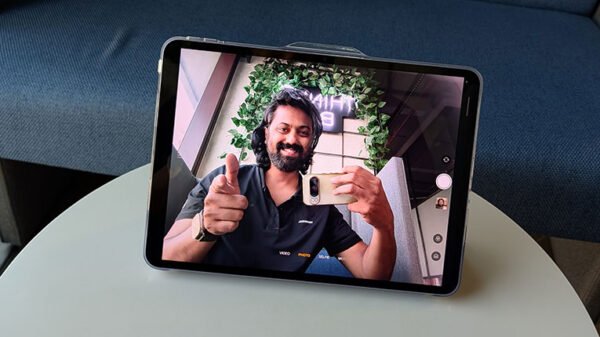
The OnePlus Pad Go 2 comes with 8MP cameras on both the front and rear. The rear camera is largely there for documentation or the occasional scan and is unlikely to see much real-world use.
The front camera, however, is far more important, and it delivers solid results for video calls. Image quality is good enough for professional Zoom meetings and casual video chats. Just do not rely on either camera for serious photography, and you will be perfectly satisfied.
Performance
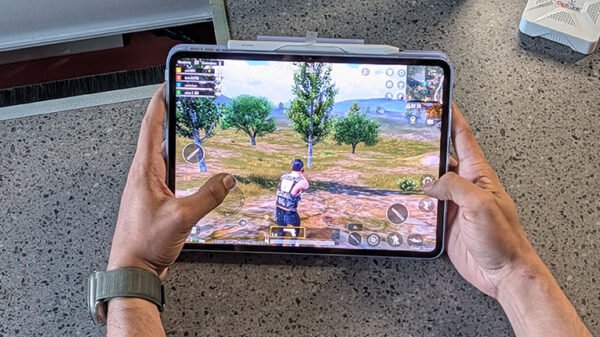
Powering the Pad Go 2 is the MediaTek Dimensity 7300-Ultra octa-core processor, paired with 8GB of LPDDR5X RAM and up to 256GB of UFS 3.1 storage.
At this price, performance is largely satisfactory. For daily tasks such as web browsing, document editing, streaming, note-taking, and casual gaming, the tablet performs smoothly. App launches are quick, multitasking is mostly fluid, and the system feels responsive overall. That said, you will notice occasional micro-stutters, especially when pushing the tablet harder or switching rapidly between heavier apps.
Gaming performance is decent but comes with clear limitations. Casual and moderately demanding games run well, but high-end titles will require you to dial down graphics settings to achieve stable frame rates. As you can see in the image above, I had to play BGMI India at a very low resolution to get stable frame rates.
This is not a tablet meant for maxed-out gaming sessions, but it is capable of occasional play without frustration.
Battery Life
Battery life is another strong point for the Pad Go 2, thanks to its large 10,050mAh battery. This is about 30 percent larger than its predecessor, and when combined with the efficiency of the Dimensity 7300-Ultra and OxygenOS 16’s optimisation, it delivers excellent endurance.
During my usage, which largely consisted of YouTube, Netflix, and Twitch, I consistently achieved around 14 hours of screen-on time. Gaming does drain the battery faster, but overall battery performance remains impressive.
In the box, OnePlus includes a two-pin 45W SuperVOOC charger. In testing, a full charge from 0 to 100 percent took roughly 2 hours. While not the fastest, it is reasonable given the battery size.
The tablet also supports reverse wired charging at up to 6.5W, a useful feature in a pinch.
Software
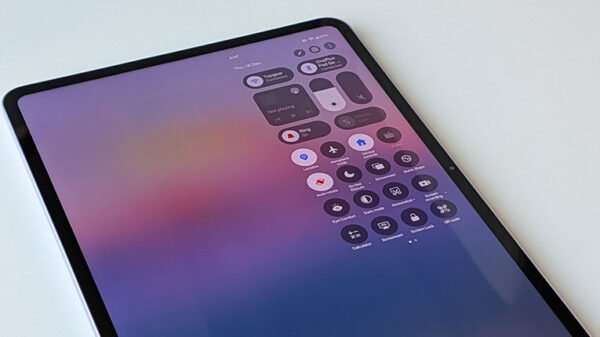
The OnePlus Pad Go 2 runs OxygenOS 16 based on Android 16. It feels familiar, smooth, and easy to navigate, especially for existing OnePlus users. The tablet version adds multitasking gestures, including split-screen functionality and floating windows, which improve productivity to an extent.
The Pad Go 2 integrates well within the OnePlus ecosystem, allowing features such as clipboard sync, phone screen mirroring, quick file transfers, and shared 5G connectivity with compatible OnePlus smartphones.
There is also a healthy set of AI features, including improved handwriting recognition in Notes, a handwriting calculator, image unblur, image cutout, AI Writer, AI Recorder, AI Image Editor, and AI Translate. These features are useful in specific scenarios and should continue to improve with updates.