


Close Menu

    Subscribe to Updates

    Get the latest creative news from FooBar about art, design and business.

    What's Hot

    XECH Opens New Experience Centre in Mumbai

    September 18, 2026

    Samsung Unveils 2026 Bespoke AI Appliance Range in India

    September 18, 2026

    Nike Unveils Alphafly 4, Its Lightest and Most Responsive Marathon Shoe Yet

    September 18, 2026
    Facebook X (Twitter) Instagram YouTube
    • Subscribe to the Magazine
    • Join our Newsletter
    • BBC TopGear India
    • Influencer News
    Friday, September 18
    Facebook X (Twitter) Instagram Pinterest YouTube Tumblr LinkedIn
    Exhibit TechExhibit Tech
    • Home
    • Tech & AI
      • Tech News
      • Tech Launches
      • Tech Features
      • Gaming
      • AI & Robotics
      • Social Media
      • Crypto
      • Space
      • Software & Apps
    • Reviews
      • Smartphone Reviews
      • Smartwatch Reviews
      • Headphone Reviews
      • Laptop Reviews
      • Tablet Reviews
      • Earbud Reviews
      • Camera
      • Speakers
      • PC components
      • Accessories
      • Best TV Reviews in India – Find Your Next Screen with Exhibit.tech
      • Compare the Best Gadgets in India – Smartphones, Laptops, Wearables & More
      • Best Gadget to use
    • Auto
      • Auto News & Reviews
      • Auto Tech
      • Vehicles
        • Cars
        • Bikes
    • Lifestyle
      • Travel
      • Entertainment
        • Fashion
        • Sports
        • OTT
        • Music
        • Movies
      • Watches
      • Health
      • Sneakerhead
      • Lifestyle Features
    • Guides
      • Explained
      • How To’s
      • How Big Is
      • Tips and Tricks
      • Business Stories
      • Deals and Offer
    • Interviews
      • Creators
      • Tech Titans
      • Tech Talks
      • Celebrities
      • Top 100 Leaders
        • Tech & Auto 2025
      • Petrol Head
      • Marketing Minds
      • Editor’s note
    • Events
      • Influencex Awards
        • InfluencEX Awards Winners 2025
        • InfluencEX Awards Winners 2024
        • InfluencEX Awards Winners 2023
      • Exhibit Tech Awards
        • Tech Awards Winners 2025
        • Tech Awards Winners 2024
        • Tech Awards Winners 2023
      • Tech Fashion Tour
      • TopGear India Awards
    • Indisciplined Leaders
    Exhibit TechExhibit Tech
    Home >> How To's >> AirPods as Microphone in iPhone Camera: How to Use, Supported Models, and More
    How To's

    AirPods as Microphone in iPhone Camera: How to Use, Supported Models, and More

    By Aadithya HarishOctober 8, 20253 Mins Read
    Facebook Twitter Pinterest LinkedIn Tumblr Email
    AirPods
    Share
    Facebook Twitter LinkedIn Pinterest Email

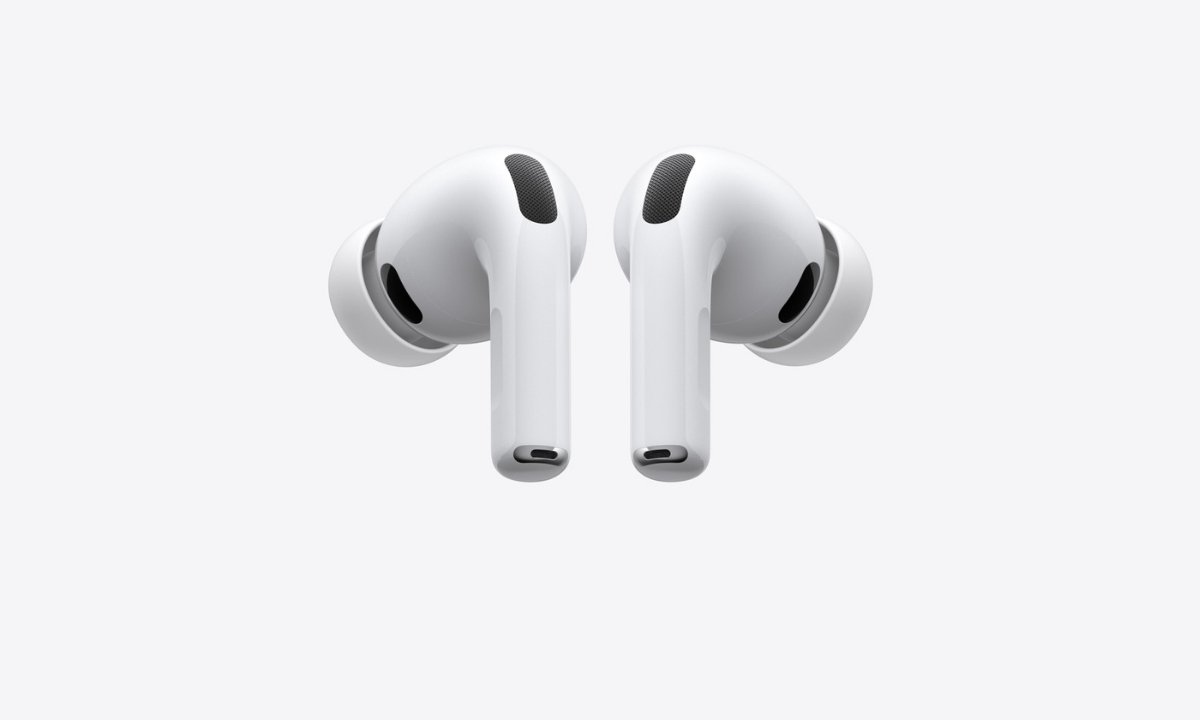
    Apple has introduced a new feature that allows AirPods to function as a wireless microphone while recording videos through the iPhone’s Camera app and select third-party apps such as Blackmagic Cam. This feature lets users capture high-quality audio even from a distance, transmitting sound directly to the iPhone and replacing the built-in mic.

    Although the option is not prominently visible in the Camera interface, it can be enabled through the Control Center or the Settings app. Here’s a complete guide on how to use it and which iPhone and AirPods models are compatible.

    iOS 26 Compatibility: Supported iPhone Models

    The AirPods microphone feature works only on iPhones running iOS 26 or later. Below is the list of eligible models:

    • iPhone 17 series: iPhone 17, iPhone 17 Pro, iPhone 17 Pro Max, iPhone 17 Air
    • iPhone 16 series: iPhone 16, iPhone 16 Plus, iPhone 16 Pro, iPhone 16 Pro Max, iPhone 16e
    • iPhone 15 series: iPhone 15, iPhone 15 Plus, iPhone 15 Pro, iPhone 15 Pro Max
    • iPhone 14 series: iPhone 14, iPhone 14 Plus, iPhone 14 Pro, iPhone 14 Pro Max
    • iPhone 13 series: iPhone 13, iPhone 13 mini, iPhone 13 Pro, iPhone 13 Pro Max
    • iPhone 12 series: iPhone 12, iPhone 12 mini, iPhone 12 Pro, iPhone 12 Pro Max
    • iPhone 11 series: iPhone 11, iPhone 11 Pro, iPhone 11 Pro Max
    • iPhone SE (2nd generation and later) 

    How to Use AirPods as a Microphone in the iPhone Camera App

    Follow these steps to use your AirPods as a microphone while recording videos:

    1. Wear your AirPods and make sure they are connected to your iPhone.
    2. Open the Camera app or another supported camera app.
    3. Select Video mode.
    4. Swipe down from the top-right corner to open the Control Center.
    5. Tap Camera Controls, then do the following: 
      • Input: Select your AirPods.
      • Mic Mode: Choose from Automatic, Standard, Voice Isolation, or Wide Spectrum. 

    Alternatively, you can set AirPods as your microphone in the Settings app. Go to Settings → Sounds and Haptics → Input → AirPods.

    Using AirPods as a Camera Remote

    Apple also allows users to take photos or start recording videos using AirPods. However, not all AirPods support this feature.

    Supported AirPods models for Camera Remote:

    • AirPods 4
    • AirPods Pro 2
    • AirPods Pro 3 

    Also Read: Meta Expands Asia-Pacific Connectivity with New Candle Subsea Cable and Major Regional Upgrades

    How to Set Up AirPods as a Camera Remote

    1. Wear your AirPods and make sure they are connected to your iPhone or iPad.
    2. Go to Settings on your device.
    3. Tap the name of your AirPods near the top of the screen.
    4. Tap Camera Remote, then choose either Press Once or Press and Hold. 

    If you select Press Once, media control gestures are temporarily unavailable while using the camera. If you select Press and Hold, listening modes and Siri gestures are temporarily unavailable while using a supported camera app.

    How to Take Photos and Record Videos Using AirPods

    Once the Camera Remote is set up, you can use your AirPods to capture photos or videos hands-free.

    • To take a photo: Press the stem on your AirPods once.
    • To record a video: Switch to Video mode and press the stem to start recording. Press again to stop. 

    Final Thoughts

    With iOS 26, Apple continues to improve the iPhone and AirPods integration, making content creation more convenient. The ability to use AirPods as a wireless microphone and camera remote offers creators a hands-free, high-quality audio and video experience. For vloggers, filmmakers, and everyday users, this feature is a valuable addition to Apple’s ecosystem.

    Apple Airpods
    Share. Facebook Twitter Pinterest LinkedIn Tumblr Email

    Related Posts

    Apple releases iOS 26.5 Developer Beta 1 for iPhones: What’s new and how to update

    March 31, 2026

    Switching Phones? Here’s How to Transfer WhatsApp Chats Between Android and iPhone Without Losing Data

    March 30, 2026

    Google’s New Android Update Lets You Install Any App Safely: Here’s How It Works

    March 23, 2026

    Comments are closed.

    Top Posts

    Apple releases iOS 26.5 Developer Beta 1 for iPhones: What’s new and how to update
    March 31, 2026
    Switching Phones? Here’s How to Transfer WhatsApp Chats Between Android and iPhone Without Losing Data
    March 30, 2026
    Google’s New Android Update Lets You Install Any App Safely: Here’s How It Works
    March 23, 2026
    Instagram Adds AI Voice Effects for DMs: Here’s How You Can Send Voice Notes That Sound Completely Different
    March 18, 2026
    WhatsApp Now Lets Parents Control Pre-Teen Accounts: Here’s How the New Feature Works
    March 12, 2026
    Exhibit Magazine | August – September 2026
    Stay In Touch
    • Facebook
    • YouTube
    • TikTok
    • Twitter
    • Instagram
    • Pinterest
    • LinkedIn
    • Reddit

    Subscribe to Updates

    Latest Posts
    Tech News

    XECH Opens New Experience Centre in Mumbai

    Tech News By Shintu DhangSeptember 18, 2026
    Tech News

    Samsung Unveils 2026 Bespoke AI Appliance Range in India

    Tech News By Sohil NikamSeptember 18, 2026
    Lifestyle

    Nike Unveils Alphafly 4, Its Lightest and Most Responsive Marathon Shoe Yet

    Lifestyle By Sohil NikamSeptember 18, 2026

    Exhibit.Tech, we’re your one-stop destination for everything tech! Whether it’s breaking news about the latest launches from giants like Sony, Vivo, Apple, Huawei, OnePlus, Sennheiser, Poco, and more, or in-depth reviews of mobiles, smartwatches, headphones, TVs, and earbuds – we’ve got you covered.

    Our reviews go beyond the surface, highlighting the pros and cons to help you make informed buying decisions. We’re here to simplify your tech journey with practical tips, tricks, and comprehensive “how-to” guides across a wide range of topics.

    Think of us as your friendly tech companion, helping you stay updated and make sense of the ever-evolving tech world with clarity and ease. At Exhibit.Tech, we make tech work for you!

    Most Popular

    Your Kitchen Bills Are Rising: How Smart Appliances Can Help Indian Households Cut Everyday Expenses

    September 9, 202625 Views

    OpenAI Brings ChatGPT Ads to Free and Go Users in India, 50 Brands Already on Board

    August 28, 202625 Views

    From Consumers to Creators: Inside India’s Quest for an Indigenous AI Cloud

    August 15, 202612 Views
    Our Pick

    Junichi Izumi: Reimagining G-SHOCK for a New Generation

    September 12, 2026

    Takuto Kimura: “Toughness Remains at the Heart of Every G-SHOCK”

    September 9, 2026

    From Smartphones to Smart Homes: Xiaomi’s Sudhin Mathur Speaks About Company’s Next Chapter in India

    September 9, 2026
    Facebook X (Twitter) Instagram Pinterest YouTube
    • About Us
    • Careers
    • Contact Us
    © 2026 Exhibit Technologies | All Rights Reserved

    Type above and press Enter to search. Press Esc to cancel.