

Close Menu

    Subscribe to Updates

    Get the latest creative news from FooBar about art, design and business.

    What's Hot

    Brave Ark Review: Brave Enough for Any Challenge

    March 24, 2026

    One Week with the Apple MacBook Neo

    March 24, 2026

    King Seiko VANAC Titanium Models Unveiled With Bold Design and Lightweight Build

    March 24, 2026
    Facebook X (Twitter) Instagram YouTube
    • Subscribe to the Magazine
    • Join our Newsletter
    • BBC TopGear India
    • Influencer News
    Wednesday, March 25
    Facebook X (Twitter) Instagram Pinterest YouTube Tumblr LinkedIn
    Exhibit TechExhibit Tech
    • Home
    • Tech & AI
      • Tech News
      • Tech Launches
      • Tech Features
      • Gaming
      • AI & Robotics
      • Social Media
      • Cybersecurity
      • FinTech
      • Crypto
      • Space
      • Software & Apps
    • Reviews
      • Smartphone Reviews
      • Smartwatch Reviews
      • Headphone Reviews
      • Laptop Reviews
      • Tablet Reviews
      • Earbud Reviews
      • Camera
      • Speakers
      • PC components
      • Accessories
      • Best TV Reviews in India – Find Your Next Screen with Exhibit.tech
      • Compare the Best Gadgets in India – Smartphones, Laptops, Wearables & More
      • Best Gadget to use
    • Auto
      • Auto News
      • Auto Reviews
      • Auto Tech
      • Vehicles
        • Cars
        • Bikes
    • Lifestyle
      • Travel
      • Entertainment
        • Fashion
        • Sports
        • OTT
        • Music
        • Movies
      • Watches
      • Health
      • Sneakerhead
      • Lifestyle Features
    • Guides
      • Explained
      • How To’s
      • How Big Is
      • Tips and Tricks
      • Screw Ups
    • Interviews
      • Creators
      • Tech Talks
      • Celebrities
      • Top 100 Leaders
        • Tech & Auto 2025
      • Founder’s club
      • Petrol Head
      • Marketing Minds
      • Editor’s note
    • Events
      • Influencex Awards
        • InfluencEX Awards Winners 2025
        • InfluencEX Awards Winners 2024
        • InfluencEX Awards Winners 2023
      • Exhibit Tech Awards
        • Tech Awards Winners 2025
        • Tech Awards Winners 2024
        • Tech Awards Winners 2023
      • Tech Fashion Tour
      • TopGear India Awards
    • Deals and Offer
    Exhibit TechExhibit Tech
    Home >> Tech News >> Android 16 QPR1 Beta is Here and Pixel Users Won’t Believe These New Features
    Tech News

    Android 16 QPR1 Beta is Here and Pixel Users Won’t Believe These New Features

    Discover the exciting new features in Android 16 QPR1 Beta available now for Pixel devices!
    By Aadithya HarishMay 22, 20254 Mins Read
    Facebook Twitter Pinterest LinkedIn Tumblr Email
    Beta version of Android 16 is available on Google Pixel
    Beta version of Android 16 is available on Google Pixel
    Share
    Facebook Twitter LinkedIn Pinterest Email

    Google has started rolling out the Android 16 Quarterly Platform Release Beta 1 (QPR1) update on some Pixel phones. This under-testing update includes the Material 3 Expressive redesign that was previewed at the Android Show I/O Edition just recently. 9To5Google reported a list of enhancements that the Android 16 QPR1 is introducing. Let us take a better look at everything this new beta update will come with on some Pixel phones.

    Android 16 QPR1 Update: What’s New
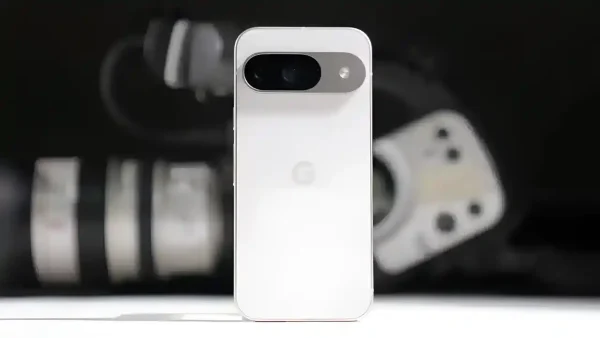
    Google Pixel Android Beta is rolling out
    Google Pixel Android Beta is rolling out

     Wallpaper Shape and Weather ‘Effects’

    Google Pixel devices based on Android 16 are receiving a new “Effects” feature that introduces customization options on wallpapers such as shape framing, color overlays, and animated weather effects like rain or snow. Included in the initial beta of Android 16 QPR1, this AI-based feature allows users to stylize any selected image using options such as “Shape,” which surrounds objects in themed cut-outs, and “Weather,” which includes local real-time weather animations. The “Cinematic” 3D wallpaper effect now falls under this single “Effects” menu.

    Recents Multitasking Overhaul with Drop-down Controls

    Android 16 QPR1 introduces a revamped Recents menu with a more uniform appearance across devices, especially foldables like the Pixel Fold. The update replaces irregular preview sizes with a uniform grid displaying four apps, improving multitasking. It redesigns app choices with a pill-shaped drop-down button on each app card, offering improved accessibility. The volume slider and panel are also redesigned, and Audio Sharing is being introduced to allow multiple users to listen to the same source.

    Style Redesign with Material 3 Expressive

    This update brings significant visual and feature improvements led by the Material 3 Expressive design language. The UI introduces richer icons, a revamped lock screen customization, and more accessible clock settings. Users can now explore dynamic and small size options, use a color intensity slider, and choose lock screen shortcuts displayed in a grid instead of a carousel. A new toggle lets users choose the shortcut position, while the notification settings menu now includes “Show seen notifications,” compact/full views, and more intuitive toggle options.

    Glance Mini-fies

    Android 16 QPR1 adds changes to the At a Glance widget, making it smaller but still not removable. While users expected a full toggle to disable it, this beta release only minimizes it freeing up home screen space. A message in Pixel Launcher reads: “Enjoy more space for apps.” Grid sizes are now categorized as Small, Medium, Large, and XL, based on icon size. The minimized widget extends to the lock screen as well, improving layout flexibility.

    Notification Redesign

    A new notification experience comes with Android 16 QPR1. On the lock screen and notification shade, users now see a “Clear All” button at the center with shortcuts to notification history and settings. These appear only when notifications are active. A new layout on the lock screen offers Compact view (with one notification visible) and Full list mode (with overflow support). These settings are grouped under a dedicated “Notifications on lock screen” page. Notification swipe gestures are also now smoother, offering a better interaction experience.

    Also Read: Google I/O 2025

    Settings App Redesign

    One of the most noticeable visual changes in Android 16 QPR1 is the Settings app redesign. Abandoning the grayscale, Google now uses pastel-inspired colors across categories. Though functionally unchanged, the icons for categories like Connected Devices, Network & Internet, and Apps are now color-coded. Some sections share similar shades (e.g., System and About Phone retain gray tones). This refresh aligns with the broader Material 3 Expressive UI, offering a more modern and visually engaging interface across Android 16.

    Android 16 QPR1 Update: Supported Pixel Devices
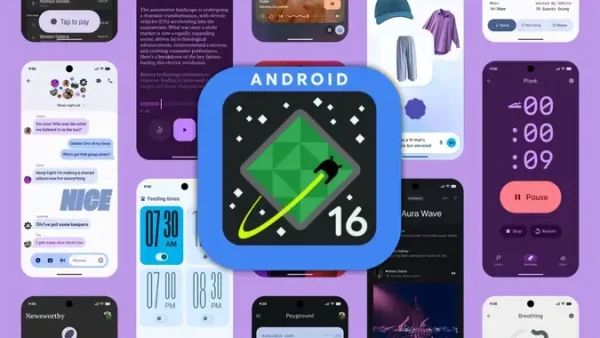
    Android 16 QPR1
    Android 16 QPR1

    According to 9To5Google, the Android 16 QPR1 beta is available for all Google Pixel phones powered by Tensor chips. These include:

    • Pixel 6, 6 Pro, 6a
    • Pixel 7, 7 Pro, 7a
    • Pixel 8, 8 Pro, 8a
    • Pixel 9, 9 Pro, 9 Pro XL, 9 Pro Fold
    • Pixel Tablet
    • Pixel Fold

    Note: This update is currently only available to participants of Google’s Android 16 Beta Program.

    Check out the Latest Tech News

    Android Google Pixel
    Share. Facebook Twitter Pinterest LinkedIn Tumblr Email

    Related Posts

    Samsung Just Bridged Android and iPhone: Galaxy S26 Gets AirDrop Support Without Any App

    March 23, 2026

    This Unique Gadget Records, Transcribes and Summarises Conversations

    March 19, 2026

    Apple’s Silent Security Upgrade Is Here for iPhone iPad and Mac Users

    March 19, 2026

    Comments are closed.

    Top Posts

    Samsung Just Bridged Android and iPhone: Galaxy S26 Gets AirDrop Support Without Any App
    March 23, 202615 Views
    This Unique Gadget Records, Transcribes and Summarises Conversations
    March 19, 202612 Views
    Apple’s Silent Security Upgrade Is Here for iPhone iPad and Mac Users
    March 19, 202610 Views
    Sonos Expands Its Ecosystem with New Play and Era 100 SL Speakers
    March 11, 202630 Views
    itel Zeno 100 Brings Military-Grade Toughness at Under ₹7,000
    March 7, 202623 Views
    Exhibit Magazine | February – March 2026
    Stay In Touch
    • Facebook
    • YouTube
    • TikTok
    • Twitter
    • Instagram
    • Pinterest
    • LinkedIn
    • Reddit

    Subscribe to Updates

    Latest Posts
    Gadget Reviews

    Brave Ark Review: Brave Enough for Any Challenge

    Gadget Reviews By Shintu DhangMarch 24, 2026
    Laptops Reviews

    One Week with the Apple MacBook Neo

    Laptops Reviews By Shintu DhangMarch 24, 2026
    Watches

    King Seiko VANAC Titanium Models Unveiled With Bold Design and Lightweight Build

    Watches By Aadithya HarishMarch 24, 2026

    Exhibit.Tech, we’re your one-stop destination for everything tech! Whether it’s breaking news about the latest launches from giants like Sony, Vivo, Apple, Huawei, OnePlus, Sennheiser, Poco, and more, or in-depth reviews of mobiles, smartwatches, headphones, TVs, and earbuds – we’ve got you covered.

    Our reviews go beyond the surface, highlighting the pros and cons to help you make informed buying decisions. We’re here to simplify your tech journey with practical tips, tricks, and comprehensive “how-to” guides across a wide range of topics.

    Think of us as your friendly tech companion, helping you stay updated and make sense of the ever-evolving tech world with clarity and ease. At Exhibit.Tech, we make tech work for you!

    Most Popular

    Canva’s New Magic Layers Feature Turns AI Images Into Fully Editable Designs

    March 13, 202631 Views

    ChatGPT Just Got a Major Learning Upgrade: Math and Science Now Come Alive With Interactive Visuals

    March 11, 202618 Views

    Microsoft 365 Introduces Copilot Cowork: AI That Can Plan and Execute Work Tasks

    March 11, 202626 Views
    Our Pick

    Instagram to Kill Encrypted DMs After May 8: Here’s What It Means for Your Chats

    March 17, 2026

    Inside Samsung’s AI Vision: A Conversation with JB Park and Won-Joon Choi in San Francisco

    March 16, 2026

    YouTube’s New 30-Second Non-Skippable TV Ads Could Change How You Watch Videos

    March 14, 2026
    Facebook X (Twitter) Instagram Pinterest YouTube
    • About Us
    • Careers
    • Contact Us
    © 2026 Exhibit Technologies | All Rights Reserved

    Type above and press Enter to search. Press Esc to cancel.