

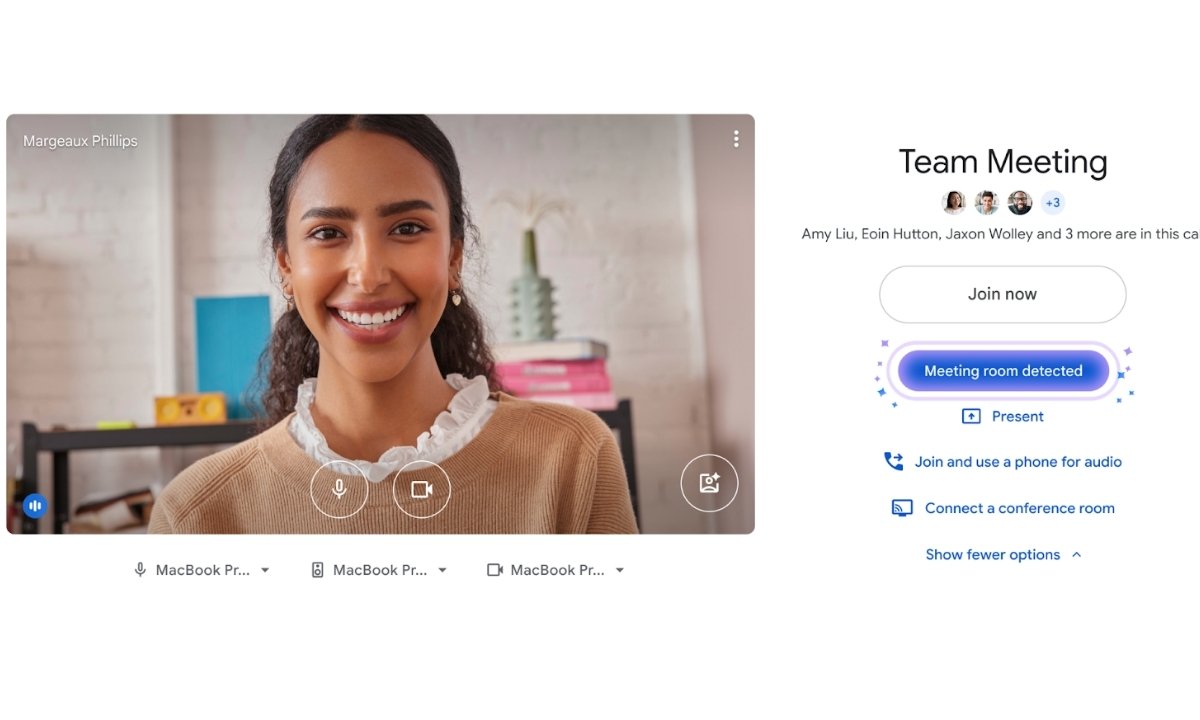
Google Meet is rolling out a new automatic room check-in feature designed to make joining in-person meetings easier and more seamless. The update automatically checks users into the correct meeting room when they join a call in Companion mode using a smartphone or tablet, eliminating the need for manual selection.
The feature works on both Android and iOS devices and uses ultrasound-based proximity detection to identify when a user is physically present inside a meeting room.
What Is Google Meet Automatic Room Check-In?
With the new update, Google Meet can automatically detect when a user enters a conference room and opens the Meet app on their phone or tablet. According to Google, the app listens for an ultrasound signal emitted by the room’s meeting hardware. While inaudible to humans, this signal helps Google Meet accurately identify the meeting space.
Once the signal is detected, the app highlights the “Use Companion mode” option even before the user joins the meeting. Tapping this option automatically checks the user into the correct room, removing the need to manually select the meeting room or adjust settings.
Companion mode is designed for users who are already present in a meeting room and want to use their personal device for features like chat, polls, Q&A, or screen sharing, without activating their microphone or speakers. This helps prevent echo, feedback, and other audio issues.
Earlier, users had to manually choose Companion mode and select the room, which often led to confusion or accidental full-audio joins.
Why Google Introduced This Feature
Google says the automatic room check-in feature is aimed at reducing common meeting issues, such as:
- Accidentally joining with full audio while sitting in a conference room
- Echo and feedback caused by multiple microphones
- Confusion during hybrid meetings
By automatically highlighting Companion mode, Google Meet makes in-room participation faster and more intuitive.
Google Meet Automatic Room Check-In: Requirements
To use automatic room check-in, users must have recent versions of the Google Meet or Gmail apps installed.
Required App Versions
Android
- Google Meet: version 336.0 or newer
- Gmail: version 2025.12.01 or later
iOS
- Google Meet: version 336.0 or newer
- Gmail: version 6.0.251201 or later
Users can verify their app version in the app settings. No additional setup is required on the user’s end.
Also Read: OpenAI Introduces ChatGPT Translate and It Does More Than Google Translate
Admin Controls and Settings
For Google Workspace administrators, proximity detection is enabled by default. However, admins can enable or disable the feature at the individual room level in admin settings.
For regular users, the experience is automatic. If the ultrasound signal is detected, Companion mode is highlighted. If detection fails, users can still check in manually as before.
Google Meet Automatic Room Check-In: Rollout Timeline
- Rapid Release domains: January 13, 2025
- Scheduled Release domains: February 2, 2025
The feature is available to all Google Workspace customers and Workspace Individual subscribers.
Final Thoughts
Google Meet’s automatic room check-in feature is a small but meaningful upgrade that improves hybrid meeting experiences. By using proximity detection and Companion mode intelligently, Google is reducing friction, saving time, and minimising common audio issues during in-room meetings.
As hybrid work continues to evolve, features like this show how Google Meet is focusing on smarter, more context-aware collaboration.