


Close Menu

    Subscribe to Updates

    Get the latest creative news from FooBar about art, design and business.

    What's Hot

    GOBOULT Launches Mustang Racer Smartwatch at Special Introductory Price

    February 20, 2026

    POVA Launches World’s Slimmest 8000 mAh Smartphone Curve 2

    February 20, 2026

    Tata Punch EV Gets Updated: More Range, Faster Charging, Sharper Value

    February 20, 2026
    Facebook X (Twitter) Instagram YouTube
    • Subscribe to the Magazine
    • Join our Newsletter
    • BBC TopGear India
    • Influencer News
    Saturday, February 21
    Facebook X (Twitter) Instagram Pinterest YouTube Tumblr LinkedIn
    Exhibit TechExhibit Tech
    • Home
    • Tech & AI
      • Tech News
      • Tech Launches
      • Tech Features
      • Gaming
      • AI & Robotics
      • Social Media
      • Cybersecurity
      • FinTech
      • Crypto
      • Space
      • Software & Apps
    • Reviews
      • Smartphone Reviews
      • Smartwatch Reviews
      • Headphone Reviews
      • Laptop Reviews
      • Tablet Reviews
      • Earbud Reviews
      • Camera
      • Speakers
      • PC components
      • Accessories
      • Best TV Reviews in India – Find Your Next Screen with Exhibit.tech
      • Compare the Best Gadgets in India – Smartphones, Laptops, Wearables & More
      • Best Gadget to use
    • Auto
      • Auto News
      • Auto Reviews
      • Auto Tech
      • Vehicles
        • Cars
        • Bikes
    • Lifestyle
      • Travel
      • Entertainment
        • Fashion
        • Sports
        • OTT
        • Music
        • Movies
      • Watches
      • Health
      • Sneakerhead
      • Lifestyle Features
    • Guides
      • Explained
      • How To’s
      • How Big Is
      • Tips and Tricks
      • Screw Ups
    • Interviews
      • Creators
      • Tech Talks
      • Celebrities
      • Top 100 Leaders
        • Tech & Auto 2025
      • Founder’s club
      • Petrol Head
      • Marketing Minds
      • Editor’s note
    • Events
      • Influencex Awards
        • InfluencEX Awards Winners 2025
        • InfluencEX Awards Winners 2024
        • InfluencEX Awards Winners 2023
      • Exhibit Tech Awards
        • Tech Awards Winners 2025
        • Tech Awards Winners 2024
        • Tech Awards Winners 2023
      • Tech Fashion Tour
      • TopGear India Awards
    • Deals and Offer
    Exhibit TechExhibit Tech
    Home >> How To's >> How To Keep Your Android Smartphone Safe & Secure?
    How To's

    How To Keep Your Android Smartphone Safe & Secure?

    By Sandesh BhosleAugust 17, 20215 Mins Read
    Facebook Twitter Pinterest LinkedIn Tumblr Email
    How To Keep Your Android Smartphone Safe & Secure?
    Share
    Facebook Twitter LinkedIn Pinterest Email

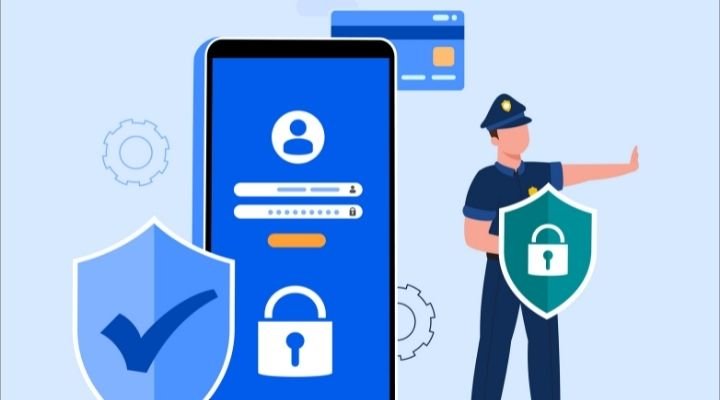
    Android is packed with powerful and effective security features, but many features are out of the way but reasonably deserves your attention. Recently, several tech experts, politicians and media houses expressed deep concern over the Pegasus phone tapping, which grabbed users attention and created a panic wave of mobile spying. 

    Fortunately, spying tools like Pegasus will not spend time tapping ordinary peoples phones, but several other hacking and spying software might do the needful, and that’s the reason we have come up with the 7 valuable tips to keep your Android smartphones safe and secure. 

    Lock your phone:

    One of the first and foremost ways to keep your smartphone safe and secure is by locking the phone with a PIN or a pattern. We know it’s an old piece of advice, but still, many users don’t care about it. If you keep your phone unlocked and lose it to some snatcher, you’re more likely to get into trouble as these guys can use your personal information and credit cards like their own. There are various options available to lock your phone, but we recommend PIN as all the remaining options can be hacked easily compared to pin codes.

    Two-factor authentication (2FA):

    Two-factor authentication is technically a Google account feature, but it provides an outstanding level of security to Android smartphones. The feature adds an extra layer of protection to your account and prevents others from logging into your account, even if you’ve accidentally saved your password in their system or phones. 

    Nowadays, single-factor authentication doesn’t provide reasonable security, and for hackers, it’s straightforward to crack it. When you activate two-factor authentication, it not only asks for a password but also asks you to prove your identity with a unique verification code that’s sent to your phone to go further.

    Route to turn on the two-factor authentication: 

    Settings > Google > Google Account > Security > Signing in to Google > 2-Step Verification

    Keep your location to yourselves:

    Every other app requests for your location when you install them or when you’re using them and provides three options for you, allow permission all the time, allow when using the app and never allow. We understand that some apps can not work precisely without having access to the location, but if some app requests access to a location in the background, even if it’s not related to the app’s core functionality, you should not allow the location permission to the app and consider looking for an alternative app.

    Use VPN Provider:

    We’ve stopped our outdoor adventures for a while now, but soon we’ll go out for vacations/holidays like we used to do in the past. Some of us still do a lot of travelling due to our work needs, and whenever we’re out somewhere, we always look for a Wi-Fi network, whether we’re entering a coffee shop or an airport sitting area but have you ever thought about the internet privacy? 

    Well, now that you’ve warned about it, use a VPN on your smartphone whenever you’re using an unknown Wi-Fi as they attach an additional security layer to your internet connection. Also, encrypting the internet connection is always the best way to keep your device secure. ExpressVPN, NordVPN, PrivateInternetAccess, PrivateVPN and TorGuard are a few of the trustworthy and reliable VPN providers.

    App Permissions:
    How To Keep Your Android Smartphone Safe & Secure?

    Android apps can never access your data or any part of your phone unless you explicitly permit them to do so. Whenever you install a new app, along with the location, some of the apps ask for permission to access your camera, contacts, call logs, calendar, messages, and media. Now, you should understand why a gaming app needs access to your call logs or calendar? 

    You can not undo what has already happened, but you can stay alert in the future before allowing these apps permission to do unnecessary sections. Whenever you’re free, follow the below route and turn off the unnecessary permissions to ensure future privacy. It’ll surely take time but do it now to avoid the upcoming glitch.

    Route to turn on the two-factor authentication: 

    Settings > Privacy > Permission Manager

    Choose the section where you want to update the permission, tap on it and click on the app’s name to allow or deny the access.

    Never allow your smartphone to save passwords:

    Whenever our smartphones ask for permission to save passwords, we often let them save because it saves time, and we don’t want to type the password after every visit. Though the practice is beneficial for us, at the same time, it raises concern over our Android phone security. Along with not allowing your smartphones to save passwords, you should not use the same password for everything. Instead, use a different password for every app/site, and to set yourself free from remembering all of them, use password managers like LastPass, 1Password, and Dashlane.

    Do not download apps from third-party stores:

    Android phones have their native store, Google Playstore, which lets users download apps securely. The vast majority of Android malware and viruses enter your phones when you use third-party stores to download apps, which provides easy access to your smartphones for hackers. Also, avoid using unauthentic apps as they might be bogus and use trustworthy anti-virus software to increase your Android security. Anti-viruses help resolve your Android security issues, such as finding malware or a bug in a smartphone, and they also provide an added security layer over Google Play Protect.

    Android
    Share. Facebook Twitter Pinterest LinkedIn Tumblr Email

    Related Posts

    Android 17 Beta 1 Officially Rolls Out Check If Your Pixel Is Eligible

    February 16, 2026

    Google Docs Adds Gemini-Powered Audio Summaries: How It Works

    February 16, 2026

    Google Delays Android 17 Beta 1 Release: Big Changes Coming for Pixel Users

    February 13, 2026

    Comments are closed.

    Top Posts

    Android 17 Beta 1 Officially Rolls Out Check If Your Pixel Is Eligible
    February 16, 20263 Views
    Google Docs Adds Gemini-Powered Audio Summaries: How It Works
    February 16, 20263 Views
    Google Delays Android 17 Beta 1 Release: Big Changes Coming for Pixel Users
    February 13, 20260 Views
    Google Rolls Out Power Saving Mode for Maps on Pixel 10 Series: Here’s How It Works
    November 29, 20250 Views
    Gmail for Android May Soon Preview Photos and Attachments Directly in Notifications
    November 25, 20251 Views
    Exhibit Magazine | January 2026
    Stay In Touch
    • Facebook
    • YouTube
    • TikTok
    • Twitter
    • Instagram
    • Pinterest
    • LinkedIn
    • Reddit

    Subscribe to Updates

    Latest Posts
    Tech Launches

    GOBOULT Launches Mustang Racer Smartwatch at Special Introductory Price

    Tech Launches By Shintu DhangFebruary 20, 2026
    Tech Launches

    POVA Launches World’s Slimmest 8000 mAh Smartphone Curve 2

    Tech Launches By Shintu DhangFebruary 20, 2026
    Auto & EV

    Tata Punch EV Gets Updated: More Range, Faster Charging, Sharper Value

    Auto & EV By Sohil NikamFebruary 20, 2026

    Exhibit.Tech, we’re your one-stop destination for everything tech! Whether it’s breaking news about the latest launches from giants like Sony, Vivo, Apple, Huawei, OnePlus, Sennheiser, Poco, and more, or in-depth reviews of mobiles, smartwatches, headphones, TVs, and earbuds – we’ve got you covered.

    Our reviews go beyond the surface, highlighting the pros and cons to help you make informed buying decisions. We’re here to simplify your tech journey with practical tips, tricks, and comprehensive “how-to” guides across a wide range of topics.

    Think of us as your friendly tech companion, helping you stay updated and make sense of the ever-evolving tech world with clarity and ease. At Exhibit.Tech, we make tech work for you!

    Most Popular

    Large Language Models (LLMs) Explained

    February 19, 20266 Views

    Google’s Big AI Push in India: 10,000 Schools, 20 Million Public Servants, and a $15 Billion Cloud Bet

    February 19, 20268 Views

    OpenClaw Bot – Your Personal AI

    February 18, 20267 Views
    Our Pick

    Snapchat’s New Arrival Notifications Feature Is a Game Changer for Safety, Here’s How to Set It Up

    February 11, 2026

    Instagram May Soon Let You Exit Someone’s Close Friends List

    February 2, 2026

    Srinjoy Das, Director of Marketing and BGMI Product Management, KRAFTON India – CMO Special

    January 31, 2026
    Facebook X (Twitter) Instagram Pinterest YouTube
    • About Us
    • Careers
    • Contact Us
    © 2026 Exhibit Technologies | All Rights Reserved

    Type above and press Enter to search. Press Esc to cancel.