


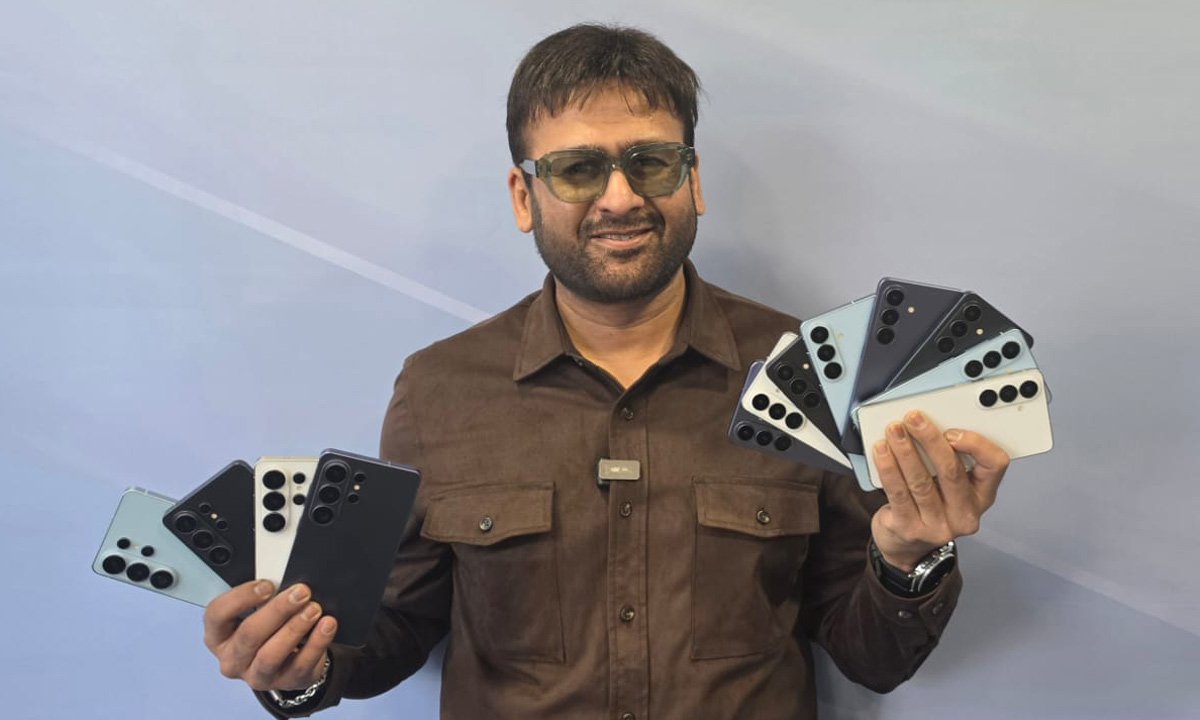
I had been using the Samsung Galaxy S26 Ultra ahead of its official unveiling in San Francisco, and if there’s one thing that’s immediately clear, it’s this: Samsung isn’t chasing spec-sheet shock value this year. It’s chasing intelligence. The Galaxy S25 range was already brutally powerful. So instead of pushing raw hardware numbers for the sake of headlines, Samsung has focused on making the S26 Ultra feel smarter, more contextual, and genuinely useful in everyday life. This is less about “more megapixels” and more about “less friction.” For my first impressions, I’ve focused on seven features that stood out in real-world use. Not just in demos, but in how they fit into my workflow as someone constantly shooting, travelling, and communicating.
1. Built-in Privacy Display
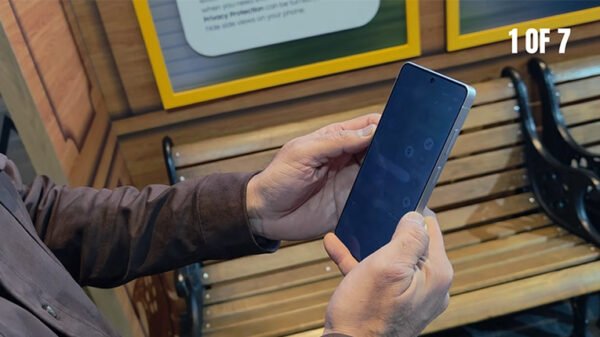
Samsung calls this the world’s first built-in Privacy Display for mobile phones, and after using it in cafes and open spaces in San Francisco, I understand why this is more significant than it sounds. Unlike stick-on privacy films, which dull brightness, distort colours, and frankly ruin a flagship display, this solution works at a pixel-dispersion level. When activated, it restricts side-angle visibility without compromising clarity head-on.
What I loved most was the contextual activation. I set it to automatically trigger while entering PINs and when opening certain apps. There’s also Partial Screen Privacy, which intelligently limits notification visibility, and a Maximum mode for more sensitive scenarios. In practice? I was replying to emails at a crowded coffee shop near Union Square. The display looked as bright and vibrant as ever from my angle.
From the side, it was almost unreadable. For someone who deals with embargoed content, unreleased products, and sensitive drafts, this isn’t a gimmick. It’s peace of mind engineered into the hardware itself.
2. Document Scan
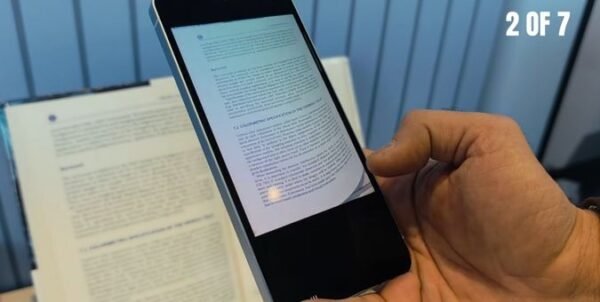
I didn’t expect to be impressed by a document scanner in 2026. But here we are. The AI-powered Document Scan feature auto-corrects distortions, removes creases, and even erases fingers accidentally captured in the frame . It also stitches multiple images into a single, organised PDF automatically. I tested this with hotel bills, handwritten notes, and even a folded press itinerary. The output was clean enough that I didn’t need to open a third-party scanning app or adjust contrast manually. As someone who juggles expense claims, press kits, and handwritten planning sheets, this removes friction. It’s not flashy. It’s just efficient. And that’s the recurring theme of this phone.
3. The Camera System
On paper, the camera hardware of the Samsung Galaxy S26 Ultra is formidable. A 200MP (f/1.4) wide camera, a 50MP ultra-wide (f/1.9) camera, a 50MP telephoto with 5x optical zoom, a 10MP 3x telephoto snapper, and a 12MP front camera. But hardware alone doesn’t define the experience anymore. The wider apertures allow significantly more light, and it shows. Night shots are brighter without looking artificially boosted. Enhanced Nightography Video and upgraded Super Steady (with horizontal lock) make handheld footage feel gimbal-like. Shooting street scenes at dusk felt stable and cinematic.
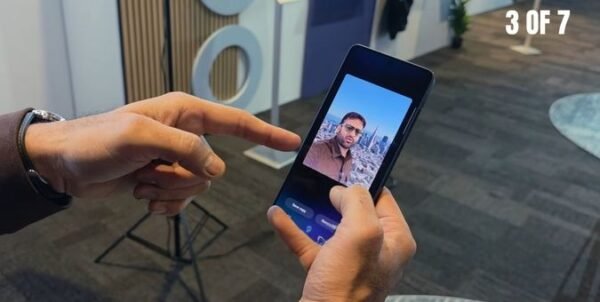
But the real moment came with AI editing. I took a selfie against a blank wall and asked the phone to add the San Francisco skyline behind me. It didn’t just paste a backdrop. It matched lighting, depth, and skin tones seamlessly. The upgraded AI ISP even captures more natural skin tones in mixed lighting, and it shows in the output. The Photo Assist suite lets you describe edits conversationally. You can change day to night, restore missing parts, and adjust clothing, among plenty of other things. And crucially, edits are iterative. You can review step-by-step and undo changes fluidly.
For content creators, this compresses workflow time dramatically. What used to require Lightroom, Photoshop, and patience can now happen within the native gallery. Also notable is the fact that the Galaxy S26 Ultra is the first Galaxy device to support APV, a professional-grade video codec optimised for high-quality production workflows. For someone shooting review B-roll regularly, that matters.
4. Super Fast Charging 3.0
The Galaxy S26 Ultra packs a 5,000mAh battery and supports Super Fast Charging 3.0, which leads to up to 75% charge in around 30 minutes with a 60W adapter. Those are impressive numbers. But what matters more is thermal consistency. In previous generations, fast charging often meant warmth. Here, heat dissipation feels better controlled. Even during gaming or video capture sessions, the device remains consistent. As someone constantly bouncing between shoots and meetings, topping up quickly without worrying about overheating is practical, not just impressive.
5. Redesigned Vapour Chamber
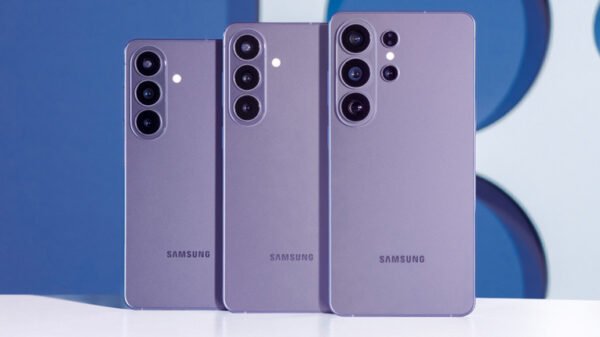
Under the hood, the Galaxy S26 Ultra runs on the Snapdragon 8 Elite Gen 5 for Galaxy. Samsung claims up to 19% CPU improvement, a 39% NPU boost, and a 24% GPU uplift. But performance spikes are meaningless without stability. The redesigned Vapour Chamber now spreads heat across a larger surface area with thermal interface material positioned along the processor sides. In real use, when indulging in heavy multitasking, 4K video recording, AI edits, and high-end gaming, I didn’t experience throttling.
6. AI Automation
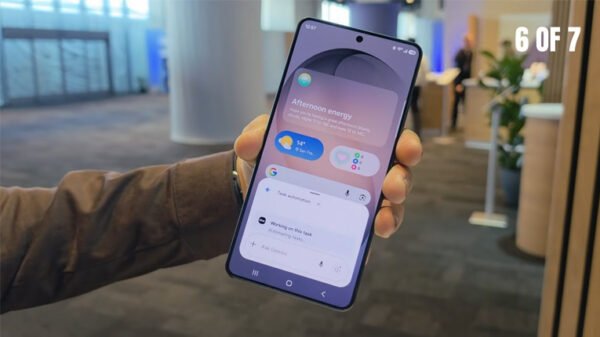
This is where Samsung’s larger vision becomes clear. Alongside Bixby, the S26 integrates Gemini and Perplexity as selectable agents. Tasks can be completed via a single voice prompt, and multi-step processes run in the background. I tested this by booking an Uber to the San Francisco airport using a simple voice command. It handled the flow, which included the destination, confirmation, and app handoff, seamlessly. The fact that it can coordinate across apps without feeling fragmented is key. This feels less like voice control and more like delegation.
7. Now Nudge
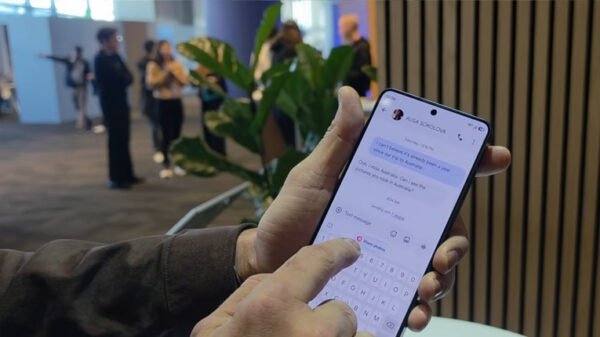
Now Nudge surfaces suggestions based on context . If someone asks for photos from a trip, it proactively suggests relevant images. If a meeting message arrives, it checks calendar conflicts. In use, it feels subtle. It doesn’t bombard you. It assists quietly. That’s important. AI should reduce cognitive load, not increase it.
Hardware Foundation
All of this intelligence sits on serious hardware:
- 6.9-inch QHD+ Dynamic AMOLED 2X display with adaptive 120Hz refresh rate
- Snapdragon 8 Elite Gen 5 for Galaxy
- Up to 16GB RAM and 1TB storage
- 5,000mAh battery
- Wi-Fi 7, Bluetooth 6.0
- IP68 water and dust resistance
- Android 16 with One UI 8.5
This is important: the AI layer works because the hardware underneath is uncompromising.
Early Verdict
Priced at ₹1,39,999, the Galaxy S26 Ultra isn’t trying to wow you with radical redesigns or experimental gimmicks. Instead, it’s attempting something harder: making intelligence invisible. From pixel-level privacy to conversational editing, from proactive nudges to agent-based automation, this phone feels less like a tool and more like an assistant that understands context. Of course, I’ll be testing battery longevity, camera consistency, long-term AI reliability, and real-world performance over the coming weeks. Stay tuned for the full review that’s coming soon.
2 Comments
Pingback: Samsung Galaxy Buds 4 Series Launched with Hi-Fi Sound
Pingback: Samsung Galaxy S26 Series Arrives with AI-Driven Feature Set