

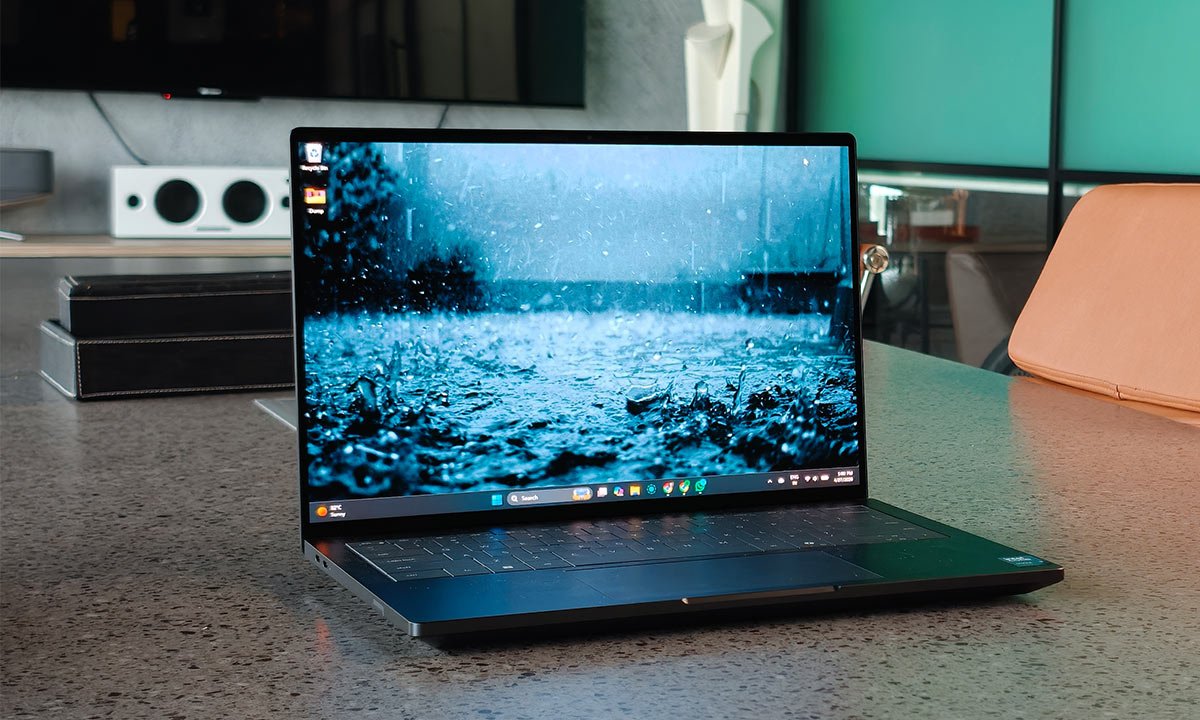
Verdict
The Dell Pro Max 14 Premium MA14250 is a technically impressive machine that finds itself in a very challenging position. On one hand, it delivers exceptional build quality, serious workstation-grade performance, and a genuinely premium user experience. But the pricing changes everything. At around ₹3,50,000, this is no longer just a premium Windows laptop; it’s a direct competitor to the very best in the market, including the MacBook Pro. And in that comparison, Dell has to justify not just its performance, but its overall value proposition. For users deeply embedded in the Windows ecosystem, especially those who rely on GPU-accelerated workflows, enterprise features, or specific software dependencies, this machine makes a compelling case. For everyone else, the decision becomes more complicated. When alternatives offer better battery life, superior audio, and comparable performance at similar or lower prices, the Pro Max 14 Premium starts to feel like a niche product rather than a universally recommendable one.
The Good
- Excellent build quality
- Compact powerhouse
- Strong GPU performance
- Versatile port selection
The Bad
- Very expensive
- 60Hz display only
-
Design
-
Display
-
Sound
-
Performance
-
Battery Life
There’s a quiet authority to the Dell Pro Max 14 Premium (MA14250) the moment you lay eyes on it. It doesn’t rely on visual theatrics or exaggerated design cues, but instead leans into precision, proportion, and material quality. The compact 14-inch footprint makes it immediately appealing for someone like me who is constantly moving between meetings, shoots, and writing sessions, but what stands out is how little it compromises despite that size. But then comes the price, which changes the entire context of the conversation.
The Dell Pro Max 14 Premium starts at ₹1,90,849, but the unit I’ve been using sits far above that baseline. It isn’t even officially listed across most mainstream retail channels, and resellers in India currently have it hovering around ₹3,50,000. That’s not just expensive, but in a territory dominated by the MacBook Pro. In fact, it goes beyond it in some configurations, which raises an uncomfortable but important question: why would a buyer not consider switching ecosystems altogether, especially when Apple’s M-series chips have proven how far ahead they are in efficiency and sustained performance?
Dell’s answer lies in what powers this machine. At its core is the Intel Core Ultra 9 285H vPro Enterprise platform, paired with workstation-grade components. On paper, this is one of the most powerful compact Windows machines you can buy today. But at this price, specifications alone aren’t enough, and the experience has to justify every rupee. So, does it?
Design
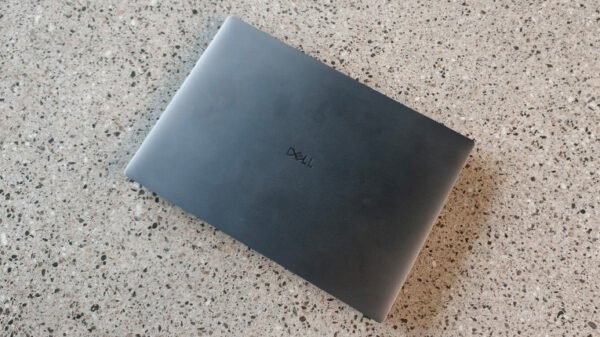
The design of the Pro Max 14 Premium is one of its strongest arguments. Over the past few weeks, whether I’ve been using it at my desk, carrying it through airport security, or pulling it out mid-meeting, it has consistently delivered that premium, no-nonsense feel you expect at this level. The metal chassis is exceptionally well-crafted, with no flex, no creaks, and a reassuring density that signals durability. The centred Dell logo on the lid reinforces the minimal aesthetic. It’s subtle, almost understated, and that works in its favour.
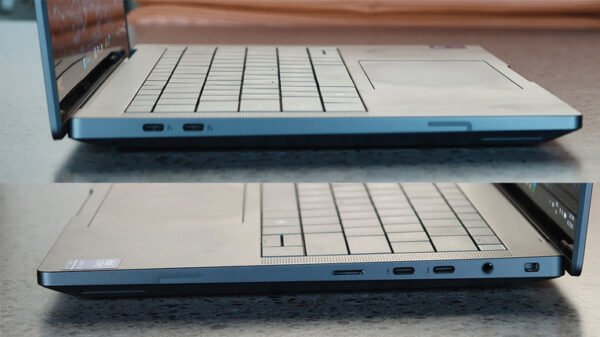
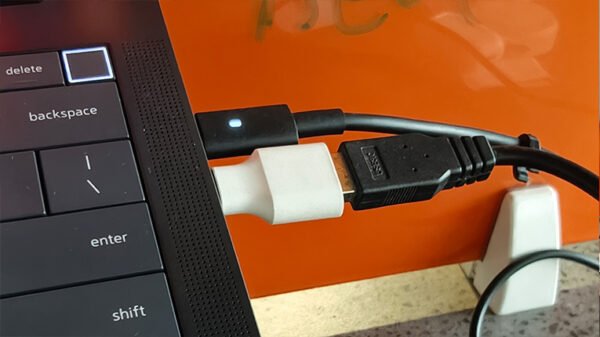
What genuinely surprised me, though, is how well Dell has handled I/O in such a compact form. With four Thunderbolt ports, including two Thunderbolt 5 ports, the laptop becomes incredibly versatile in real-world workflows. During my usage, I frequently had an external SSD plugged in, and sometimes, I even had a monitor connected, with the laptop charging simultaneously. And all this, without ever needing to think about port limitations. That said, I do wish there were at least one Type-A port onboard. I love using my basic wired Dell keyboard when I’m in the office, and the Type-C port meant I had to whip out my trusty old adaptor to make things work.
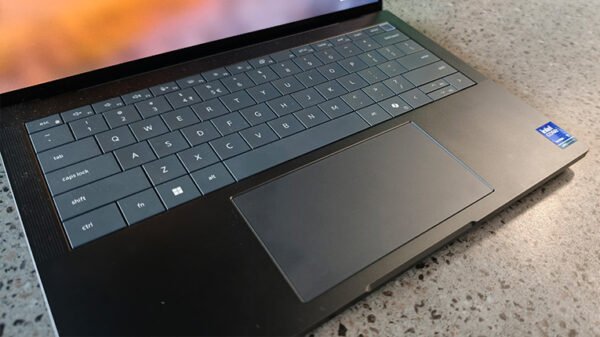
That said, the onboard keyboard is another highlight that reveals itself over time. Dell’s Zero-Lattice spill-resistant design, paired with Mini-LED backlighting, feels refined and purpose-driven. I’ve used it for long writing sessions, sometimes stretching over hours, and it never felt fatiguing. There’s a sense of consistency and reliability in the key travel that you begin to appreciate the more you use it. The haptic touchpad, however, introduces a slight ergonomic compromise. It’s wide, responsive, and precise, but because of the limited palm rest space, I did find myself triggering accidental gestures in the initial days. This was especially noticeable when working on timelines in video editing or navigating dense spreadsheets. Over time, you adapt your hand placement, but it does highlight the constraints of packing so much into a compact chassis.
Display and Sound
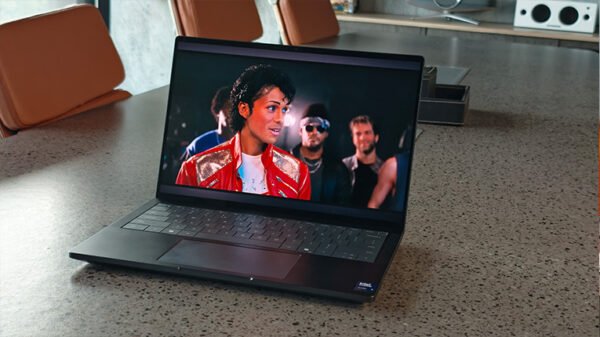
The 14-inch QHD+ OLED display is, without exaggeration, one of the best aspects of this laptop. It’s the kind of panel that immediately elevates the entire experience. Whether I was editing images, watching high-resolution footage, or simply browsing, the colour reproduction felt accurate and vibrant, and the deep blacks added a level of contrast that IPS panels simply can’t match. For creative workflows, this matters. While working on photo edits and reviewing video footage, I found myself trusting the panel more than I expected to. The 400 nits brightness is sufficient for most environments, and in indoor conditions, it’s more than comfortable.
However, there’s one glaring limitation that’s hard to ignore: the 60Hz refresh rate. At this price point, it feels like an oversight. Even outside of gaming, higher refresh rates improve everything from scrolling to UI fluidity, and once you’re used to 90Hz or 120Hz panels, going back to 60Hz feels dated. It doesn’t ruin the experience, but it does prevent the display from being truly best-in-class.
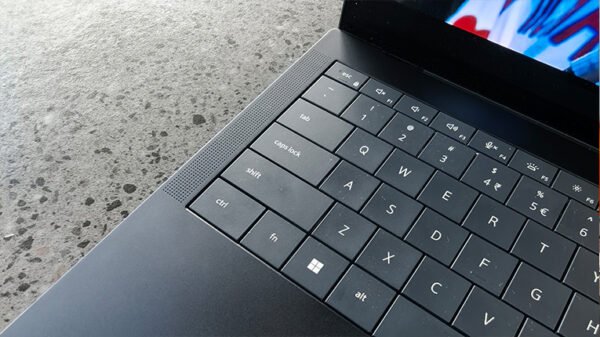
The audio setup is a noticeable improvement over previous Dell Pro machines. With twin woofers and twin tweeters, each powered by 2.5W amplification, the laptop produces a loud, balanced sound profile that works well for casual media consumption, video calls, and even light editing work. I found it more than adequate for watching content without external speakers, and there’s enough clarity in vocals and mids to keep things engaging. That said, when directly compared to the MacBook Pro, the difference becomes apparent. The Mac still leads in terms of soundstage, depth, and spatial separation. Dell has improved significantly, but it hasn’t quite reached that benchmark yet.
Performance
Performance is where the Pro Max 14 Premium begins to justify its positioning. This particular unit is fully loaded, featuring the Intel Core Ultra 9 285H vPro Enterprise processor, 64GB of RAM, and the NVIDIA RTX Pro 2000 Blackwell with 8GB of GDDR7 VRAM. On paper, this is serious hardware, and in real-world usage, it absolutely delivers. Over the course of my testing, I pushed this machine through a variety of workflows. My daily usage typically involves a mix of heavy browser sessions, writing, cloud-based tools, and constant file transfers, and the laptop handled all of it effortlessly. There was never a moment when it felt like it was struggling or even close to being pushed.
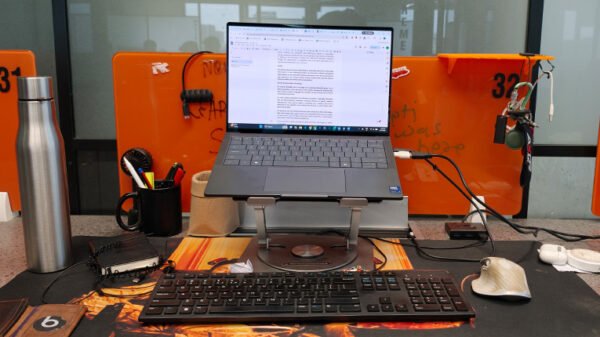
Where things got more interesting was during 4K video editing on Adobe Premiere Pro. Timeline scrubbing was smooth, playback remained consistent, and export times were impressively quick. The presence of the RTX Pro 2000 Blackwell GPU plays a huge role here. This isn’t just about raw power—it’s about acceleration. Tasks like rendering, applying effects, and encoding benefit directly from the GPU, and you can feel that difference when working on heavier projects.
The Intel Core Ultra 9 285H also deserves credit for how well it balances performance and efficiency. Unlike older high-performance Intel chips that often struggled with thermals, this one feels more controlled. Even during extended workloads, the system remained stable, and performance didn’t noticeably drop off. That consistency is critical for professional users who rely on predictable output.
Battery Life
Battery life is where expectations need to be recalibrated. With a 4-cell 72Whr battery, the Pro Max 14 Premium delivers around 6 to 7 hours of real-world usage. In my case, this included a mix of writing, browsing, streaming, and occasional editing. For an x86 machine with this level of hardware, that’s actually quite respectable. It’s enough to get through most workdays if you’re mindful, and definitely sufficient for travel scenarios where you’re moving between charging points. However, the comparison with ARM-based systems is unavoidable. Laptops powered by Apple’s M-series and Snapdragon chips continue to dominate in efficiency, and that gap is evident here. Within the Windows ecosystem, though, this performance is competitive and in line with expectations for a machine prioritising power over endurance.