


Verdict
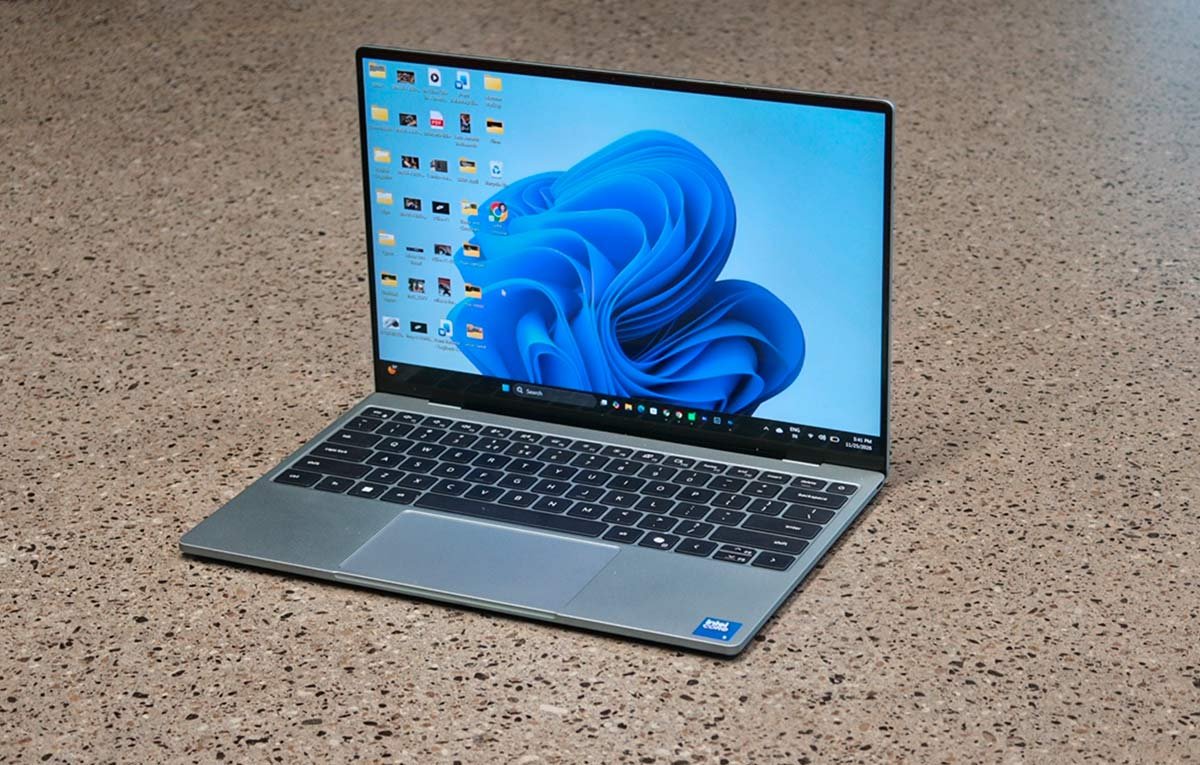
The Dell XPS 13 is an interesting reminder that a good laptop doesn't necessarily have to be a powerhouse. After spending time with the XPS 14, I initially found myself looking at this machine as a bit of a downgrade. But the more time I spent travelling with it, the more I understood its appeal. At around 1kg, it is incredibly convenient to carry around; the display is excellent for everyday use, the build quality is genuinely premium; and the performance is adequate for a large chunk of everyday computing. As a MacBook Neo alternative, it makes a fairly convincing case, particularly if you prefer Windows, want a touchscreen and value the flexibility of a traditional PC. However, the 8GB RAM configuration is difficult to recommend without reservations. It might be enough today for basic tasks, but it doesn't leave much room to grow, especially with Windows 11 and increasingly demanding applications. I'd spend the extra on the 16GB variant if possible. The XPS 13 isn't going to replace a powerful workstation, nor is it meant to. It is a well-built, incredibly portable everyday laptop that gets most of the fundamentals right. Just make sure you buy the right configuration.
The Good
- Incredibly light
- Premium build
- Sharp, bright display
- Excellent travel companion
The Bad
- Only 8GB RAM
- Just two USB-C ports
- No headphone jack
-
Design
-
Display
-
Sound
-
Performance
-
Functionality
-
Battery Life
When I started reviewing the Dell XPS 13, I was coming off the XPS 14, a laptop that I had grown rather fond of. It was considerably more premium, packed an insane amount of performance and, frankly, spoiled me a little. So, moving to the XPS 13 as my daily driver felt like a downgrade. But no complaints. I was looking at a machine that, at ₹79,990, was considerably more affordable, incredibly lightweight and, importantly, positioned as a Windows alternative to Apple’s MacBook Neo. That made it an interesting proposition in itself. I was curious to see what Dell had managed to put together in such a compact package. And having spent a considerable amount of time travelling around with it, carrying it to meetings, shoots and pretty much everywhere else, I began to appreciate what this little laptop was trying to achieve. Here’s what I think about it.
Design
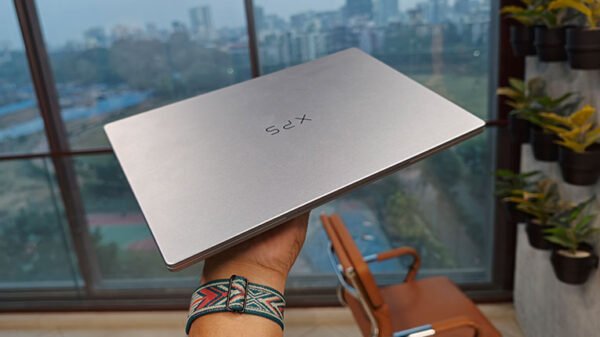
The first thing you notice about the XPS 13 is just how little it weighs. At approximately 1kg, this is one of those laptops that you can throw into your backpack and almost forget about. I’ve been travelling a fair bit lately, and carrying this around has been an absolute delight. It has genuinely been easier on my back, especially when I’m already lugging around stuff like my chargers, shooting equipment and everything else that comes with the job. Its compact footprint helps too. It occupies very little space on a desk, fits comfortably on cramped aircraft tray tables and doesn’t feel like a burden when you’re moving between locations all day.
What’s impressive is that Dell hasn’t compromised on the materials to achieve this weight. The aluminium chassis feels properly premium, with a reassuring rigidity that doesn’t make you question its durability. It has that understated XPS aesthetic, with clean lines and a rather minimal approach to the overall design. This is a laptop that looks and feels more expensive than its positioning might suggest.
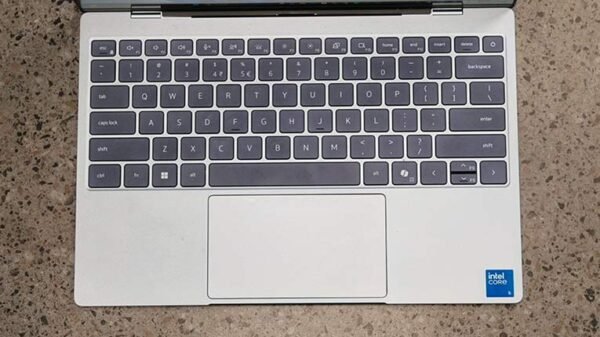
The keyboard is another area where the XPS 13 gets things largely right. The keys have decent travel and feedback, and I had no real trouble getting comfortable typing on it for extended periods. That said, it isn’t quite as satisfying as the keyboard on the XPS 14. There’s a certain refinement to the latter that I missed here, although the XPS 13 remains perfectly usable as a daily work machine.
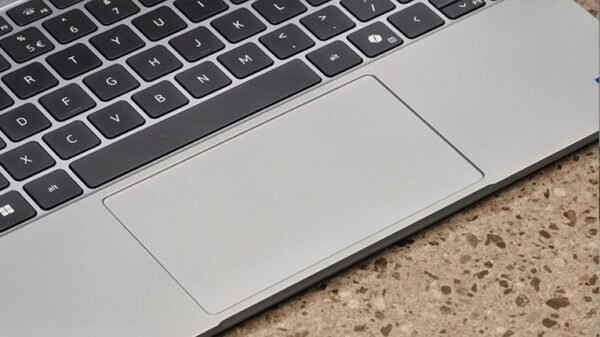
The trackpad, however, was something I had to get used to. Having spent time with the XPS 14 and its seamless haptic trackpad, I was genuinely disappointed to return to a conventional mechanical one. It works well enough, but the experience isn’t quite as refined, and the click mechanism feels a little less premium. Then again, I had to remind myself that this is a considerably more affordable machine. Some compromises are inevitable.
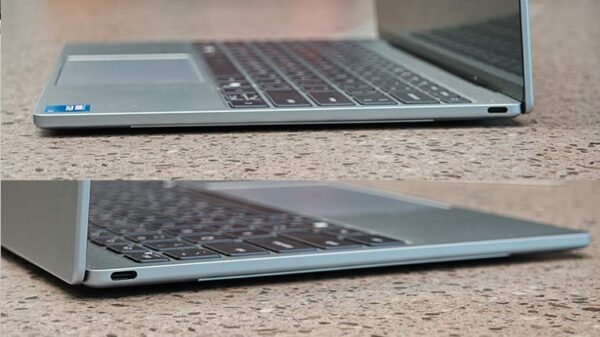
Connectivity is where Dell could have done better. You get just two USB-C ports, one on either side, and that’s your lot. There is no USB-A, HDMI or dedicated card reader, so carrying a dongle becomes almost essential if your workflow involves connecting multiple peripherals. The absence of a 3.5mm headphone jack is another omission I would have preferred Dell to avoid. I understand the pursuit of a thinner and lighter machine, but a little more variety in the I/O department would have made this a much more practical laptop.
Display and Sound
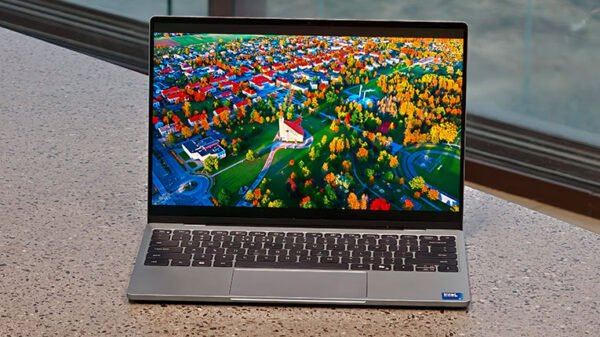
The XPS 13 gets a 13.4-inch IPS touchscreen with a 2560 x 1600 resolution, a variable refresh rate of 30-120Hz and a claimed peak brightness of 500 nits. It is a sharp, vibrant panel with good contrast, and more importantly, it gets sufficiently bright for most everyday environments. You also get 100% DCI-P3 colour coverage, which gives the display a wider colour gamut than what you’d typically expect from an affordable laptop.
I particularly enjoyed watching movies on this machine. The 13.4-inch screen might sound a little restrictive if you’re accustomed to larger displays, but the relatively slim bezels and sharp resolution make content look great. Colours have a nice amount of punch, text is crisp, and the overall viewing experience is genuinely enjoyable. The 120Hz refresh rate is another welcome addition. Scrolling through websites and navigating Windows feels noticeably smoother, even if this isn’t a machine designed for demanding gaming.
I wouldn’t necessarily pick it as my primary display for professional colour-critical work without calibrating it first, but for everyday productivity, entertainment and the occasional photo edit, it is a very good panel.
Audio is handled by a quad-speaker setup comprising two 2W main speakers and two 2W tweeters. The output is reasonably loud, vocals are clear, and there’s enough separation to make watching movies and YouTube videos enjoyable. There is some body to the sound, although don’t expect particularly deep bass or the kind of richness you get from a larger MacBook. It is a perfectly competent speaker system for a laptop this size, and I rarely felt the need to reach for headphones when watching something casually.
Performance
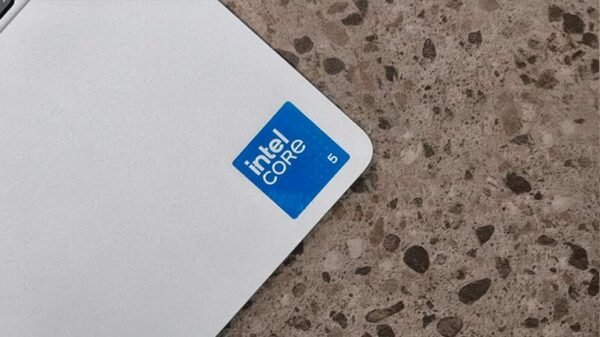
This is where things get a little complicated, particularly with the configuration I have. My XPS 13 comes with Intel’s Core 5 320 processor, integrated Intel graphics and 8GB of LPDDR5x RAM, paired with a 512GB SSD. On paper, that sounds like a fairly reasonable combination for an everyday laptop. And for basic productivity, it largely is.
The Core 5 320 belongs to Intel’s Series 3 Wildcat Lake family and features six cores, comprising two performance cores and four efficiency cores. It can boost up to 4.6GHz, but this isn’t a processor designed to compete with the higher-end Core Ultra chips. Its priorities are efficiency, everyday responsiveness and keeping power consumption under control.
The processor handles everyday productivity, browsing, document editing, video streaming and lighter workloads without much trouble. The SSD also helps keep everyday operations reasonably snappy. However, the integrated Intel graphics are fairly modest, and this isn’t a laptop I’d recommend for serious video editing, 3D work or demanding gaming.
But the bigger concern is the 8GB RAM configuration. Windows 11 can be fairly memory-hungry, and 8GB leaves very little headroom once you start opening multiple applications. You might not encounter a complete system freeze, but occasional stutters and slower application switching become more likely when multitasking gets ambitious.
This is particularly relevant to anyone using Chrome extensively or working with multiple applications simultaneously. The 16GB configuration should make a meaningful difference here, and I’d strongly recommend spending extra on it if your budget allows. Unfortunately, the memory is soldered, so you cannot simply upgrade it later.
The XPS 13 is therefore best understood as a laptop for people who know what they need. If your daily routine involves emails, documents, browsing, video calls, presentations and streaming, the Core 5 320 is perfectly capable. But if you’re coming from a more powerful machine, or expect to push it with heavier creative workloads, you’ll notice the limitations fairly quickly.
Functionality
The XPS 13 keeps things relatively straightforward on the software front. You get Windows 11 Home, which means access to the familiar Windows ecosystem, including Microsoft Office, the usual productivity applications and a vast selection of third-party software. Dell hasn’t gone overboard with unnecessary pre-installed applications either, which is refreshing.
The touchscreen adds another layer of convenience, particularly when you’re scrolling through documents, navigating webpages or quickly interacting with something on screen. It isn’t a feature I would consider essential on a traditional clamshell laptop, but it’s nice to have.
Dell has also retained a physical function row, something I appreciate over some of the more experimental keyboard designs we’ve seen in recent XPS generations. You get a backlit keyboard, a conventional trackpad and a 1080p webcam with an infrared sensor for Windows Hello facial recognition. Being able to unlock the laptop simply by opening the lid and looking at the screen is particularly convenient. The webcam is perfectly adequate for meetings, although don’t expect exceptional image quality.
Connectivity is reasonably modern, with Wi-Fi 7 and Bluetooth 6.0 support. However, the two USB-C ports on the Core 5 configuration are USB 3.2 Gen 2 rather than Thunderbolt. Both support charging and external display output, which is useful, but the lack of faster Thunderbolt connectivity is worth keeping in mind if you intend to connect high-speed external storage or more elaborate docking solutions.
Ultimately, the XPS 13 covers most of the everyday functionality you’d expect from a modern Windows laptop. It just doesn’t offer the flexibility of a more generously equipped machine. The limited port selection and memory configuration are the two compromises that stand out most.
Battery Life
Battery life is an important consideration for an ultraportable, and thankfully, the XPS 13 does fairly well here. It packs a 52Wh battery, and independent testing has shown that it can last around 14-15 hours in lighter web-browsing workloads, while continuous video playback can bring that figure down to approximately 8-9 hours.
Of course, these numbers depend heavily on screen brightness, refresh rate, workload and background activity. The Core 5 320’s efficiency-focused architecture helps, and the variable refresh rate display can scale down to 30Hz when the higher refresh rate isn’t needed.
What I particularly like is that Dell hasn’t sacrificed battery endurance in the pursuit of a lightweight design. This is a laptop that can comfortably serve students and professionals who spend much of their day away from a charging point. The 65W USB-C charger is reasonably compact too, although I’d still recommend carrying it along if you’re planning a particularly long workday.
It isn’t necessarily the longest-lasting laptop in its category, and the MacBook Neo has a compelling battery proposition of its own. But the XPS 13 offers respectable endurance for the hardware it packs.