


Verdict
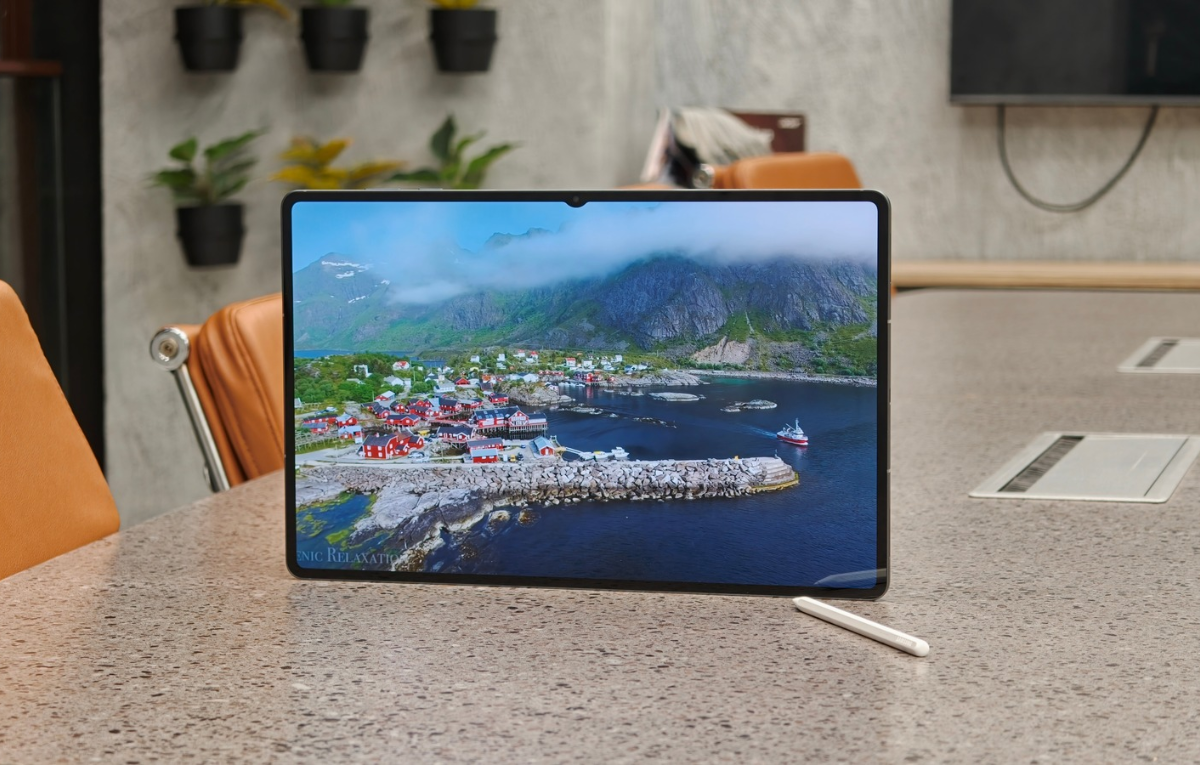
The Samsung Galaxy Tab S12 Ultra is a slightly strange product. It's incredibly good at being a tablet, has enough power to handle serious work, offers one of the best displays you can get on a portable device and comes with an S Pen that genuinely adds to the experience.
And yet, I'm not entirely convinced it knows what it wants to be. As an entertainment device, it's fantastic. As a digital notebook, it's excellent. As a productivity device, it's surprisingly capable. But as a laptop replacement, it still has some way to go. The hardware is ready for that job. The software ecosystem, particularly the availability and optimisation of professional applications, isn't quite there yet.
Then there's the price. In India, the Galaxy Tab S12 Ultra starts at Rs 1,49,999 for the 12GB RAM and 256GB Wi-Fi variant. The 5G version costs Rs 1,64,999, while the 512GB variants go up to Rs 1,84,999. And if you want the Pro Keyboard Book Cover, that's another Rs 27,999. For someone who already owns a capable laptop, this is a difficult purchase to justify purely on productivity grounds. You'd essentially be spending a considerable amount of money on a secondary device that overlaps with several things your laptop already does.
The Good
- Stunning AMOLED display
- Slim, premium construction
- Powerful everyday performance
- Impressive multitasking features
- Good battery endurance
The Bad
- Expensive proposition
- Keyboard sold separately
- Noticeable display reflections
-
Design
-
Display
-
Sound
-
Performance
-
Functionality
-
Battery Life
There is something quite ridiculous about a 14.6-inch tablet. It’s practically the size of a small laptop, costs as much as one, and is probably too big to comfortably use while lying in bed. And yet, every time Samsung launches an Ultra tablet, I find myself wanting to spend some time with it. The Galaxy Tab S12 Ultra is no exception.
Samsung has been refining this formula for a few generations now. Give people an enormous AMOLED display, flagship hardware, an S Pen, a generous helping of multitasking features and the option of turning the whole thing into a makeshift laptop. The result is a tablet that can do a little bit of everything, and in some situations, do it rather well.
The problem is that the S12 Ultra doesn’t represent a particularly dramatic evolution of that formula. It retains the familiar 14.6-inch display, the same overall design philosophy and an 11,600mAh battery. The big change under the hood is the MediaTek Dimensity 9500 processor, accompanied by Samsung’s latest software and some refinements to the cooling and audio systems.
Now, I spend a fairly unhealthy amount of time jumping between writing, editing, researching, watching videos and attending meetings. There are days when I have a review open in one window, a press release in another, WhatsApp Web running in the background and about 25 Chrome tabs that I should probably have closed three days ago. Add the occasional YouTube video, a video edit and a spreadsheet, and you have a reasonably good picture of my everyday digital life.
A tablet that can comfortably accommodate that kind of workflow sounds rather appealing. Especially when I’m travelling for shoots, attending launch events or trying to get some work done between flights.
But the Galaxy Tab S12 Ultra has to answer a fairly important question: is it genuinely useful enough to justify its asking price, or is it an extravagant second screen for people who already own a perfectly good laptop?
Design
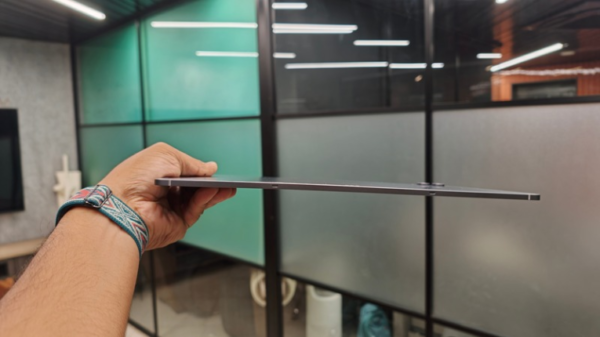
The first thing that strikes you about the Galaxy Tab S12 Ultra is just how thin it is. At 5.1mm, Samsung has managed to make a tablet with a 14.6-inch display feel almost impossibly slim. It weighs 695g in the 5G configuration, which I’ve been using and that’s quite impressive considering the sheer amount of screen you’re carrying around.
The aluminium construction feels suitably premium, and the overall design is understated. There aren’t any unnecessary design flourishes or attempts to make it look like something from the future. It’s a large, flat slab of metal and glass, and I think Samsung has got the aesthetics right.
There’s also an IP68 rating for dust and water resistance, which is reassuring. You don’t necessarily want to be particularly adventurous with a device this expensive, but it’s nice to know that an accidental splash isn’t going to turn into a very expensive afternoon.
However, there’s no getting around the size. This is not a tablet you casually pick up with one hand to scroll through Instagram. Neither is it particularly comfortable to hold above your face while watching Netflix in bed. You will eventually want to rest it against something, whether that’s a table, your lap or a stand.
And that’s where I think the S12 Ultra’s design makes more sense. It’s essentially a portable workstation with a tablet form factor. If you’re carrying it between meetings, using it at a desk or setting it up in an airport lounge, the dimensions are manageable. Stuffing it into a small backpack and pulling it out for a quick scroll is another matter.
I would have liked Samsung to do something a little more adventurous with the design this year, though. The S12 Ultra looks remarkably similar to the S11 Ultra. That’s not necessarily a bad thing, but when you’re spending this kind of money, a little visual differentiation wouldn’t hurt.
Display and Sound
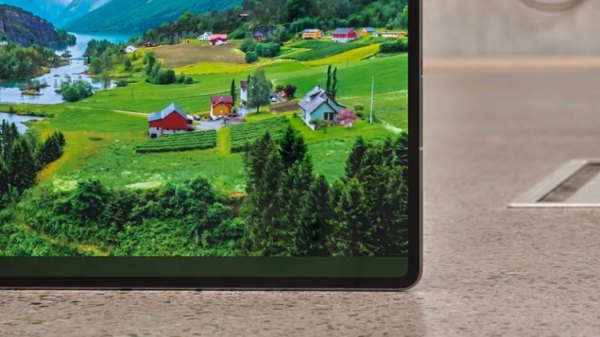
If there’s one department where the Galaxy Tab S12 Ultra makes an immediate impression, it’s the display. And honestly, it would be quite disappointing if it didn’t.
You get a 14.6-inch Dynamic AMOLED 2X panel with a resolution of 2960 x 1848 pixels and a 120Hz adaptive refresh rate. It supports HDR, with peak brightness rated at up to 1,600 nits. These are flagship television-like credentials packed into something that’s barely thicker than a few sheets of paper.
Colours are vibrant, blacks are properly deep and contrast is excellent. The 120Hz refresh rate makes scrolling through websites, switching between applications and navigating the interface feel wonderfully fluid.
But the real advantage isn’t necessarily the picture quality. It’s the amount of space you have to work with.
Consider my typical day at work. On a conventional laptop, I’m constantly jumping between windows. On a smaller tablet, splitting the screen often means sacrificing too much usable space. Here, I can have a browser open alongside a document, keep reference material visible and still have enough room to actually work. Reading a lengthy press release while drafting an article becomes a much less irritating exercise.
The same applies to video work. Imagine reviewing footage from a shoot, referring to a script and keeping a shot list open simultaneously. Having that much screen real estate is genuinely useful.
And then there’s entertainment. Watching an F1 race, catching up on YouTube videos or streaming a film on this display is an absolute treat. If you’re someone who watches a lot of content while travelling, this is a rather compelling proposition. It’s considerably more immersive than watching something on your phone, without having to carry around a laptop.
The four-speaker setup with Dolby Atmos support complements the display rather well. There’s plenty of volume, and the stereo separation makes watching films and videos enjoyable. Voices are clear, and the speakers are sufficiently balanced for everyday entertainment. However, don’t expect particularly deep bass. The incredibly slim chassis simply doesn’t leave much room for that.
One thing worth mentioning is that some competing tablets have moved towards anti-reflective display treatments. The S12 Ultra’s glossy screen can catch reflections, particularly when you’re working near windows or outdoors. That’s worth considering if you intend to use it frequently in brightly lit environments.
Performance
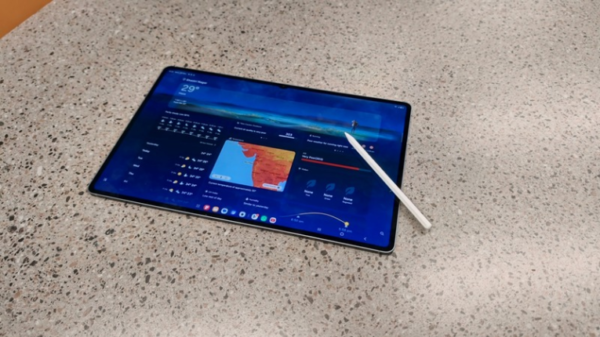
The Galaxy Tab S12 Ultra is powered by MediaTek’s Dimensity 9500, a 3nm flagship chipset, paired with 12GB RAM on the 256GB (the one I used) and 512GB variants. The 1TB version gets 16GB RAM. Storage can also be expanded using a microSD card, with support for capacities of up to 2TB.
On paper, this is a pretty serious configuration. In everyday use, it means there’s very little the tablet should struggle with. Switching between multiple applications, editing documents, browsing with several tabs open, streaming content and running demanding applications are all well within its capabilities.
Samsung has also redesigned the cooling system with an upgraded vapour chamber to help manage temperatures.
For someone like me, this kind of performance is particularly useful when working with large files or switching between multiple tasks. I can imagine having Photoshop open to make quick edits to images from a car or motorcycle shoot, while simultaneously referring to a review draft and checking messages from the editorial team. The tablet has enough horsepower to handle that sort of workload without feeling like it’s constantly playing catch-up.
Gaming is another area where the large display makes a difference. Racing games, shooters and graphically demanding titles benefit from the additional screen space and smooth refresh rate. It’s a rather enjoyable way to spend some time when you’re travelling or waiting around at an event.
Functionality
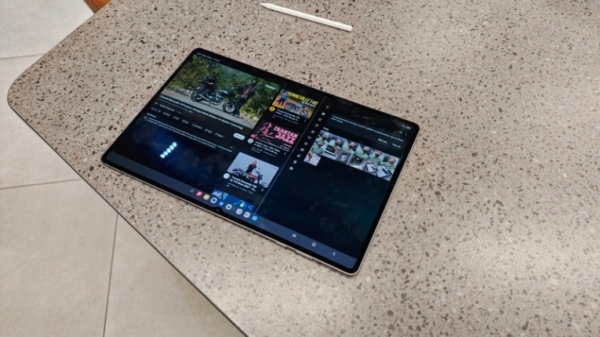
This is where Samsung starts making a rather convincing argument for buying a tablet instead of another laptop. Or at least considering one.
The S12 Ultra runs Android 17 with One UI 9, and Samsung has done a fair amount of work to make the software experience suitable for a screen this large. You get split-screen multitasking, floating windows, multiple workspaces and Samsung DeX.
The three-way split-screen functionality is particularly useful. You could have Chrome open on one side, Samsung Notes on another and a messaging application in a third window. For research-heavy work, that’s a fairly practical arrangement.
What’s probably the most compelling aspect of the S12 Ultra’s functionality is the S Pen that’s included in the box. It feels natural to write with, and the large screen provides plenty of room for handwritten notes, sketches and annotations. Samsung Notes also supports handwriting recognition and PDF annotation, while Creative Studio introduces AI-assisted image creation and editing. Applications such as Photoshop and Clip Studio Paint further expand its creative potential.
However, there is one omission worth pointing out. The S Pen doesn’t have Bluetooth functionality, which means you lose the remote Air Actions and camera-control features found on older Bluetooth-enabled S Pens. Writing and drawing work without needing to charge the pen, but those additional remote functions are gone.
Then there’s the keyboard situation. Samsung sells the Pro Keyboard Book Cover separately for Rs 27,999 in India. That’s a fairly substantial additional expense after you’ve already spent upwards of Rs 1.5 lakh on the tablet. The keyboard does make the S12 Ultra considerably more practical for typing long documents, editing articles and working on spreadsheets. It also gives you a touchpad and a more laptop-like setup.
But here’s my issue with the entire laptop replacement proposition. A desktop-style interface doesn’t automatically give you desktop-grade software. Android applications can still feel like stretched-out phone apps, and certain professional workflows remain better suited to Windows or macOS. DeX is useful, but it doesn’t magically turn Android into a desktop operating system.
Battery Life
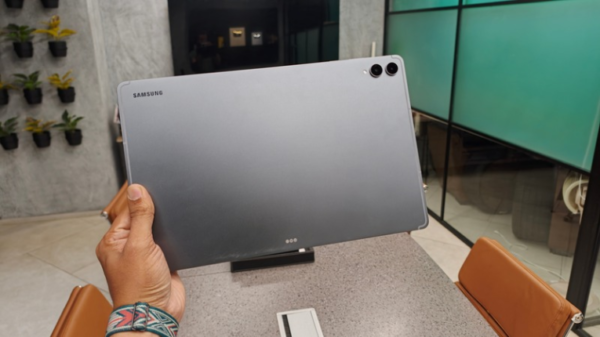
A massive screen needs a massive battery, and Samsung has equipped the S12 Ultra with an 11,600mAh unit. That’s the same capacity as its predecessor, which is a little disappointing considering this is a new generation of flagship tablet.
Samsung claims up to 23 hours of video playback. As always, there’s a rather important caveat attached to that figure. It’s based on controlled local video playback conditions, rather than the sort of mixed usage most of us put our tablets through.
In real-world testing, results vary depending on brightness, connectivity and workload. I received around three to four days of use with approximately two to three hours of daily usage. If you’re someone who uses their tablet for a demanding mix of browsing, streaming and multitasking, you can expect one full day’s of usage from it.
Charging is capped at 45W, which feels a little conservative for a tablet at this price. A full charge takes approximately 80–95 minutes depending on the test conditions and charger used. It’s perfectly acceptable, but I’d have liked Samsung to push those numbers further.
Still, battery life isn’t something I’d consider a major concern here. The S12 Ultra should comfortably get through a typical working day, provided you’re not treating it like a gaming console for eight hours.