

Close Menu

    Subscribe to Updates

    Get the latest creative news from FooBar about art, design and business.

    What's Hot

    Vedansh Kumar, Head of Brand Marketing, boAt – CMO Special

    January 22, 2026

    Pratip Francis, General Manager – Brand Marketing, MRF – CMO Special

    January 22, 2026

    Abhishek Shetty, Head of Marketing – Swiggy Instamart – CMO Special

    January 22, 2026
    Facebook X (Twitter) Instagram YouTube
    • Subscribe to the Magazine
    • Join our Newsletter
    • BBC TopGear India
    • Influencer News
    Friday, January 23
    Facebook X (Twitter) Instagram Pinterest YouTube Tumblr LinkedIn
    Exhibit TechExhibit Tech
    • Home
    • Tech & AI
      • Tech News
      • Tech Launches
      • Tech Features
      • Gaming
      • AI & Robotics
      • Social Media
      • Cybersecurity
      • FinTech
      • Crypto
      • Space
      • Software & Apps
    • Reviews
      • Smartphone Reviews
      • Smartwatch Reviews
      • Headphone Reviews
      • Laptop Reviews
      • Tablet Reviews
      • Earbud Reviews
      • Camera
      • Speakers
      • PC components
      • Accessories
      • Best TV Reviews in India – Find Your Next Screen with Exhibit.tech
      • Compare the Best Gadgets in India – Smartphones, Laptops, Wearables & More
      • Best Gadget to use
    • Auto
      • Auto News
      • Auto Reviews
      • Auto Tech
      • Vehicles
        • Cars
        • Bikes
    • Lifestyle
      • Travel
      • Entertainment
        • Fashion
        • Sports
        • OTT
        • Music
        • Movies
      • Watches
      • Health
      • Sneakerhead
      • Lifestyle Features
    • Guides
      • Explained
      • How To’s
      • How Big Is
      • Tips and Tricks
      • Screw Ups
    • Interviews
      • Creators
      • Tech Talks
      • Celebrities
      • Top 100 Leaders
        • Tech & Auto 2025
      • Founder’s club
      • Petrol Head
      • Marketing Minds
      • Editor’s note
    • Events
      • Influencex Awards
        • InfluencEX Awards Winners 2025
        • InfluencEX Awards Winners 2024
        • InfluencEX Awards Winners 2023
      • Exhibit Tech Awards
        • Tech Awards Winners 2025
        • Tech Awards Winners 2024
        • Tech Awards Winners 2023
      • Tech Fashion Tour
      • TopGear India Awards
    • Deals and Offer
    Exhibit TechExhibit Tech
    Home >> Gadget Reviews >> Accessories >> UltraProlink Jot Pencil 2 Review: Plug-and-play Stylus for Everyday Use
    Accessories

    UltraProlink Jot Pencil 2 Review: Plug-and-play Stylus for Everyday Use

    By Sohil NikamJanuary 20, 20264 Mins Read
    Facebook Twitter Pinterest LinkedIn Tumblr Email
    UltraProlink-Jot-Pencil-2
    Share
    Facebook Twitter LinkedIn Pinterest Email

    Verdict

    7.5 Affordable Apple Pencil Rival?

    The UltraProlink Jot Pencil 2 delivers solid performance for everyday writing, studying, and casual sketching, especially for users who own multiple devices across iOS and Android. Its lightweight design, fast charging, and wide compatibility make it practical and easy to live with. However, the absence of pressure sensitivity, tilt support, and deeper software integration means it is not aimed at serious digital artists or power users. For its target audience—students, professionals, and general tablet users looking for an affordable and versatile stylus—the Jot Pencil 2 offers good value and dependable functionality, as long as expectations are aligned with its straightforward, no-frills approach.

    The Good
    1. Universal iOS and Android compatibility
    2. Fast charging with long battery life
    The Bad
    1. No pressure or tilt sensitivity
    2. Magnetic hold is not very strong
    • Design 8
    • Functionality 7
    • User Ratings (0 Votes) 0

    The UltraProlink Jot Pencil 2 is positioned as a universal, no-fuss stylus aimed at users who want writing and sketching support across multiple tablets and phones without paying premium-brand prices. With support for a wide range of iPads and Android tablets, quick charging, and no Bluetooth pairing requirements, it targets students, casual creators, and productivity users looking for simplicity and broad compatibility rather than advanced creative controls.

    Design
    UltraProlink-Jot-Pencil-2-Device

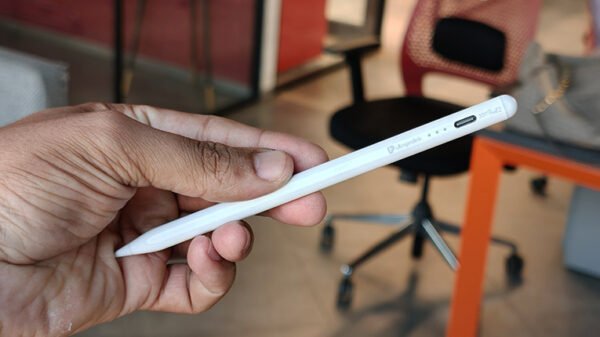
    At just 13.3 grams, the Jot Pencil 2 is extremely lightweight and comfortable to hold for long sessions of note-taking or casual sketching. The cylindrical shape and matte finish provide decent grip without feeling slippery, and the overall form factor closely resembles that of mainstream active styluses, making it feel familiar from the first use. The balance is good, and it does not feel top-heavy, which helps reduce hand fatigue during extended writing sessions.

    One of its more convenient design features is magnetic attachment support on compatible iPads, allowing the stylus to snap onto the side of the tablet for storage. While this is useful, it should be noted that the magnet is primarily for holding and not for charging, and the attachment strength is not as firm as what you would experience with the Apple Pencil. It stays in place when stationary, but may come loose inside a bag.

    Also Read: UltraProlink iLink Trio Review: One cable, Three Promises, But Does it Deliver?

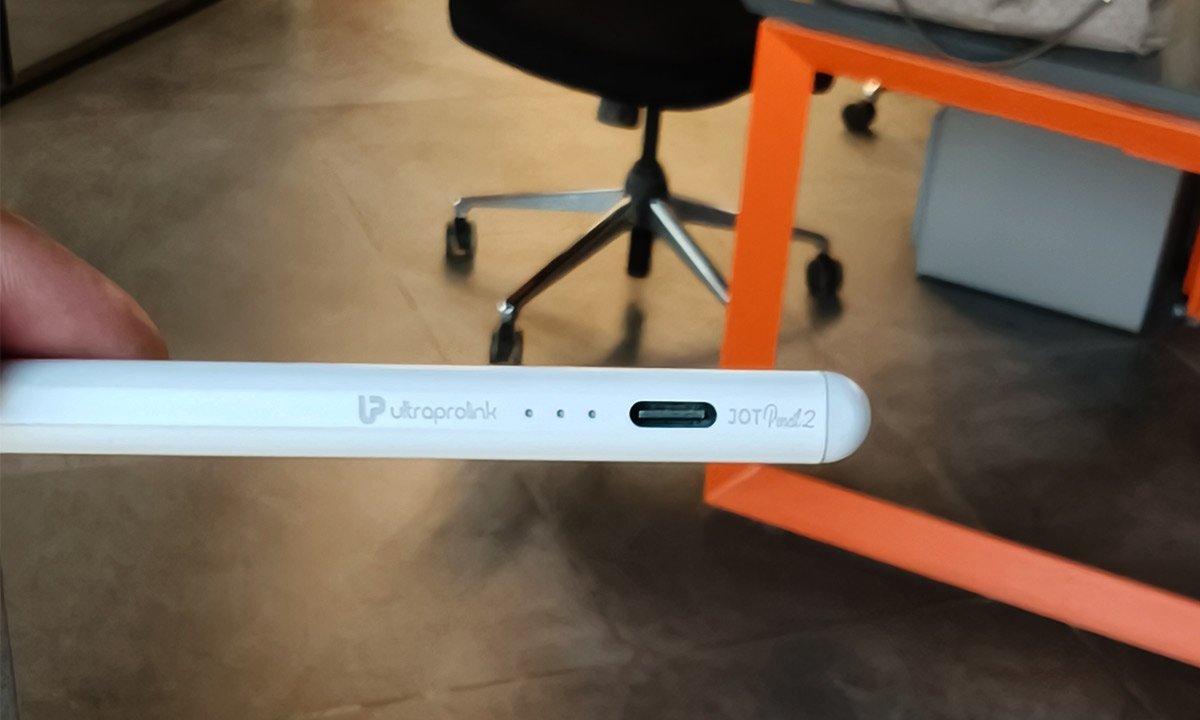
    The stylus uses interchangeable 1.5mm POM tips, and two spare nibs are included in the box. These tips provide a reasonably smooth glide on glass screens while maintaining enough resistance for handwriting. However, replacement nibs are proprietary, which means users will need to source them from the brand rather than using generic alternatives. The LED indicators are neatly integrated and serve both as power and battery status indicators, though they are quite subtle and can be easy to miss in bright lighting.
    UltraProlink-Jot-Pencil-2-Tip

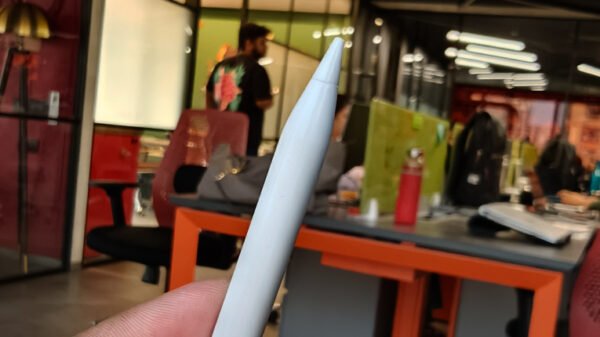
    One aspect that I had a gripe about is the On/Off switch, which isn’t tactile and doesn’t provide any haptic feedback at all. Placed at the tip of the stylus, you just need to touch it once to get the device running.

    Functionality

    Functionally, the Jot Pencil 2 is built around simplicity. There is no Bluetooth pairing, no companion app, and no setup process beyond switching it on and selecting the appropriate mode for iPad or universal capacitive devices. This plug-and-play approach makes it especially appealing for users who switch between devices or want to avoid software configuration.

    The stylus works across a wide list of iPads and Android tablets, though, I tested it across the  This broad compatibility is one of its biggest strengths. It also performs reliably for basic writing, annotation, and casual drawing, with minimal lag in most note-taking apps and browsers.

    UltraProlink-Jot-Pencil-2-Device

    Charging is handled via USB-C, with a full charge taking around 30 minutes and delivering up to 10 hours of continuous usage. Standby time is rated at up to 90 days, and the auto-sleep feature after five minutes of inactivity helps preserve battery life. In daily use, this makes it easy to go several days between charges for moderate users.

    That said, this is not a pressure-sensitive stylus, and it does not support tilt-based shading. For artists or designers who rely on line variation and brush dynamics, this will be a significant limitation. Palm rejection depends largely on device and app support rather than the stylus itself, which means performance can vary across different tablets. On some Android devices, accidental touches may still occur when resting the palm on the screen.

    Software and App Experience
    UltraProlink-Jot-Pencil-2-in_use

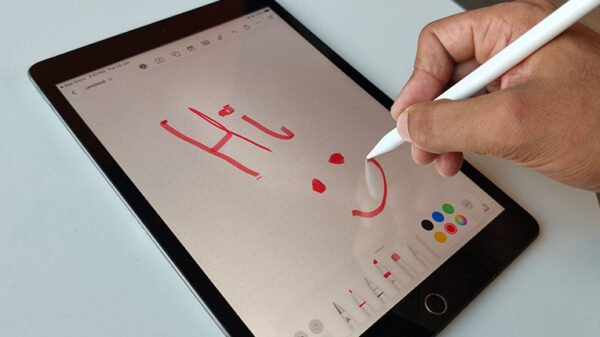
    Since the Jot Pencil 2 does not rely on Bluetooth or proprietary software, it works directly with standard note-taking and drawing apps available on each platform. On iPad, apps like Apple Notes, GoodNotes, and Notability recognise the stylus as an input device, while on Android, apps such as Samsung Notes, Squid, and OneNote function without issue.

    The advantage here is universal access and a zero learning curve. Users are not locked into any specific ecosystem or app, and there are no firmware updates or configuration settings to manage. This makes the stylus particularly suitable for students and office users who want consistent behaviour across apps.
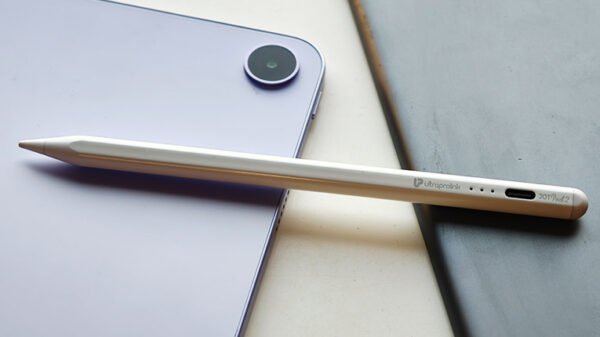
    UltraProlink-Jot-Pencil-2-Stylus

    The downside of this software-agnostic approach is the lack of advanced features. There are no shortcut gestures, no customizable buttons, and no device-level optimisation. The experience is therefore functional but basic, and users accustomed to premium styluses with deep OS integration may find it limited.

    UltraProlink
    Share. Facebook Twitter Pinterest LinkedIn Tumblr Email

    Related Posts

    Logitech MX Master 4 Review: A Game Changer in User Experience

    9.3 January 20, 2026

    CMF Headphone Pro Review: I Did Not Expect Budget Headphones to Be This Good

    9.0 January 17, 2026

    Realme 16 Pro Plus Review: Massive Battery and Stunning Display but Is It Worth the Price?

    7.6 January 15, 2026
    Leave A Reply Cancel Reply

    You must be logged in to post a comment.

    Top Posts

    9.3
    Logitech MX Master 4 Review: A Game Changer in User Experience
    January 20, 2026
    9.0
    CMF Headphone Pro Review: I Did Not Expect Budget Headphones to Be This Good
    January 17, 2026
    7.6
    Realme 16 Pro Plus Review: Massive Battery and Stunning Display but Is It Worth the Price?
    January 15, 2026
    8.3
    BenQ EW2790U Monitor Review: Design Meets Functionality
    December 30, 2025
    7
    Sony ULT Tower 9 Review
    December 22, 2025
    Exhibit Magazine | January 2026
    Stay In Touch
    • Facebook
    • YouTube
    • TikTok
    • Twitter
    • Instagram
    • Pinterest
    • LinkedIn
    • Reddit

    Subscribe to Updates

    Latest Posts
    Interviews

    Vedansh Kumar, Head of Brand Marketing, boAt – CMO Special

    Interviews By Aadithya HarishJanuary 22, 2026
    Interviews

    Pratip Francis, General Manager – Brand Marketing, MRF – CMO Special

    Interviews By Aadithya HarishJanuary 22, 2026
    Interviews

    Abhishek Shetty, Head of Marketing – Swiggy Instamart – CMO Special

    Interviews By Aadithya HarishJanuary 22, 2026

    Exhibit.Tech, we’re your one-stop destination for everything tech! Whether it’s breaking news about the latest launches from giants like Sony, Vivo, Apple, Huawei, OnePlus, Sennheiser, Poco, and more, or in-depth reviews of mobiles, smartwatches, headphones, TVs, and earbuds – we’ve got you covered.

    Our reviews go beyond the surface, highlighting the pros and cons to help you make informed buying decisions. We’re here to simplify your tech journey with practical tips, tricks, and comprehensive “how-to” guides across a wide range of topics.

    Think of us as your friendly tech companion, helping you stay updated and make sense of the ever-evolving tech world with clarity and ease. At Exhibit.Tech, we make tech work for you!

    Most Popular

    OpenAI Introduces ChatGPT Translate and It Does More Than Google Translate

    January 16, 2026

    Alexa Plus Comes to the Web and Amazon Is Rethinking AI Assistants

    January 7, 2026

    OpenAI’s First Hardware Could Ditch Screens and Rely Fully on Voice

    January 6, 2026
    Our Pick

    Abhishek Shetty, Head of Marketing – Swiggy Instamart – CMO Special

    January 22, 2026

    Sooraj Balakrishnan, Associate Director & Head of Marketing, Acer India – CMO Special

    January 22, 2026

    Exclusive Interview: Arun Babu on instax Evo Cinema and a New Way to Tell Stories

    January 22, 2026
    Facebook X (Twitter) Instagram Pinterest YouTube
    • About Us
    • Careers
    • Contact Us
    © 2026 Exhibit Technologies | All Rights Reserved

    Type above and press Enter to search. Press Esc to cancel.