


Verdict
The Lenovo Yoga 7 2-in-1 is a laptop I like more than I think its benchmark numbers suggest I should. That's because laptops aren't benchmarks. I've carried this thing through airports. I've worked on planes. I've edited video on it. I've watched movies on its excellent OLED screen. I've used it as a conventional laptop and folded it into a tablet when that made more sense. And at the end of long days, I've generally still had battery left. The Ryzen AI 7, unfortunately, is the weak link. It is perfectly capable for everyday work, but at ₹1,59,990, I want more performance. The machine feels like it has a chassis, screen and battery worthy of a more powerful processor. So I wouldn't recommend the Yoga 7 to someone looking for the fastest laptop they can get for ₹1.6 lakh. I would recommend it to someone who wants a really good, and really portable laptop to live with.
The Good
- Gorgeous OLED display
- Excellent battery life
- Versatile 2-in-1 design
The Bad
- Underpowered at this price
- Average trackpad
-
Design
-
Display
-
Sound
-
Performance
-
Functionality
-
Battery Life
Some laptops you appreciate more the longer you use them. They aren’t necessarily the fastest machines in the room, nor do they have the longest spec sheet. Instead, they are the laptops you reach for when you’re heading to the airport, working from a cafe, sitting in a hotel room or simply don’t want to think too hard about which computer to carry with you.
The Lenovo Yoga 7 2-in-1 has become that laptop for me. I’ve spent a fair amount of time travelling with it, including busy trips to Delhi, Leh, Kochi and elsewhere, and it has proved remarkably easy to live with. It’s light and certainly has quite a few things going for it, which makes the Yoga 7 an interesting proposition.
On paper, you’re getting an AMD Ryzen AI 7 445, 24GB of RAM and a 512GB SSD, along with a 14-inch OLED touchscreen and a 360-degree hinge. Lenovo positions it as a Copilot+ PC, and the hardware certainly looks suitably modern. The Ryzen AI 7 445 is a six-core, 12-thread chip with an integrated Radeon 840M GPU and an NPU capable of up to 50 TOPS. And this is the highest configuration you can get in India, with its price set at ₹1.59,990. But there’s also a little more context to that price than there was a year ago. Memory prices have risen sharply in 2026, so one can’t outright say that the Yoga 7 is badly priced. Anyway, here’s a review of the device.
Design
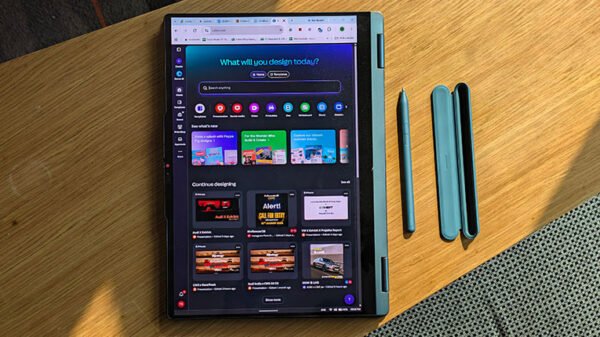
The Yoga 7 gets the fundamentals right. It’s a 14-inch convertible with an aluminium chassis and a 360-degree hinge, so you can use it as a conventional laptop, fold it into a tablet, prop it up in tent mode or turn it into a little screen for watching something. At 1.38kg, it’s also light enough to travel with comfortably. And this is where I think Lenovo has understood the Yoga’s brief particularly well.
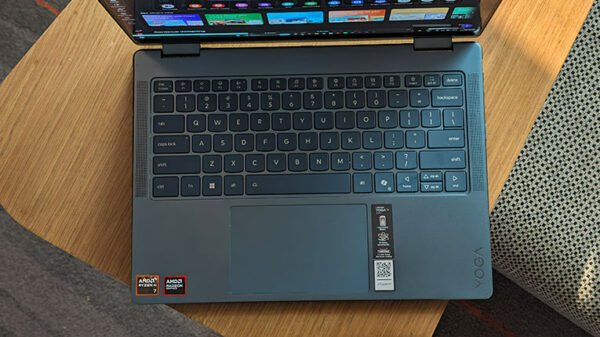
I don’t want a “portable” laptop that feels like I’ve compromised on everything to make it portable. The Yoga 7 doesn’t feel like that. It has a proper keyboard, a good selection of ports, a large enough screen to work on and a chassis that doesn’t feel flimsy when you’re using it on your lap.
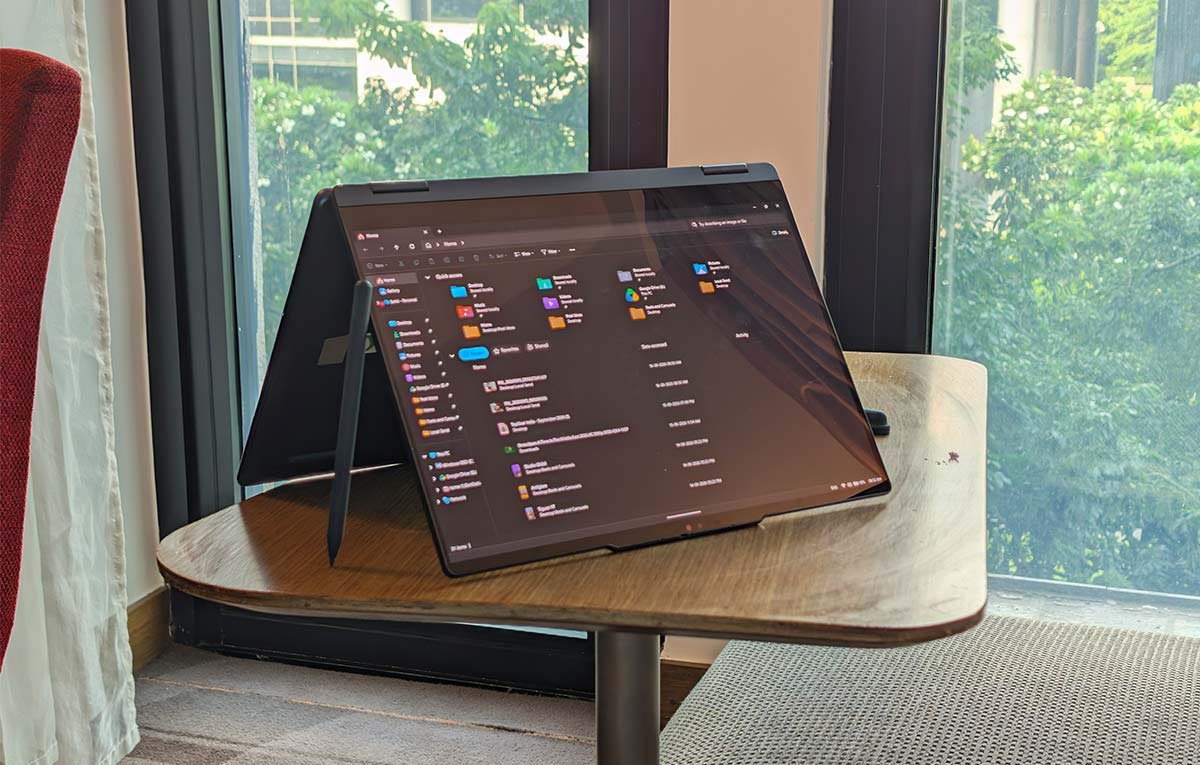
The 360-degree hinge is also one of those features that sounds gimmicky until you actually use it. I don’t spend my life switching between laptop and tablet modes, but when I’m travelling, the flexibility is useful. Watching something on a flight with the keyboard folded away is considerably nicer than having it sticking out underneath.
The keyboard itself is comfortable enough for long typing sessions, which matters to me because a large part of my work involves writing. The touchpad, however, isn’t quite at the same level. It’s perfectly usable, but it’s one of the areas where I think Lenovo could have pushed the Yoga 7 a little further. A lot of misswipes were observed by me during my time with it.
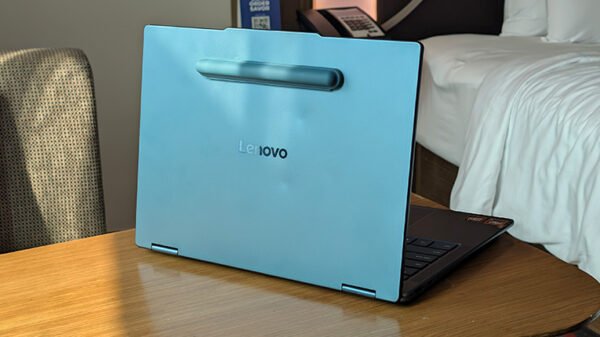
Overall, though, the design is one of the Yoga 7’s biggest strengths. It is the sort of laptop that disappears into your routine, which is exactly what I want from something I’m carrying around all day.
Display and Sound
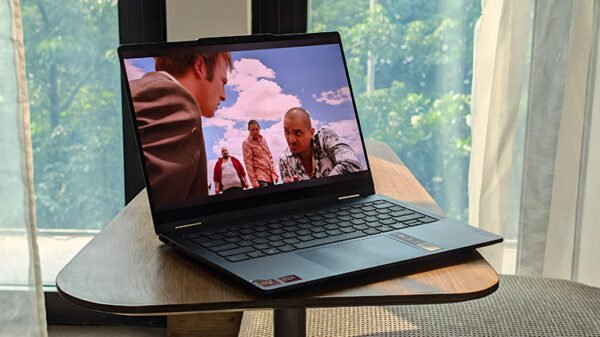
The display is my favourite thing about this laptop. The 14-inch OLED panel is simply lovely to look at. Colours are rich, contrast is excellent, and blacks are properly black in the way that only OLED really manages. Lenovo specifies 100 per cent DCI-P3 and sRGB coverage, Dolby Vision and a 400-nit brightness rating on this configuration.

More importantly, I actually enjoyed using it. That’s a distinction I think gets lost in laptop reviews. You can throw display measurements at me all day, but ultimately I’m staring at this thing for hours. Text looks crisp, photographs look great, video looks fantastic, and the touchscreen makes the whole experience feel more immediate.
The only real downside is that the glossy surface can get reflective, particularly outdoors. That’s something you’ll notice much more than you might expect when travelling, like I did whenever I used it in the window seat of an aeroplane during daytime.
But indoors, at home, in the office, or in a hotel room? Gorgeous. The touchscreen also makes sense here because this is a 2-in-1. Lenovo includes support for the Yoga Pen Gen 2, and the combination of the OLED panel, touchscreen and folding hinge makes the Yoga considerably more versatile than a conventional laptop.
Sound is similarly good without being spectacular. Lenovo uses four speakers, two among them being woofers and two tweeters, with Dolby Atmos optimisation. They are more than good enough for watching YouTube, Netflix or listening to music while working. They’re not going to replace a proper Bluetooth speaker, but I never found myself wishing I had headphones on simply because the laptop sounded terrible. That’s about where I’d put them: perfectly competent, pleasantly full and appropriate for the machine.
Performance
And now we get to the slightly awkward bit. The Yoga 7’s performance is good. I just don’t think it’s ₹1.6-lakh good. The Ryzen AI 7 445 is a six-core, 12-thread processor that can boost to 4.6GHz, paired here with 24GB of fast LPDDR5X-8000 memory and integrated Radeon 840M graphics.
For everyday work, there isn’t much to complain about. Chrome with a stupid number of tabs, Word, Excel, Teams, Slack, Photoshop, browsing, video calls; all of that is perfectly manageable. It’s when you start asking the Yoga to do heavier work that you notice the ceiling.
And I’ve felt that limitation myself. The interesting thing is that I have actually used this laptop for video editing. Adobe Premiere Pro is usable on it, and Lenovo even throws in a two-month Premiere Pro subscription, which is a nice addition. But “usable” isn’t the same thing as “this is what I would buy for video editing.” You can edit on it. You can get work done. I’ve done exactly that while travelling, but if you’re buying a laptop at this price specifically because you expect it to chew through demanding creative workloads, there are faster machines I’d look at.
The Radeon 840M also tells you what this laptop is and isn’t. It’s an integrated GPU designed primarily for everyday computing rather than serious gaming or GPU-heavy creative work. And that, ultimately, is my biggest criticism of the Yoga 7. The rest of the laptop feels more premium than the processor does.
At ₹1,34,927 for the starting configuration, I can forgive that much more easily. At ₹1,59,990 for my configuration, I find myself asking why there isn’t a little more grunt underneath the keyboard.
Functionality
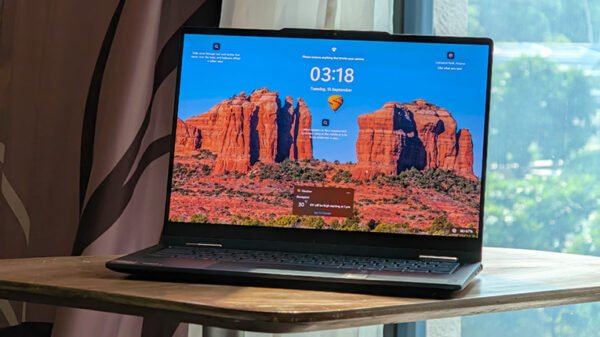
This is where the Yoga 7 wins me back. A good 2-in-1 shouldn’t just be a laptop with a hinge that happens to fold backwards. It should give you reasons to actually use those different modes. The Yoga does.
The touchscreen is useful. The pen support is useful. Tablet mode is useful. Tent mode is useful. And the relatively compact 14-inch footprint makes all of those things more practical than they would be on a large 16-inch machine. There is also a decent selection of connectivity options, including USB-C, USB-A, HDMI and a microSD card reader.
You also get a 5-megapixel webcam with IR and a privacy shutter, along with a four-microphone array. The 24GB of RAM is another thing I appreciate about my particular configuration. It gives the Yoga plenty of breathing room for multitasking, and I would much rather have 24GB in a laptop I’m planning to keep for years than 16GB.
The downside is that the RAM is soldered and can’t be upgraded, so you need to make the right choice when you buy it. For me, 24GB feels like the right choice. he whole machine also benefits from the fact that it’s genuinely portable. That’s probably the feature I’ve appreciated most after the display. I can carry it through an airport, work on it on a flight, pull it out in a hotel and then use it to watch something at the end of the day. That sounds mundane. It is also exactly what makes a laptop good.
Battery Life
The battery life has been one of the biggest pleasant surprises. The Yoga 7 has a 70Wh battery and comes with a 65W USB-C charger.
Lenovo doesn’t need to make particularly dramatic battery claims here because, in my experience, the real-world endurance is already very good. I’ve taken this laptop on busy travel days to Delhi and back, worked on flights using battery power alone, and still had charge left at the end of the day.
And again, we’re not talking about simply reading emails. I’ve edited in Premiere Pro. I’ve browsed heavily. I’ve written. I’ve watched things. I’ve had multiple applications open. In that kind of real-world mixed usage, I’d say around eight hours from a charge is a realistic expectation.
That is the number that matters to me. Sure, you can get considerably more if you’re doing light work and optimising everything for battery life. Other testing has managed around 12 hours with conservative-to-normal usage and around 7–9 hours with normal-to-heavy workloads.
But eight hours is a much more useful number for me because that’s roughly what a genuinely busy working day looks like.
And the fact that I can get through a day of travelling without constantly thinking about where the next charging point is makes the Yoga 7 a much better laptop to live with.
1 Comment
Pingback: Lenovo ThinkBook 14x Launched in India