


Verdict
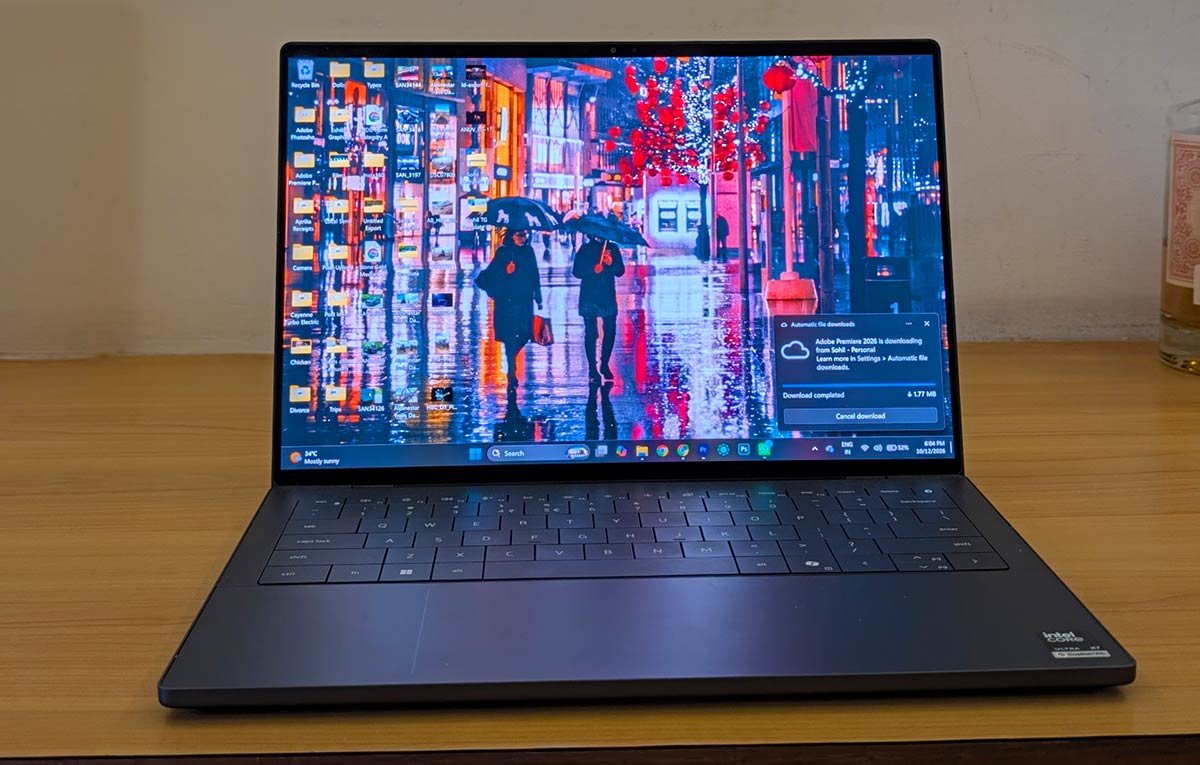
The Dell XPS 14 (2026) has been a pleasure to use. I love its design, appreciate its portability, enjoy typing on its keyboard and have been thoroughly impressed by its ability to handle my heavy workflow. The display is excellent, too. It is the kind of laptop that makes everyday work feel a little more enjoyable, and that has value beyond what a specification sheet can convey. But at ₹3,07,590, I find myself returning to the same question: would I buy this over a MacBook Pro? For someone who needs Windows, the answer is much easier. But for someone who is OS-agnostic, the decision becomes more complicated. The MacBook Pro has a strong case to make on sustained performance, battery life and the broader creative ecosystem. Yet, the XPS 14 is not a laptop I would hesitate to recommend to the right professional. It is beautifully made, wonderfully portable and more than capable of handling demanding creative work. What I would hesitate to do is call it an automatic recommendation at this price.
The Good
- Exquisite, premium design
- Lightweight and highly portable
- Excellent OLED display
- Impressive all-day battery life
The Bad
- Extremely expensive proposition
- Limited built-in connectivity
-
Design
-
Display
-
Sound
-
Performance
-
Functionality
-
Battery Life
Every once in a while, a product comes along and just forces you to admire how well it’s been put together. The Dell XPS 14 (2026) is that kinda product. It is one of those machines that makes a compelling first impression before you’ve even pressed the power button. And, having travelled with it, worked on it in my office, on flights, and in hotel rooms, I’ve grown rather fond of it.
The version I’ve been testing costs ₹3,07,590. That’s a considerable amount of money for a 14-inch laptop, even one equipped with Intel’s latest Core Ultra X7 358H processor from its Series 3 lineup, 32GB of RAM, a 1TB SSD and a gorgeous OLED display. At this price, the XPS isn’t merely competing with other Windows laptops. It’s competing with Apple’s MacBook Pro, a machine that has become something of a default recommendation for creative professionals.
And therein lies the dilemma. The XPS 14 is an excellent laptop, but is it excellent enough to justify spending over three lakh rupees on it? More importantly, if you’re not particularly attached to either Windows or macOS, is it the laptop you’d choose over a MacBook Pro? All of that is for you to decide, but let me help you with everything I’ve learned about it.
Design
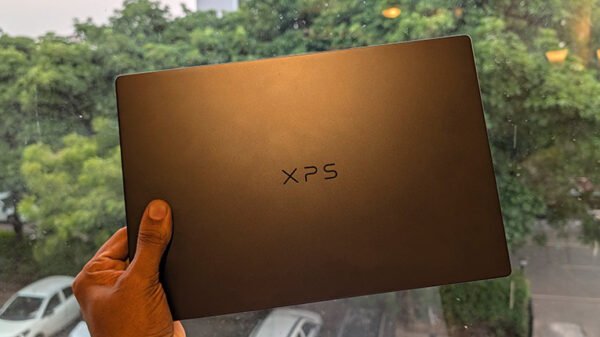
As I said, the XPS 14 is just… beautiful. There is a precision to its design that makes it feel less like a conventional laptop and more like something engineered for a spacecraft. That’s perhaps an exaggerated comparison, but the materials, the finish and the sheer solidity of the chassis give it an almost otherworldly quality.
The aluminium construction feels exceptionally premium, and the overall design is thoughtfully restrained. You won’t find any unnecessary flourishes or garish accents. Instead, the XPS 14 relies on the quality of its materials and the precision of its construction to make its case. It is a laptop that looks expensive without having to announce that it is expensive.
And then there’s the portability, which is where this design really comes into its own. I’ve travelled with the XPS 14, used it on flights and carried it between hotel rooms, and at no point did I feel as though I was lugging around a cumbersome workstation. It is compact, light and remarkably easy to live with. For someone who frequently travels for work, that’s no small advantage. The fact that it feels so substantial despite being so easy to carry is a particularly impressive bit of engineering.
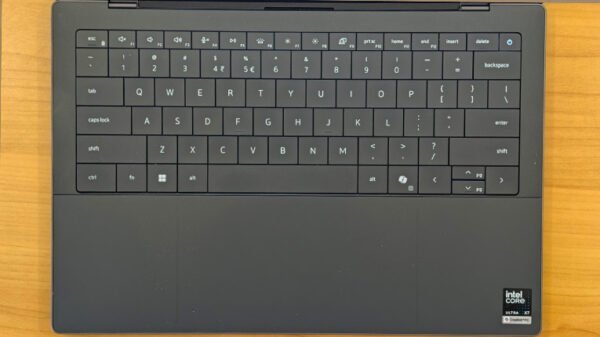
The keyboard deserves special mention, too. It is excellent to type on, with a layout that feels considered and comfortable for long stretches of work. That’s important when your laptop doubles as your primary writing machine. The enormous trackpad is equally impressive. It blends almost seamlessly into the palm rest, creating an uninterrupted surface that looks wonderfully clean. More importantly, it works well. The generous surface area makes navigating the interface and working with creative applications feel natural.
Display and Sound
The XPS 14’s 14-inch OLED touchscreen, with its 2.8K resolution and 120Hz refresh rate, is another highlight. It is sharp, fluid and wonderfully vibrant, but what I appreciate most is the way it handles colour and contrast.

I got a taste of this on a flight when I decided to watch Swiss Army Man, a rather unusual film that isn’t exactly the first thing you’d recommend to someone looking for a conventional in-flight movie. What impressed me was how well the display handled its colours, particularly during the darker nighttime sequences. The deep blacks, the separation between shadow and detail, and the richness of the colours made for a genuinely enjoyable viewing experience. Even in the less-than-ideal daytime environment of an aircraft cabin, the screen made the film look rather good.
That ability to produce deep blacks is one of OLED’s biggest advantages, and it is particularly noticeable when watching films with plenty of dark scenes. The 120Hz refresh rate also makes everyday interactions feel exceptionally smooth, whether you’re scrolling through a document, navigating a timeline or simply moving between applications.
Of course, this is a premium display on a premium laptop, so none of these qualities should come as a surprise. What matters is that the XPS 14 delivers on that promise. It is a screen that works equally well for creative work and entertainment, which is precisely what you want from a laptop that costs this much.
The sound system is a capable companion to that display. The built-in speakers are suited to watching films, following dialogue and listening to music while working. They won’t replace a good pair of headphones when you want an immersive listening experience, but for a thin, portable laptop, the overall multimedia package is a strong one.
Performance
For all its design flourishes, a laptop costing ₹3,07,590 needs to do more than look good on a desk. Thankfully, the XPS 14 has the hardware to back up its appearance.
My configuration features Intel’s Core Ultra X7 358H processor, paired with 32GB of RAM and a 1TB SSD. It is a powerful combination, and the experience has been reassuringly consistent. Startup is incredibly quick, applications open without much waiting around, and the laptop feels responsive from the moment you switch it on. There is very little friction between wanting to do something and actually getting it done.
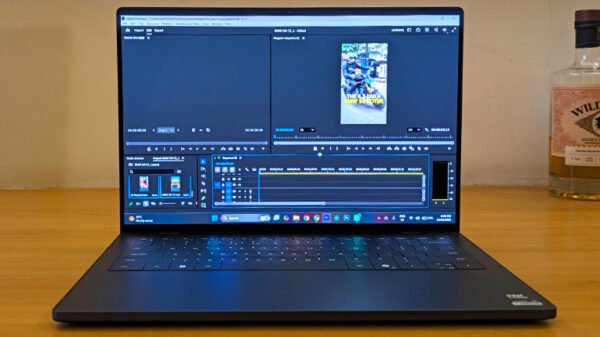
More importantly, it handles the kind of creative work that I regularly throw at a laptop. Adobe Premiere Pro, for instance, runs beautifully. I was able to work with 4K footage without the experience becoming an exercise in patience. Editing felt effortless, and the laptop handled the workload without giving me any reason to question whether I’d brought the right machine along.
The large trackpad helped here, too. Editing video involves plenty of scrubbing through timelines, moving between clips and making small adjustments. Having a generous, responsive surface to work with makes these interactions considerably more comfortable, particularly when you’re working away from your usual desk setup.
Intel’s Series 3 platform also brings substantial integrated graphics capability. The XPS 14 is not a substitute for a dedicated workstation when it comes to every possible professional workload, but it is more capable than its compact dimensions might suggest.
For my purposes, I have no significant complaints about performance. The laptop has handled my work comfortably, and I haven’t found myself wishing for more power during my time with it. That is perhaps the most useful compliment I can give it: the performance has rarely become something I need to think about.
There is, however, an important distinction between being powerful enough and being the best performer for the money. At this price, the XPS 14 faces some formidable competition from Apple’s MacBook Pro. That doesn’t diminish my experience with the Dell, but it does make the price harder to overlook.
Functionality
The XPS 14 makes the most sense when you consider the complete experience rather than individual specifications. It is a powerful laptop that doesn’t feel like a powerful laptop to carry around. That might sound like an odd distinction, but it matters when you’re travelling frequently and working wherever you happen to find a seat, a desk or a reasonably convenient power outlet.
My time with it on flights and in hotels has reinforced just how much I value its compact form factor. It slips into a travel routine without demanding much thought. You don’t spend the journey wishing you’d brought something smaller, nor do you feel that you’ve sacrificed a great deal of capability to make the machine portable. That balance is one of the XPS 14’s greatest strengths.
The keyboard and trackpad further improve that experience. They make the laptop comfortable to use for extended periods, whether I’m writing, editing, or simply working through the usual assortment of tasks that fill a working day. And the touchscreen adds another layer of convenience, even if I wouldn’t consider it essential to the experience.
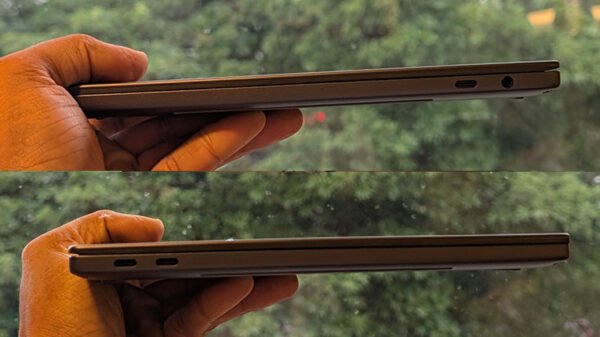
There are compromises, though. Connectivity is one of them. The XPS 14 relies on USB-C ports, alongside a headphone jack, rather than offering a broader selection of built-in connections such as full-sized USB-A and HDMI. Depending on the accessories you use, you may find yourself reaching for an adapter. For a laptop designed around mobility, that is a slightly inconvenient trade-off.
Battery Life
Battery life is another area where the XPS 14 pleasantly surprised me. On a typical workday, with my usual mix of web browsing, typing, research and jumping between applications, I comfortably made it through the entire day without scrambling for a charger. That’s particularly impressive for a laptop this compact, and it makes the XPS 14 an excellent travel companion. Dell claims up to 43 hours of battery life with web browsing, which is an extraordinary figure, although it’s worth remembering that this is a manufacturer-claimed result under controlled testing conditions rather than a reflection of mixed, real-world usage. Still, the fact that I could get through full workdays on a charge, without having to constantly keep an eye on the battery percentage, made the XPS 14 that much easier to live with.