


Close Menu

    Subscribe to Updates

    Get the latest creative news from FooBar about art, design and business.

    What's Hot

    Royal Enfield Continental GT 650 Gets New Updates; Prices Start at ₹3.58 Lakh

    August 15, 2026

    From Consumers to Creators: Inside India’s Quest for an Indigenous AI Cloud

    August 15, 2026

    20 Ideas That Changed India: India at 80, Through 20 Defining Ideas. 

    August 14, 2026
    Facebook X (Twitter) Instagram YouTube
    • Subscribe to the Magazine
    • Join our Newsletter
    • BBC TopGear India
    • Influencer News
    Saturday, August 15
    Facebook X (Twitter) Instagram Pinterest YouTube Tumblr LinkedIn
    Exhibit TechExhibit Tech
    • Home
    • Tech & AI
      • Tech News
      • Tech Launches
      • Tech Features
      • Gaming
      • AI & Robotics
      • Social Media
      • Crypto
      • Space
      • Software & Apps
    • Reviews
      • Smartphone Reviews
      • Smartwatch Reviews
      • Headphone Reviews
      • Laptop Reviews
      • Tablet Reviews
      • Earbud Reviews
      • Camera
      • Speakers
      • PC components
      • Accessories
      • Best TV Reviews in India – Find Your Next Screen with Exhibit.tech
      • Compare the Best Gadgets in India – Smartphones, Laptops, Wearables & More
      • Best Gadget to use
    • Auto
      • Auto News & Reviews
      • Auto Tech
      • Vehicles
        • Cars
        • Bikes
    • Lifestyle
      • Travel
      • Entertainment
        • Fashion
        • Sports
        • OTT
        • Music
        • Movies
      • Watches
      • Health
      • Sneakerhead
      • Lifestyle Features
    • Guides
      • Explained
      • How To’s
      • How Big Is
      • Tips and Tricks
      • Business Stories
      • Deals and Offer
    • Interviews
      • Creators
      • Tech Titans
      • Tech Talks
      • Celebrities
      • Top 100 Leaders
        • Tech & Auto 2025
      • Petrol Head
      • Marketing Minds
      • Editor’s note
    • Events
      • Influencex Awards
        • InfluencEX Awards Winners 2025
        • InfluencEX Awards Winners 2024
        • InfluencEX Awards Winners 2023
      • Exhibit Tech Awards
        • Tech Awards Winners 2025
        • Tech Awards Winners 2024
        • Tech Awards Winners 2023
      • Tech Fashion Tour
      • TopGear India Awards
    • Indisciplined Leaders
    Exhibit TechExhibit Tech
    Home >> How To's >> How to Navigate Your iPhone with Your Eyes
    How To's

    How to Navigate Your iPhone with Your Eyes

    By Shintu DhangNovember 17, 20252 Mins Read
    Facebook Twitter Pinterest LinkedIn Tumblr Email
    Share
    Facebook Twitter LinkedIn Pinterest Email

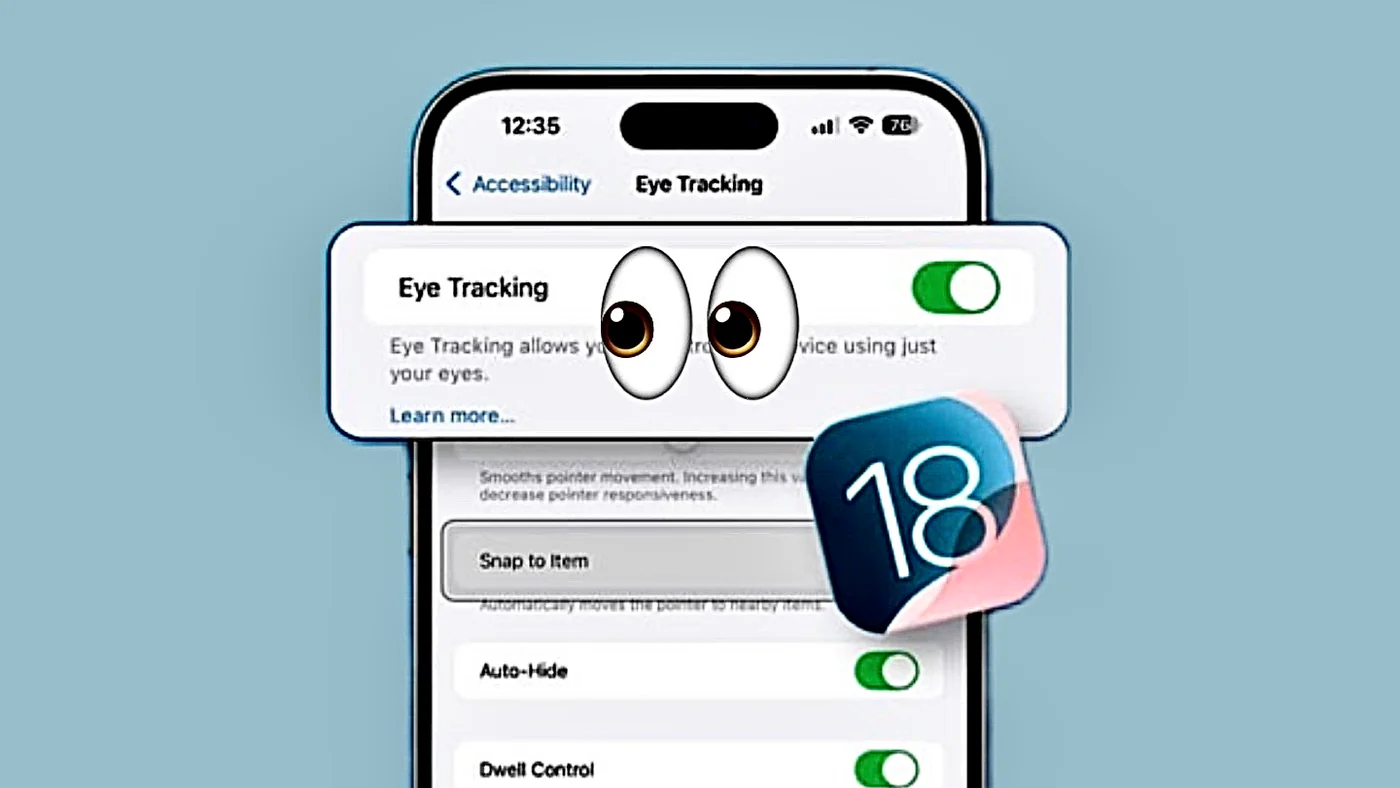
    Apple’s iOS 18 introduces Eye Tracking, a hands-free accessibility feature that lets you control your iPhone using only your eye. Powered by the TrueDepth camera, it detects where you’re looking and translates that into taps, swipes, and scrolls. Ideal for users with limited mobility or anyone wanting a futuristic, touch-free experience, this tool is both powerful and surprisingly intuitive. Below is a clear, step-by-step guide to set it up and master it.

    Step 1: Check Compatibility and Update iOS  

    Ensure your iPhone has a TrueDepth camera (iPhone X or later, including iPhone XS, 11 Pro, 12, 13, 14, 15, 16 & 17 series). Then, update to iOS 18 or newer:  

    • Open Settings → General → Software Update. 
    • Install any available updates.

    Step 2: Enable Eye Tracking  

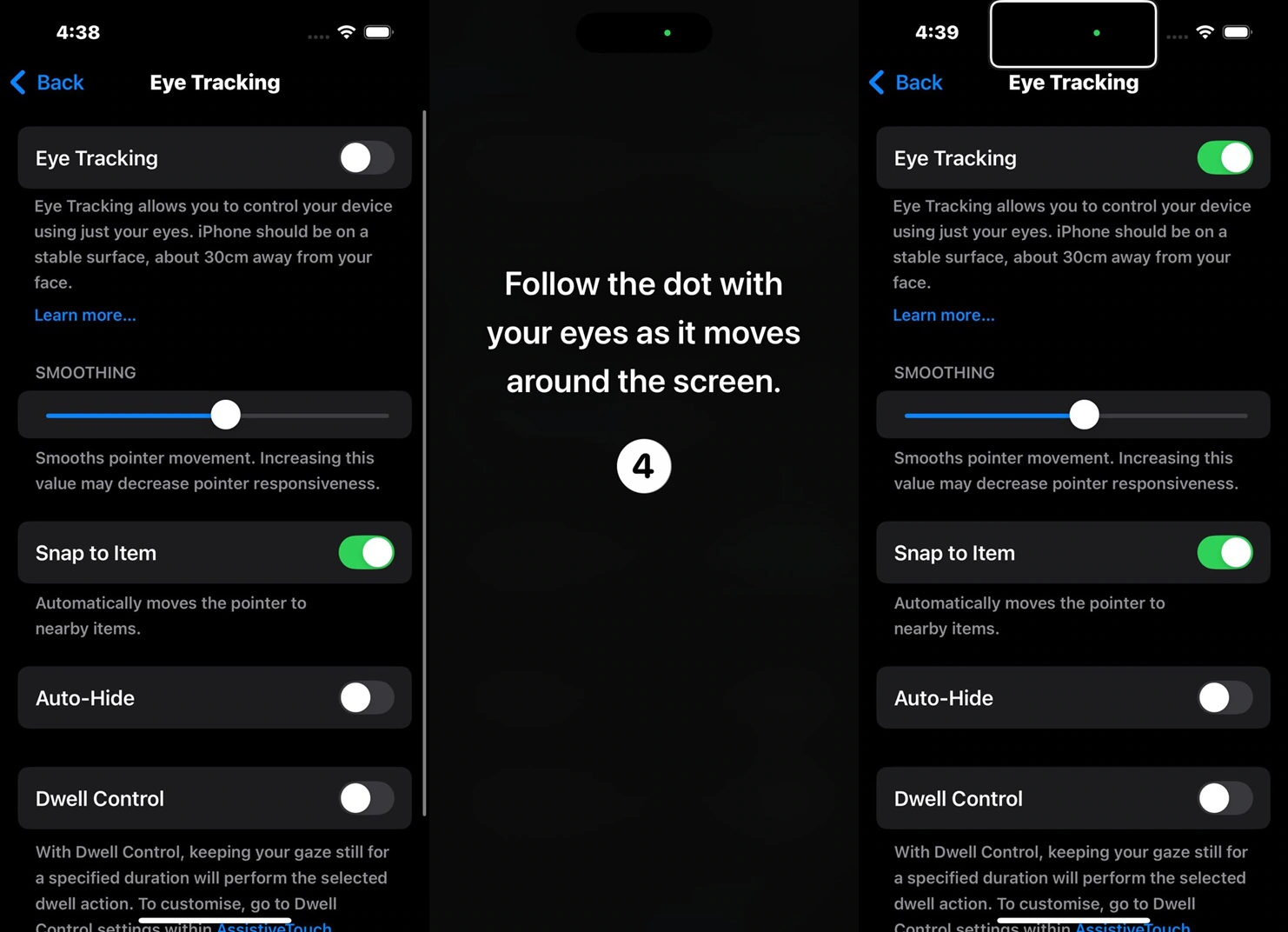
    • Go to Settings → Accessibility → Eye Tracking. 
    • Toggle Eye Tracking to On.
    • Grant camera access when prompted (your data stays on-device and private).

    Step 3: Calibrate Your Eyes  

    • Place your iPhone on a stable surface, about 1.5 feet (45 cm) from your face. 
    • Keep your head upright and in good lighting (natural light works best; infrared helps in dim conditions).
    • Follow the on-screen calibration dot with your eyes for ~30 seconds.
    • Recalibrate anytime by tapping the top-left corner of the screen if accuracy drifts.
    Step 4: Start Navigating  

    • Move: Look anywhere on the screen, a subtle highlight follows your eye. 
    • Select: Use Dwell Control—hold your eye on an app, button, or link for the set time (default: 1 second) to tap it.
    • Scroll: Stare at the edge of content (like a webpage or feed) to auto-scroll.
    • Type: Look at keyboard letters; they magnify for precision.

    Step 5: Customize for Comfort  

    In Eye Tracking settings:  

    • Adjust Dwell Time (shorter for speed, longer for accuracy). 
    • Enable Snap to Item to lock onto buttons faster.
    • Turn on Smoothing for fluid cursor movement.
    • Activate Face Guidance for posture reminders.

    Step 6: Use It in Real Life  

    • Open apps, reply to messages, browse Safari, or control music—all hands-free. 
    • Combine with Voice Control or Switch Control for hybrid accessibility setups.
    Share. Facebook Twitter Pinterest LinkedIn Tumblr Email

    Related Posts

    Apple releases iOS 26.5 Developer Beta 1 for iPhones: What’s new and how to update

    March 31, 2026

    Switching Phones? Here’s How to Transfer WhatsApp Chats Between Android and iPhone Without Losing Data

    March 30, 2026

    Google’s New Android Update Lets You Install Any App Safely: Here’s How It Works

    March 23, 2026

    Comments are closed.

    Top Posts

    Apple releases iOS 26.5 Developer Beta 1 for iPhones: What’s new and how to update
    March 31, 2026
    Switching Phones? Here’s How to Transfer WhatsApp Chats Between Android and iPhone Without Losing Data
    March 30, 2026
    Google’s New Android Update Lets You Install Any App Safely: Here’s How It Works
    March 23, 2026
    Instagram Adds AI Voice Effects for DMs: Here’s How You Can Send Voice Notes That Sound Completely Different
    March 18, 2026
    WhatsApp Now Lets Parents Control Pre-Teen Accounts: Here’s How the New Feature Works
    March 12, 2026
    Exhibit Magazine | Annual Issue 2026
    Stay In Touch
    • Facebook
    • YouTube
    • TikTok
    • Twitter
    • Instagram
    • Pinterest
    • LinkedIn
    • Reddit

    Subscribe to Updates

    Latest Posts
    Auto News & Reviews

    Royal Enfield Continental GT 650 Gets New Updates; Prices Start at ₹3.58 Lakh

    Auto News & Reviews By Sohil NikamAugust 15, 2026
    AI & Robotics

    From Consumers to Creators: Inside India’s Quest for an Indigenous AI Cloud

    AI & Robotics By Shintu DhangAugust 15, 2026
    Tech Features

    20 Ideas That Changed India: India at 80, Through 20 Defining Ideas. 

    Tech Features By Sohil NikamAugust 14, 2026

    Exhibit.Tech, we’re your one-stop destination for everything tech! Whether it’s breaking news about the latest launches from giants like Sony, Vivo, Apple, Huawei, OnePlus, Sennheiser, Poco, and more, or in-depth reviews of mobiles, smartwatches, headphones, TVs, and earbuds – we’ve got you covered.

    Our reviews go beyond the surface, highlighting the pros and cons to help you make informed buying decisions. We’re here to simplify your tech journey with practical tips, tricks, and comprehensive “how-to” guides across a wide range of topics.

    Think of us as your friendly tech companion, helping you stay updated and make sense of the ever-evolving tech world with clarity and ease. At Exhibit.Tech, we make tech work for you!

    Most Popular

    From Consumers to Creators: Inside India’s Quest for an Indigenous AI Cloud

    August 15, 20262 Views

    How Vormetric Protects Your Data: An Overview Of Key Features

    September 5, 202442 Views

    Are AI-Generated Images and Videos Becoming Impossible to Identify?

    June 26, 202646 Views
    Our Pick

    Building What Matters: boltt Founder Arnav Kishore on Company’s Smartphone Ambitions

    August 3, 2026

    “Consumers Want AI-Ready Laptops”: Dell’s Anurag Arora Talks XPS, Alienware and More

    July 29, 2026

    The Future is Vertical: Tuktuki Founder Anshita Kulshrestha Talks Microdramas and More

    July 28, 2026
    Facebook X (Twitter) Instagram Pinterest YouTube
    • About Us
    • Careers
    • Contact Us
    © 2026 Exhibit Technologies | All Rights Reserved

    Type above and press Enter to search. Press Esc to cancel.