


Verdict
The DailyObjects Node platform isn't competing with ordinary charging stations. It's competing with premium desk accessories, designer décor and the growing trend of turning workspaces into carefully curated environments.
Viewed purely as a charging solution, it's expensive.
Viewed as a modular design object that happens to charge your devices, the pricing begins to make more sense.
For those who care deeply about aesthetics, love clever modular products and enjoy owning gadgets that spark conversations, the Node platform is genuinely delightful. Everyone else can probably save a significant amount of money and charge their devices just as effectively.
The Good
- Gorgeous design
- Premium materials
- Portable powerbank
The Bad
- Expensive ecosystem
- Modules not standalone
-
Design
-
Functionality
Let’s get this out of the way right at the beginning: the DailyObjects Node platform is not for everyone.
If your only goal is to charge your phone, smartwatch and earbuds, there are countless solutions available for a fraction of the price. The setup I tested costs around ₹17,500, and at that price, you’re firmly paying for more than functionality.
In fact, the people most likely to appreciate the Node ecosystem are those who obsess over how their desks, bedside tables and workspaces look. The kind of people who spend half an hour rearranging objects on a shelf until everything feels “just right.”
The system is modular and customizable. You can start with the two-slot Node Platform, which costs ₹2,999, but on its own it’s essentially useless. Add the two most affordable charging accessories and you’re already looking at roughly ₹9,500. From there, the bill climbs quickly depending on how elaborate you want your setup to become.
Design

This is where DailyObjects absolutely nails it.
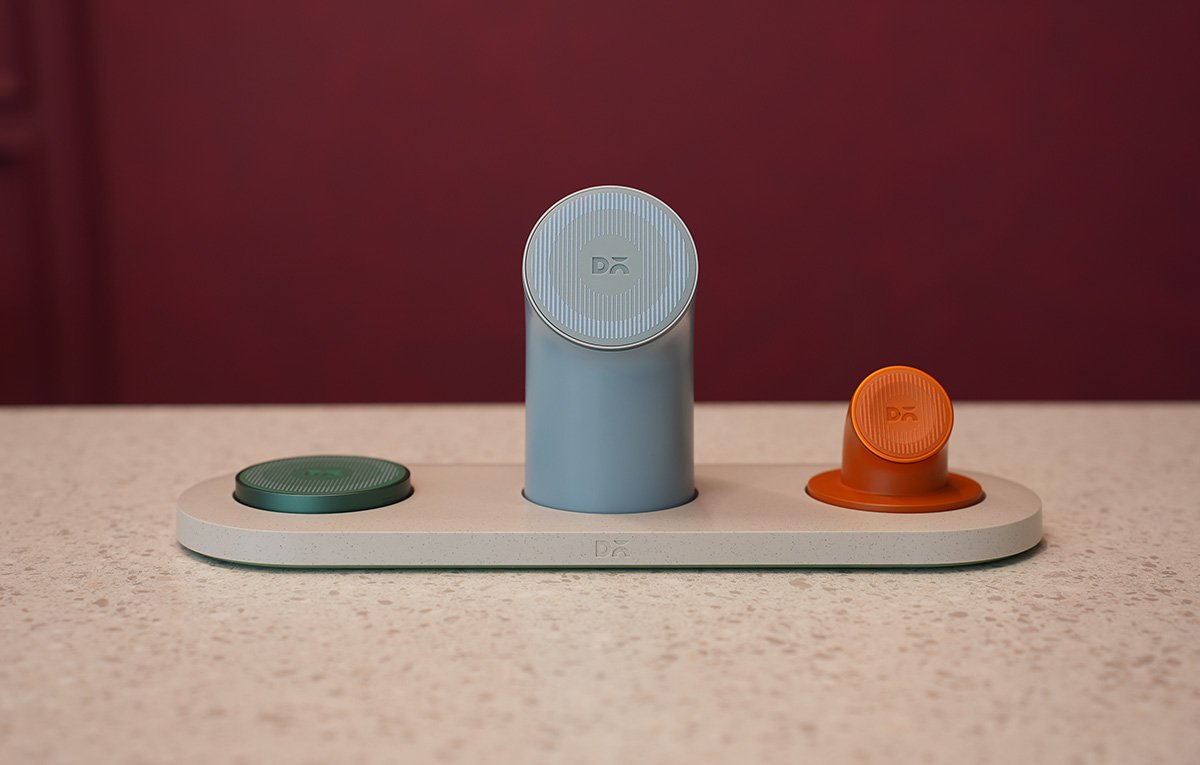
The pastel colour palette, unusual geometric shapes and soft matte finishes make the Node ecosystem look unlike anything else on the market. Most charging stations disappear into a room. The Node platform becomes part of it.
Throughout my time with it, guests regularly asked about it before they even noticed the gadgets charging on top. That’s usually a good sign.
I primarily used the setup with my iPhone, Apple Watch Ultra and AirPods. Once all three devices snapped into their magnetic positions, the entire arrangement looked surprisingly satisfying. There’s something about the symmetry and the carefully chosen colours that makes it feel more like modern desk décor than consumer electronics.

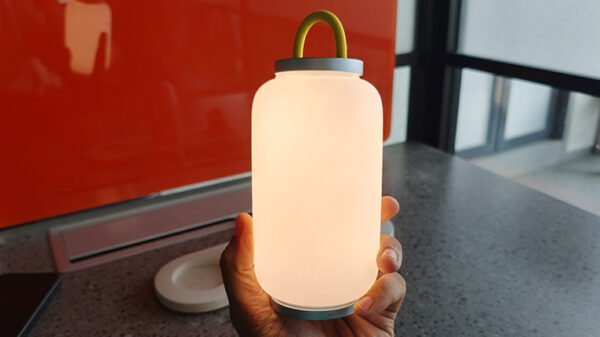
When I wasn’t charging my AirPods, I frequently swapped the green charging puck for the lamp module. That instantly elevated the visual appeal even further. Better still, the lamp has its own built-in battery and can operate independently for up to eight hours, meaning it doesn’t need to remain docked to be useful.
One thoughtful touch is that every accessory includes its own USB-C port. Plug them in directly and they work as standalone chargers. Unfortunately, DailyObjects doesn’t currently sell these modules individually without the Node ecosystem.
Functionality
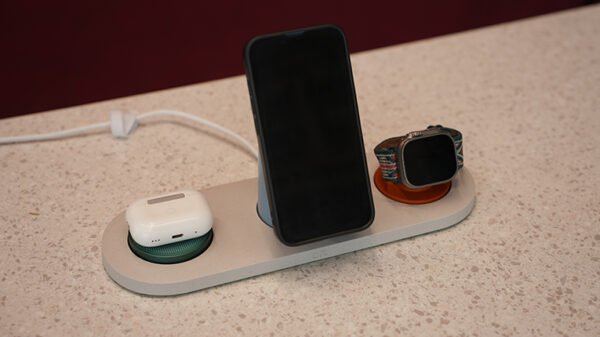
The biggest surprise here was the wireless charging phone stand.
At first glance it looks like a standard magnetic charging dock. In reality, it’s also a portable wireless power bank with a sizeable 7,800mAh battery built in. Simply detach it from the platform and take it with you. It’s one of those features that sounds gimmicky until you actually use it.
The platform supports Qi2.2 wireless charging with peak output reaching 25W. Charging my iPhone, Apple Watch Ultra and AirPods overnight was completely effortless, and I never woke up to partially charged devices.
What isn’t entirely clear, however, is how power is distributed when every module is occupied simultaneously. DailyObjects advertises the peak charging capability, but doesn’t provide detailed information on whether each accessory receives maximum power at the same time. In real-world use, this wasn’t an issue because most people will leave the setup charging overnight, where speed matters less than convenience.
The magnetic modularity also works remarkably well. Swapping components takes seconds, and showing off the system to visiting friends is oddly satisfying.