


Verdict
So, is the Lenovo IdeaPad Slim 3 Gen 11 worth ₹1,09,990?
If you're judging purely on portability, build quality, battery life, AI features and everyday performance, then the IdeaPad Slim 3 Gen 11 absolutely delivers on Lenovo's positioning as a thin-and-light productivity machine. It does exactly what Lenovo claims: provide reliable performance, strong mobility and modern AI-enhanced productivity.
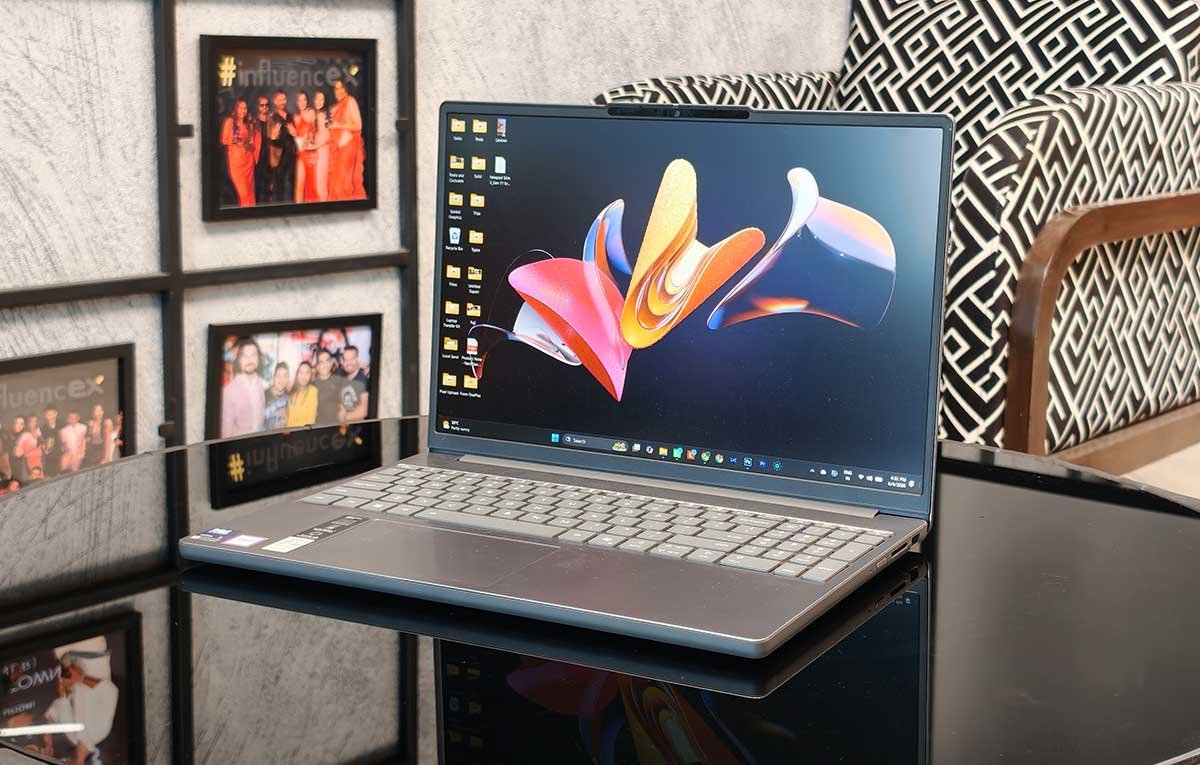
However, ₹1,09,990 is a premium asking price, and at that price, the display becomes difficult to ignore. The IPS panel feels out of place in a laptop costing over a lakh. Competitors from ASUS, Acer, HP and even Lenovo's own higher-end ranges offer significantly better OLED displays at similar prices.
Had Lenovo paired this configuration with one of the OLED panels highlighted in its own product brief, the value proposition would have been considerably stronger.
The Good
- Thin and Lightweight design
- Excellent portability
- Strong everyday performance
The Bad
- Washed-out display
- Average speakers
-
Design
-
Display
-
Sound
-
Performance
-
Functionality
-
Battery Life
The IdeaPad Slim 3 has always been Lenovo’s answer to users who want a laptop that prioritises portability and practicality over raw horsepower. Not surprisingly then, the Gen 11 model is pushing that positioning further. And it’s doing that by adding Intel’s latest Core Ultra processors, AI-powered Copilot+ capabilities, a premium aluminium chassis, and a much stronger focus on mobility. The question is whether all of that is enough to justify a ₹1.1 lakh price tag. After using it as a work and travel companion, the answer is a little more nuanced than Lenovo’s marketing would suggest.
Design
The biggest strength of the IdeaPad Slim 3 Gen 11 is right there in its name. It is slim, lightweight and incredibly easy to live with.
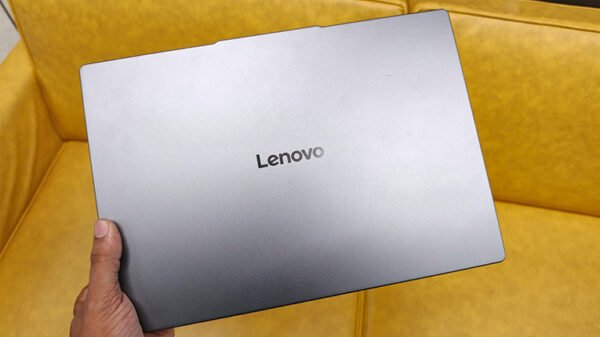
At around 1.5kg for the 15-inch model and housed in a premium aluminium chassis, this is the kind of laptop that disappears into a backpack. Lenovo’s decision to use metal rather than the plastic construction common in this segment immediately gives it a more premium feel. The lid is sturdy, there is very little flex around the keyboard deck, and the overall fit and finish are reassuringly solid. The laptop is also MIL-STD-810H certified, which means it should survive the knocks and bumps of frequent travel better than many competitors.
Also Read: Lenovo Legion Pro 34WD-10 OLED Gaming Monitor Review
In my case, it made work trips to Delhi and Bangalore significantly easier. Compared to carrying my considerably heavier Dell Pro Max 14 Premium, the IdeaPad was noticeably less of a burden while navigating airports, taxis, hotel lobbies and event venues. It is the kind of machine you can comfortably carry all day without thinking about it.
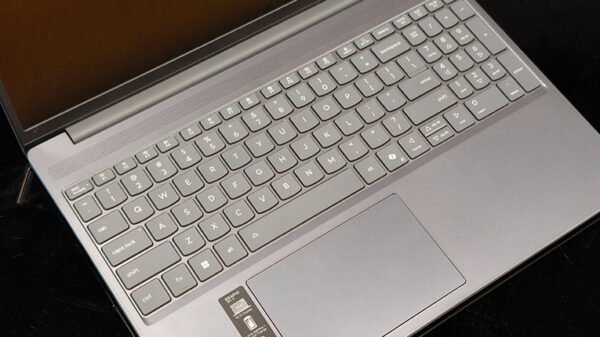
The large touchpad is responsive, the chassis feels modern, and the overall design is understated enough for both office and personal use. The only omission that repeatedly annoyed me was the keyboard. Lenovo offers an optional backlit keyboard, but the unit I tested didn’t have one. For a laptop costing ₹1,09,990, a backlit keyboard should be standard rather than optional.
Display and Sound

This is where the base configuration starts to show its compromises.
My review unit came with the 15.3-inch WUXGA 60Hz IPS display. On paper, the 16:10 aspect ratio is excellent for productivity because it gives you more vertical space when working on documents, browsing the web or editing spreadsheets. Lenovo’s slim bezels also help the laptop feel modern and maximise screen real estate.
However, the panel itself never really impressed me.
Colours appear somewhat muted, and the image lacks vibrancy. Whites don’t look particularly clean, blacks aren’t especially deep, and the entire display has a slightly washed-out appearance. It is perfectly usable for office work, presentations, web browsing and streaming, but anyone who edits photos, creates social media content or values colour accuracy will likely be disappointed.
This is particularly worth noticing because Lenovo’s IdeaPad Slim 3 Gen 11 lineup indeed includes OLED variants with up to 100% DCI-P3 colour coverage. Those higher-end displays will undoubtedly look fantastic, but the base IPS panel does not deliver the same premium visual experience.

The Dolby Audio speakers are clear enough for video calls and YouTube sessions, but they don’t offer the fullness or richness that media enthusiasts may expect. Dialogue remains crisp, and the upward-facing speaker design helps maintain clarity, but bass is limited.
The FHD IR camera deserves praise. Video calls looked sharp, facial recognition worked reliably, and the physical privacy shutter is a welcome touch for security-conscious users.
Performance
Powered by Intel’s Core Ultra 5 Series 3 processor and integrated Intel Arc graphics, the IdeaPad Slim 3 Gen 11 is clearly aimed at productivity users rather than creators or gamers.
For the target audience, performance is excellent.
Also Read: Lenovo Legion K510 Mini Pro Review: Makes a Strong Case for Compact Mechanicals
Across a typical workday involving Chrome with 10+ tabs, WhatsApp, Local Send, Premiere Pro, and Photoshop, the laptop remained responsive. I never encountered slowdowns, freezing or thermal issues.
The integrated Intel Arc graphics also provide enough muscle for light creative work. Social media content creation, basic photo editing and casual video editing are all comfortably within its capabilities. However, serious 4K video workflows or intensive rendering tasks still require a more powerful machine.
The AI capabilities are perhaps the biggest differentiator. Lenovo has positioned this as a Copilot+ PC, bringing features such as intelligent search, real-time translations and AI-assisted workflows. While these features are still evolving, they genuinely add convenience for students, professionals and frequent travellers.
Thermals deserve a mention too. During extended workloads, the laptop remained surprisingly quiet, with fans rarely becoming intrusive.
Functionality
The IdeaPad Slim 3 scores highly when it comes to practical usability.
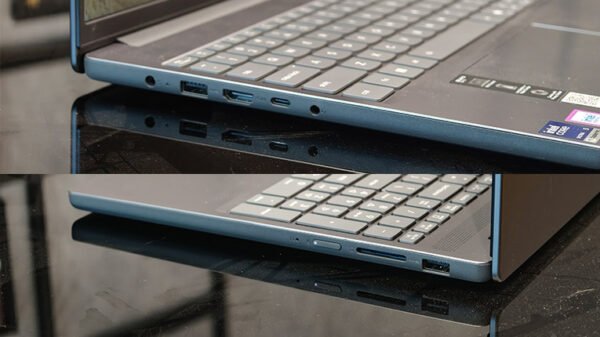
The port selection covers most needs with USB-A, USB-C with DisplayPort and Power Delivery, HDMI, a full SD card reader and a headphone jack. It’s refreshing to see Lenovo resist the temptation to remove useful ports in pursuit of thinness.
Connectivity is future-ready with Wi-Fi 6 and Bluetooth 5.3. The IR camera makes logging in effortless, while Lenovo Vantage remains one of the better OEM utility suites available.
Battery Life
Battery life is another strong point.
In real-world usage with moderate screen brightness, the laptop lasted around 6 to 7 hours. On a Delhi-Mumbai flight followed by several hours of work at an event venue, I did find myself hunting for a charger.
Lighter workloads such as document editing and web browsing can push endurance beyond 7 hours, but heavier multitasking naturally reduces it. So this battery life is in “good” territory, but certainly not in “great” territory by any means.
Rapid Charge Boost is particularly useful. A quick coffee break can provide enough battery to comfortably finish the rest of your workday. Lenovo claims up to two hours of usage from a 15-minute charge on the 60Wh model, and while real-world results vary, the fast-charging convenience is undeniable.